EasyManua.ls Logo

AES Prime 6E - Step 3: Program Caller ID Access

AES Prime 6E
34 pages
Print Icon
To Next Page IconTo Next Page
To Previous Page IconTo Previous Page
Loading...
P a g e | 12
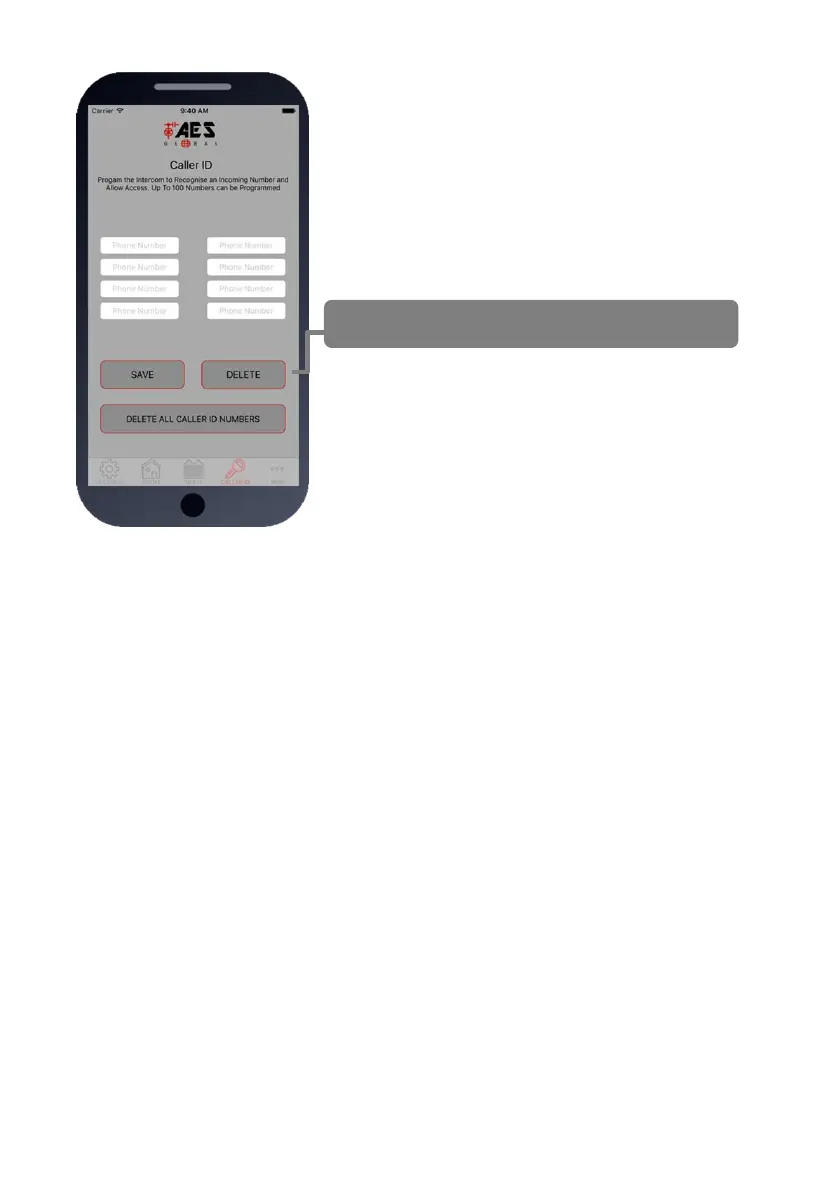
Step3: Programming Caller ID access
numbers (100 max).
1.Press the CALLER ID button.
2. Simply enter cell phone numbers of visitors whom should
have access with caller ID (up to 8 at a time).
3. Press SAVE. Note: iphone users will be taken to their SMS
screen to confirm the SMS string (press send).
4. The intercom should reply with an SMS to your phone
showing the SMS string and an OK status.

To delete, enter number above and press delete
SMS Programming Method:
Add numbers -
9999#72telephonenumber#72telephonenumber#
Delete specific number
9999#73telephonenumber#
Delete all
9999#73*#

Related product manuals