Programming a Brand-New Install
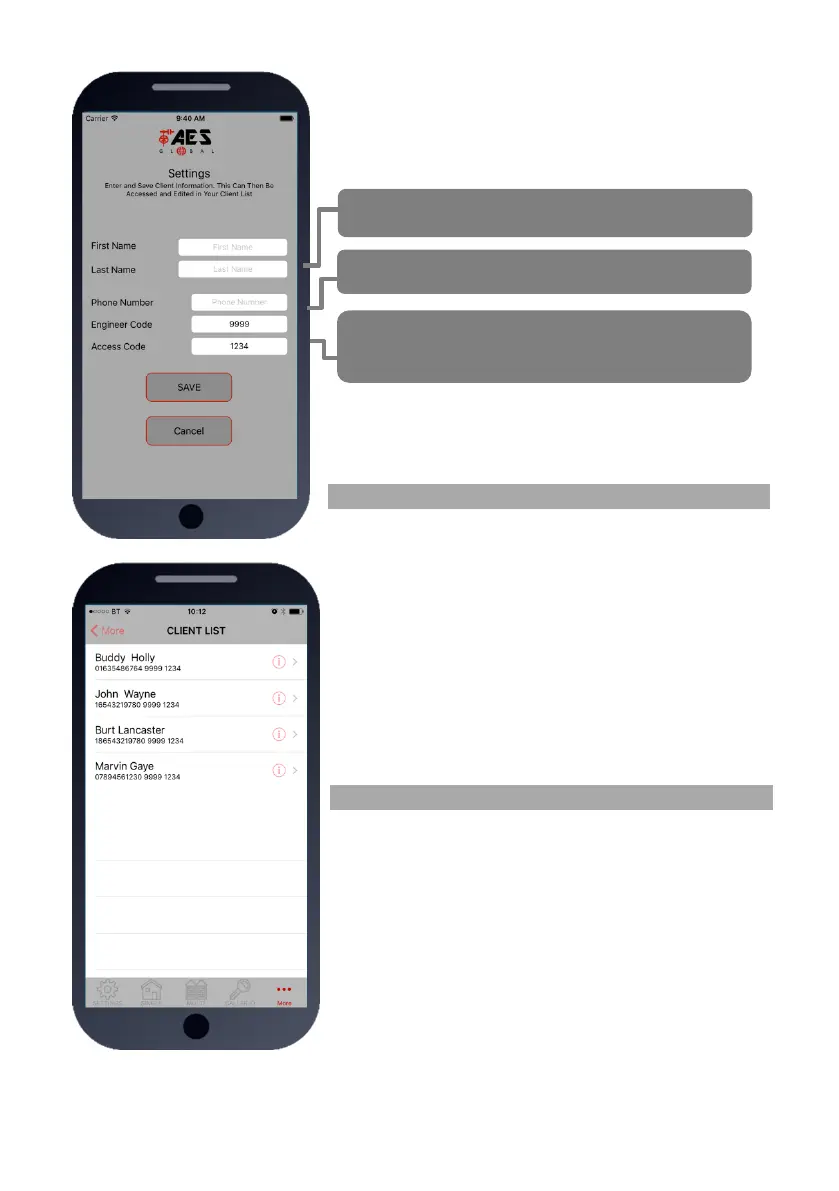
Press SETTINGS to reveal the screen shown. This screen will
store details for the client.
Now you are ready to begin programming!
Programming an EXISTING Install
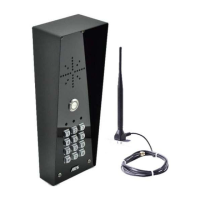
1.Go to MORE>CLIENT LIST to reveal the screen shown.
2.Press and HOLD to select the desired client.
3.Iphone users press the info symbol. Android users press and
hold the client, and then press upload to begin programming.
Now you are ready to begin programming!
Enter name or site name for customer.
Enter INTERCOM SIM phone number.
Default Engineer’s and user`s pass codes. These
can be changed later.


 To Next Page