P a g e | 7
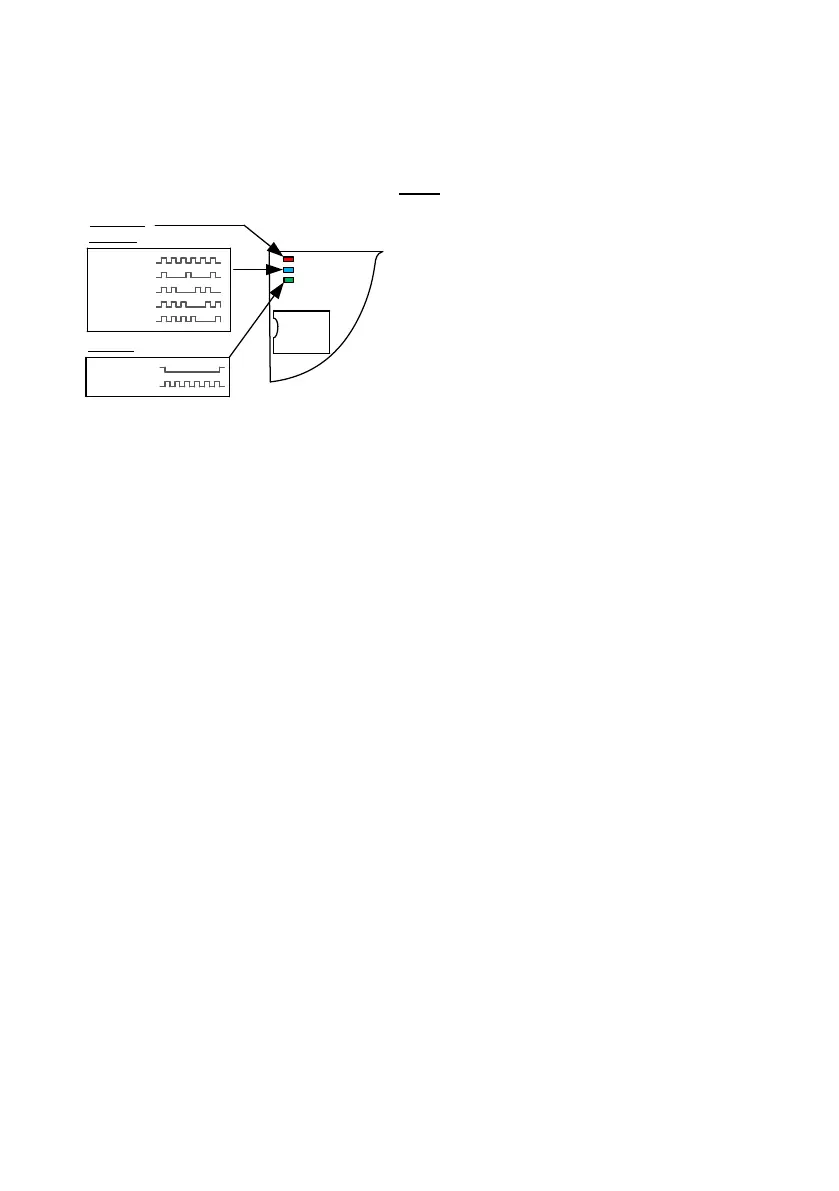
Powering Up
Perform a final check of wiring and ensure the antenna is connected before switching on the
power. Once the power is switched on, the power LED should illuminate.
TIPS:
My GSM LED is still searching…
-Check the SIM card is registered and can make a
call in a phone.
-Check the SIM card is seated correctly. Power off,
clean the contacts on the SIM and the GSM unit,
and reinsert the SIM.
-Check power cable distance and thickness.
-Increase antenna height.
-Change network.
-Move antenna away from metal objects & shrubs.
-Fit a high gain antenna.


 To Next Page