Stay ahead. With Agfa Global Services. :Anapurna M4F - Operator Manual
Operations - The operator panel 19
3. The operator panel. (general overview)
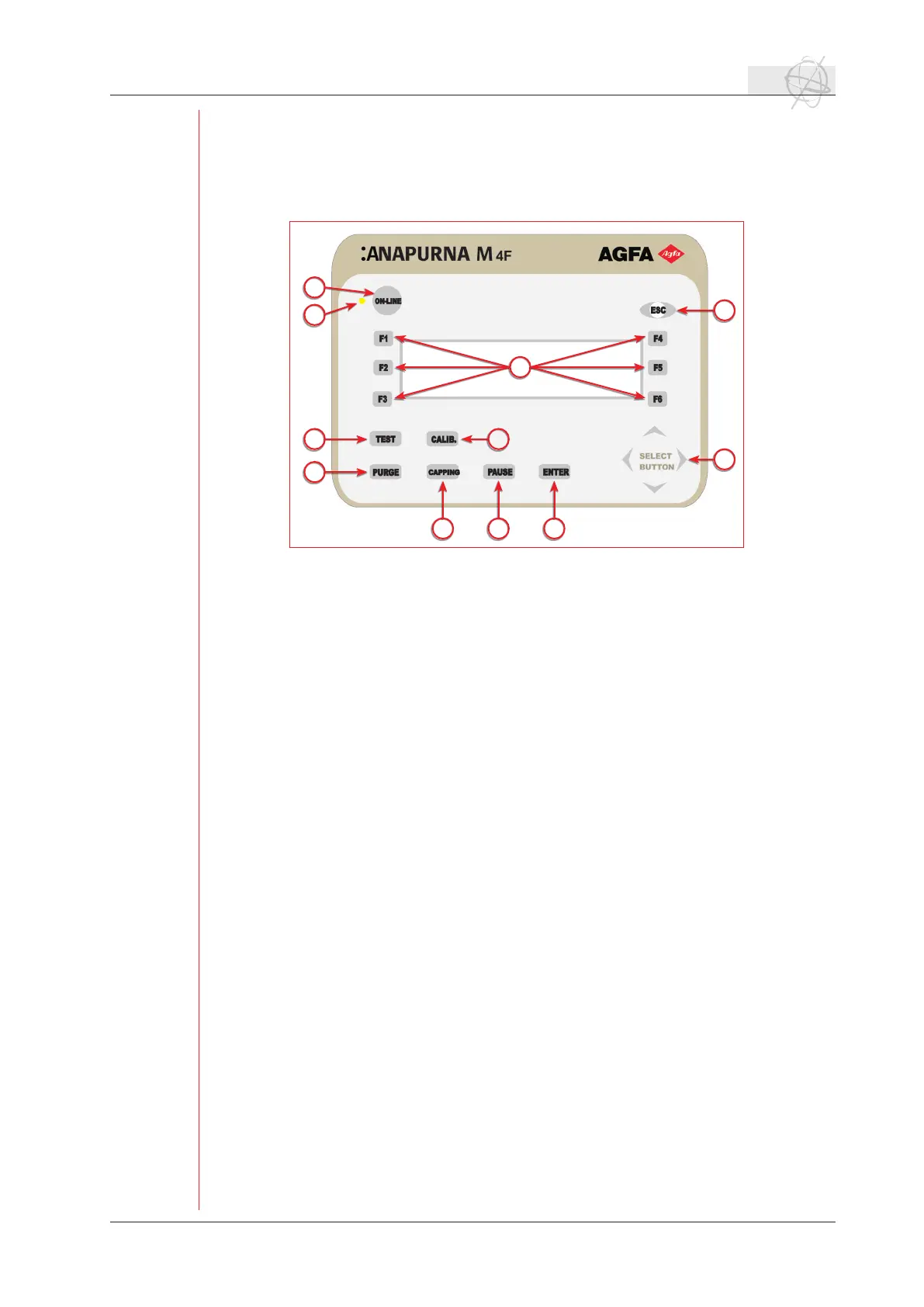
The operator panel on the right side of the :Anapurna M4F, gives you access to all the different
settings of the printer. It allows you to perform cleaning routines, to determine working proce-
dures and to enable safety and quality settings.
(1) ON-LINE : When the LED (2) is on, the system is On-line and is ready to
print. Pressing the ESC (3) button will change the status to Off-
line, the LED will go out. If you send a job when the engine is in
the Off-line status, the LED will start blinking. the job waits until
you push the On-line button.
(2) LED : Indicates On-Line or Off-Line status.
(3) ESC : Use this button to CANCEL a print and to RETURN from a menu.
(4) F1~F6 : Function keys to access different menu’s and settings.
(5) TEST : Printing test, F1: Prime, F2: Vert. Alignment, F3: Hor. Alignment.
(6) PURGE : Similar functions to capping.
(7) CALIB : Nozzle alignment, head gap.
(8) CAPPING : To position the head over the capping station.
(9) PAUSE : To temporarily stop printing, press again to resume.
(10) ENTER : To save any settings you’ve changed in a menu.
(11) Dir. Key : Navigate through the different menu’s.
3
7
11
4
1
2
5
6
8 9 10



 To Next Page