Stay ahead. With Agfa Global Services. :Anapurna M4F - Operator Manual
Maintenance - Test Menu 37
C. MAINTENANCE.
1. Test Menu.
Beforeyoucanaccessthedifferentsettings,makesurethattheprinterisofine.Ifnot,press
the‘ESC’buttontoswiththe:AnapurnaM4Fofine.Thetestbuttononthecontrolpanel(con-
trol panel n° 9) gives you access to 4 different test features:
F1 : PRIME
F2 : PRIME2
F4 : BELT TEST
F5 : DIR TEST
1.1 Prime (F1).
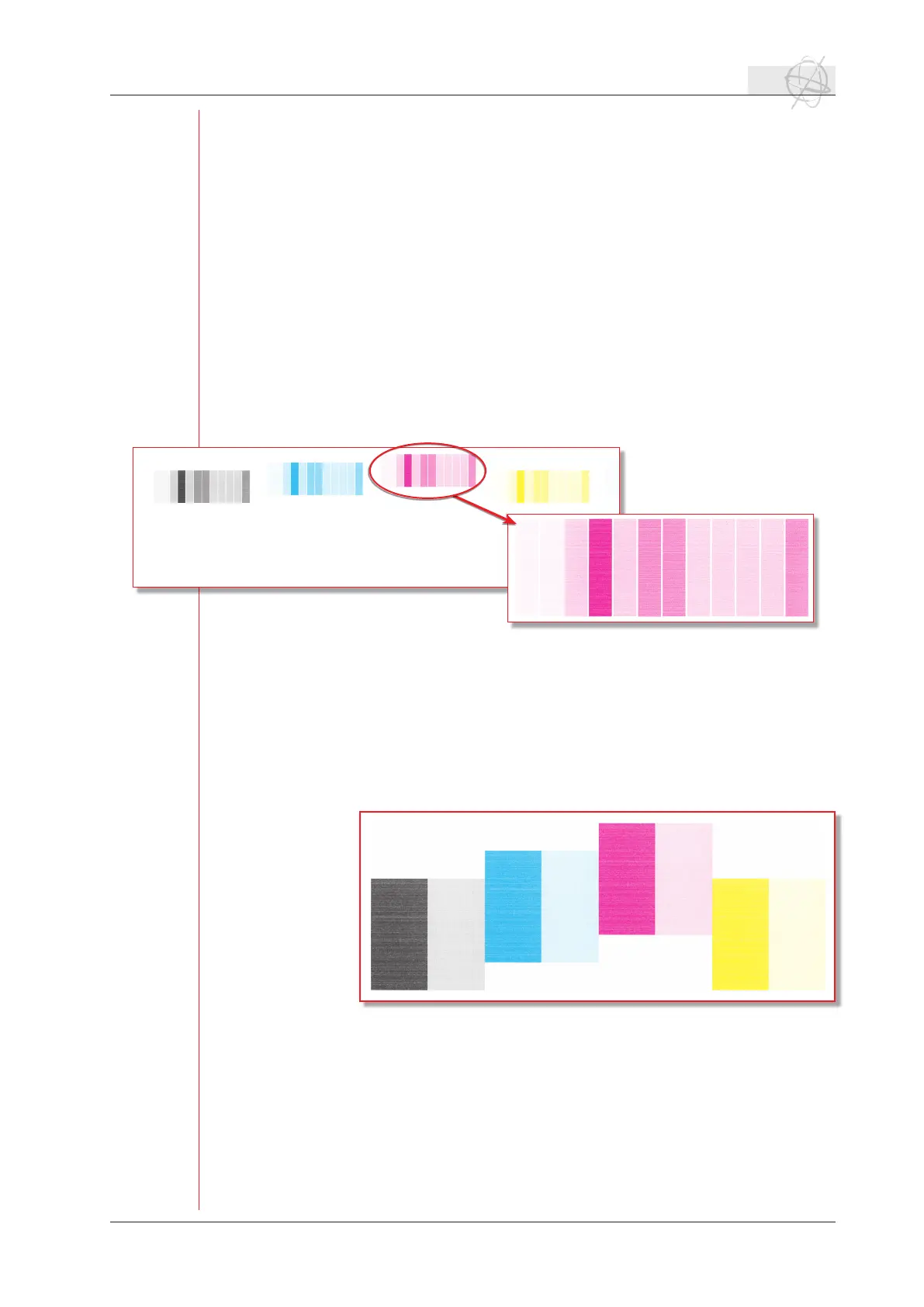
Make sure that a left margin (p.32) is set before you do a prime test. If you press the F1
function key, you will print the following testchart:
For every color a patch will be printed which contains 12 different blocks. Every block
shows you a certain quality and resolution setting or a certain nozzles that are being
red.
1.2 Prime2 (F2).
Make sure that a left margin (p.32) is set before you do a prime test. The prime2 test
looks like follows:
Twoblocksareprintedpercolor.Therstblockisasolidblockshowingyouthephysi-
cal resolution that is printed in one pass (360 x 360 dpi). The second block is built up
outof lines of360dpi, so allthenozzles are ringatthe same timewitha certain
interval.
1.3 Belt test (F4).
The belt test will allow you to check the positioning of the belt by letting it turn con-
tinuously. Pressing F1 will start the conveyor belt motor, F2 will stop the movement
of the belt. Don’t let the belt test run for more than 3 minutes to eliminate the risk of
size test chart: 65 x 6 cm
size test chart: 33 x 8 cm



 To Next Page