:Anapurna M4F - Operator Manual Stay ahead. With Agfa Global Services.
42 Maintenance - Maintenance Routines
Flush (using solution).
Ifpurgingtheheadsdoesnotresolvetheblockednozzles,youcanusetheush-
ing procedure to tread the print heads with cleaning solution.
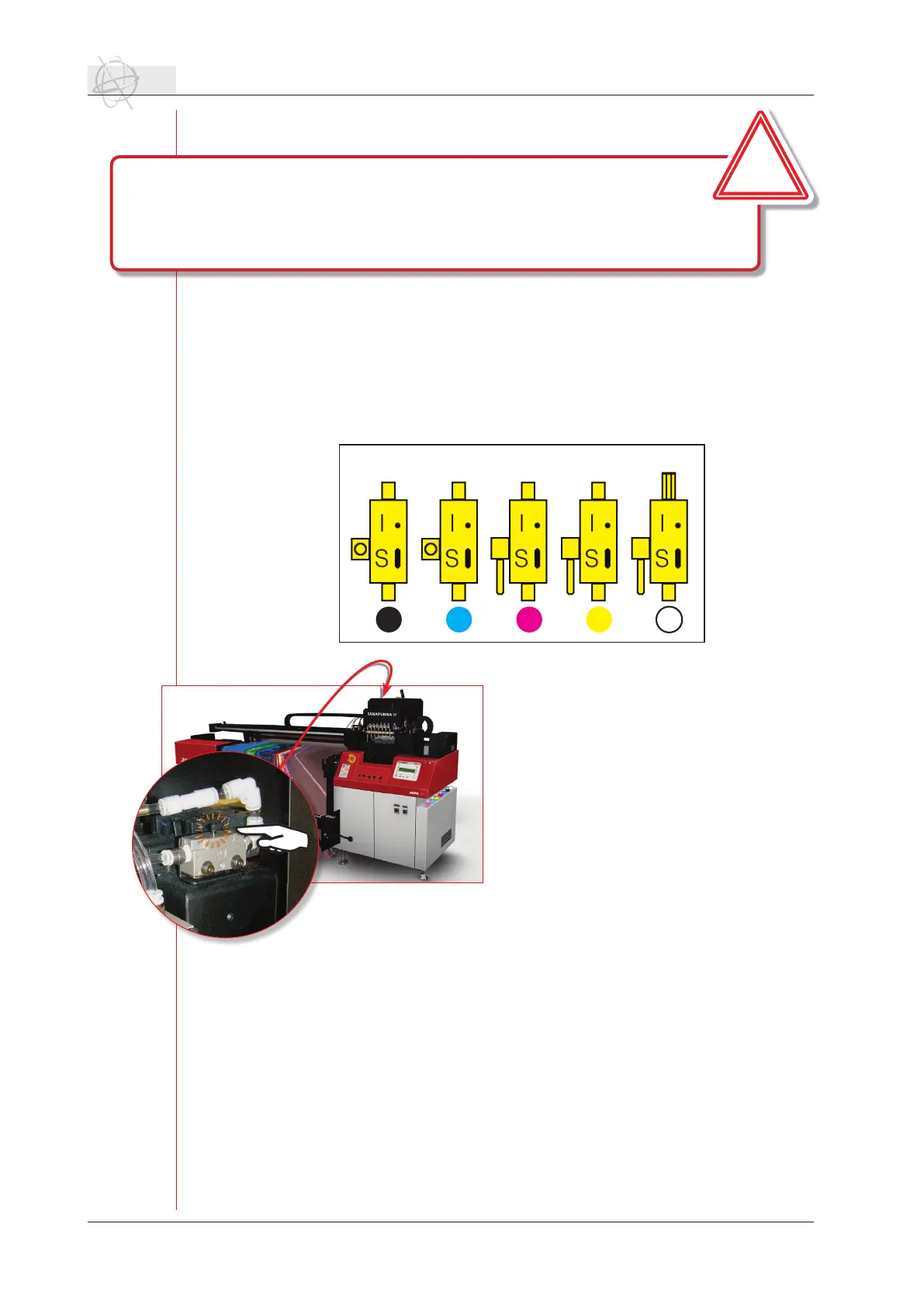
Switch the right valve to “S”. This is the solution valve and solution liquid can
now start running into the grey bar towards the ink valves. Switch the valves of
theheadswhichhavetobeushedto“S”.Thesolutionliquidcannowrunvia
the gray bar and the valve into the print heads.
On the backside of the shuttle, you can open
a cover which gives you access to the pneu-
matic system on the shuttle. On right side
youcan nd the solutionvalve.By pressing
this button, air pressure will be applied onto
the solution sub ink tank. Use short intervals
untill you see clear solution curtain coming
out of the print heads.
Close the solution valve by switching it to
“I”.Useabrefreeclothtocleantheheads
by wiping them from back to front.
Rellingtheushedheadswithinkagain,can
be done with the purge procedure. Make sure
thatonlytheushedheadswillbepurged,so
switch all other valves to “S”.
Bleed (negative pressure to -.010).
Bleeding the print heads is performed to get rid of any air in the ink system. You
turn the negative pressure system to a value around -.010 (make sure that the
home cover is open). The print heads will start leaking. Let them drip for several
minutes, turn the negative pressure back to -.036 and perform a quick purge
routine.
The head bleed can also be performed after a weekend or long stand still of the
engine.
K C M Y S
The magenta, yellow and solution valves are switche to “S”.
Therellsystemisprotectedwithatimer.Ifthesystemhastopump
toolong,itwillstoptopreventoverowingincaseofaleak.
The control panel will give you a warning:
<<PauseSystemrell>>
Pressthepausebuttontocontinuetherellingofthesubinktanks.
!



 To Next Page