AgfaPhoto Compact 104
56
Setting the Print Mode Menu
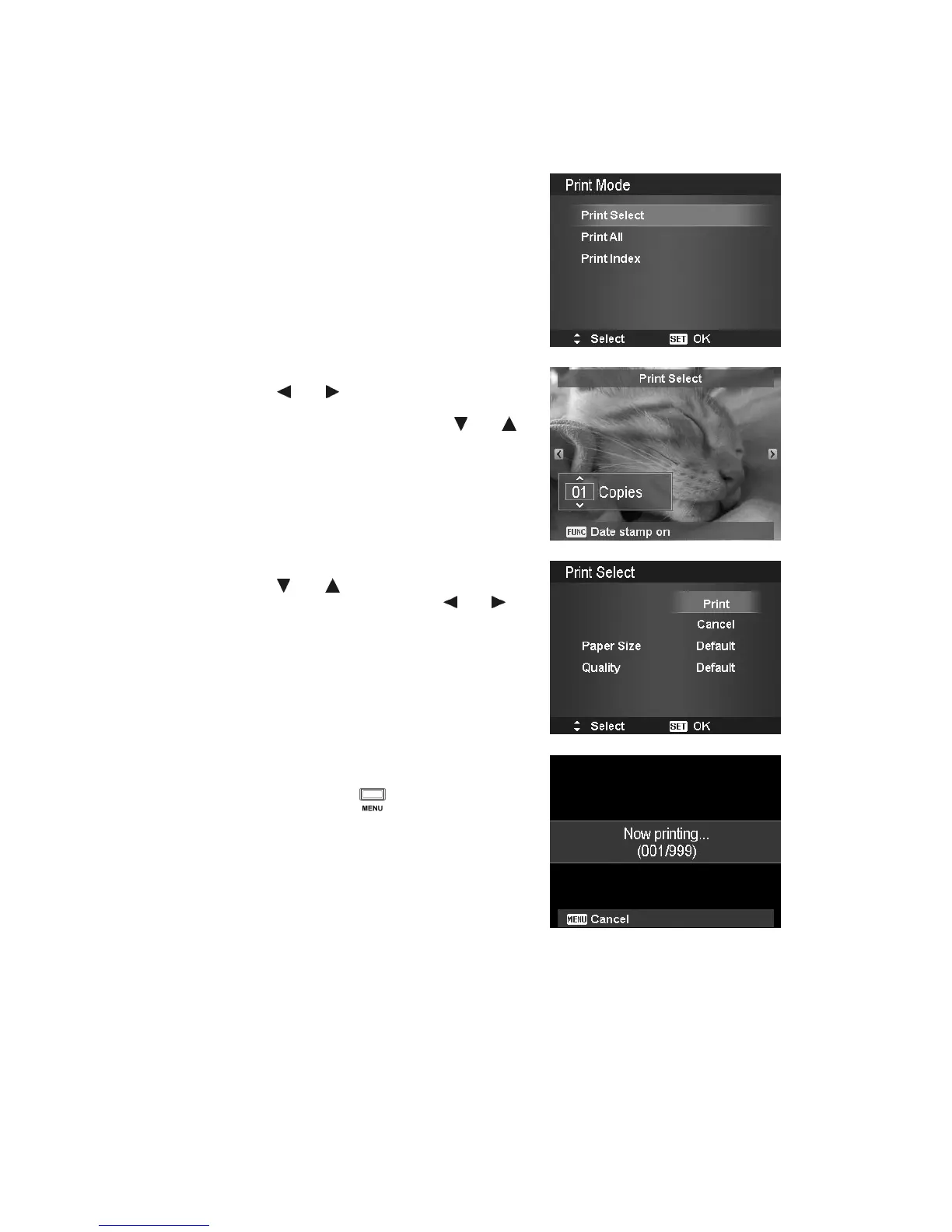
Print Mode menu appears on the screen after the connection between a printer and your camera is
established.
Print Mode includes three major settings:
• Print Select. An image can then be selected to
print.
• Print All. Prints all images.
• Print Index. Prints all images as thumbnails.
To set Print Select
1. Use the or keys to scroll and select an
image for printing.
2. Specify the number of copies. Use the or
key to increase/decrease number.
3. Press the FUNC button to toggle between turning
on/ off the date stamp.
4. Press the SET button to enter printer settings.
To set Print All and Print Index
Repeat the same steps 2 to 4, then enter printer settings.
To set Printer Settings
1. Use the or key to specify a print option.
2. Modify paper size and quality by the or
keys. Available setting:
• Paper size: Default / A4 / 4"x6"
• Quality: Default / Fine / Normal
3. Select Print on the screen for printing.
Or Cancel to go back Print Mode.
Start Printing
• LCD monitor appears "Now printing…".
• Or press Menu button to stop printing
anytime.













 To Next Page