AgfaPhoto OPTIMA 104
27
Using Intelligent Scene
This feature is most useful for novice users to capture great images even without basic knowledge of
photography. Simply frame the shot with the help of Intelligent Scene Mode, the camera automatically
recognizes 11 kinds of scenes - Portrait, Landscape, Sunset, Macro, Text, Snow, Backlight, Backlight
Portrait, Night Scene, Night Portrait and Foliage - and selects the ideal settings.
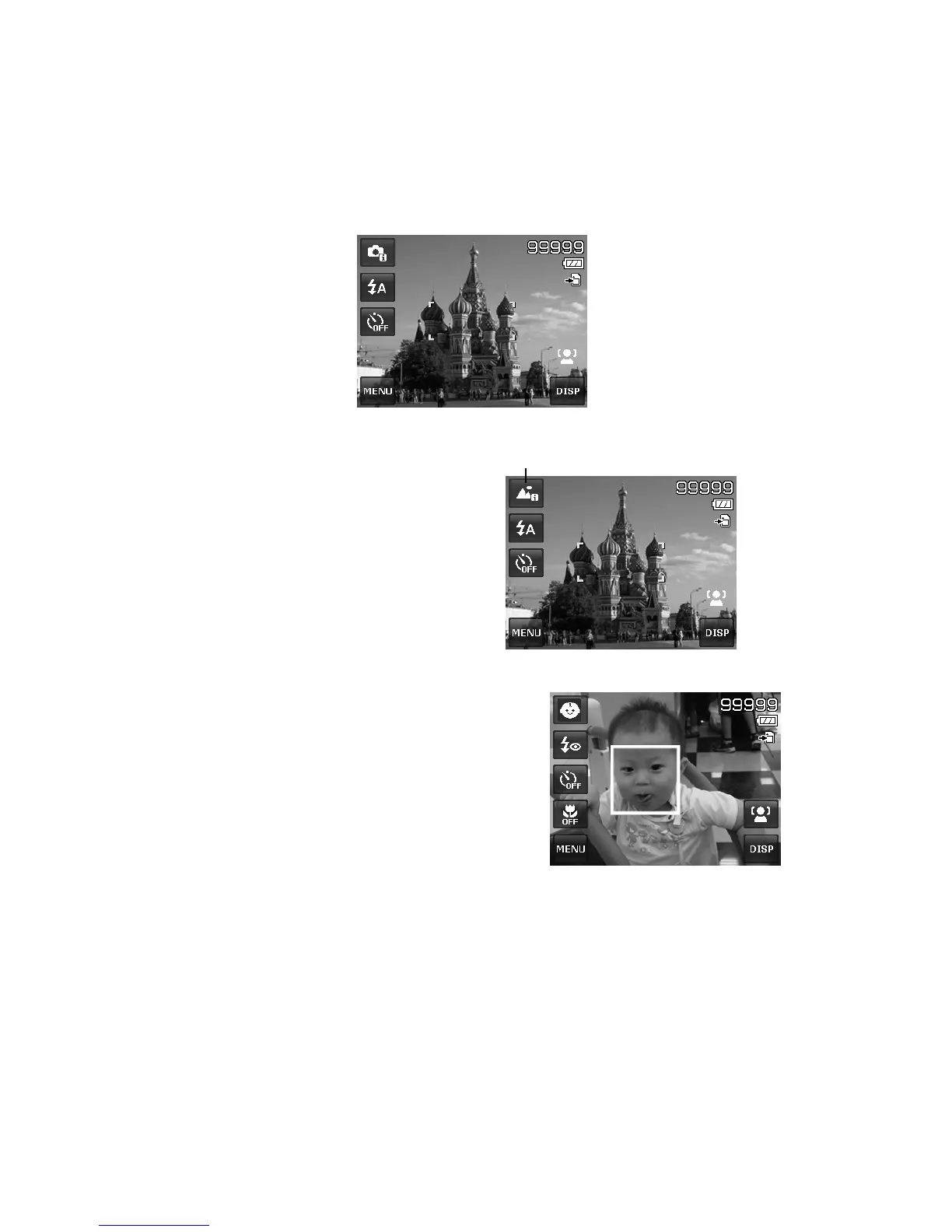
Intelligent scene icon. After the camera detects the shooting
conditions, this icon changes to show the detected scene
mode.
The camera changed to Landscape mode
automatically.
To activate Intelligent Scene
1. Select Intelligent Scene from the Scene Mode
menu.
2. Focus the camera on the subject to capture.
3. The camera detects the shooting conditions
and switches to an appropriate scene mode.
4. Half press the shutter button to focus the
subject. The frame turns green to indicate
focus is set.
5. Press the shutter button to take the shot.
Using Kids Mode
Tactically, kids are the most difficult to photograph. They
tend to be highly animated and can be a real challenge to
make them pay attention for more than just a second or
two. To capture a great moment for your kids, just keep the
camera in kid mode. The mode provides higher shutter
speed and always focuses on moving subject.













 To Next Page