RED ALARM BUTTON SETUP
If the red alarm button is enabled in the pager programming options it can be configured to call the
other pagers on that group code with an Emergency call through the Paging system. The pager will then
transmit an infra-red Emergency call to any IR enabled Touchsafe Pro call points in range and this call will
be shown on the Nursecall system.
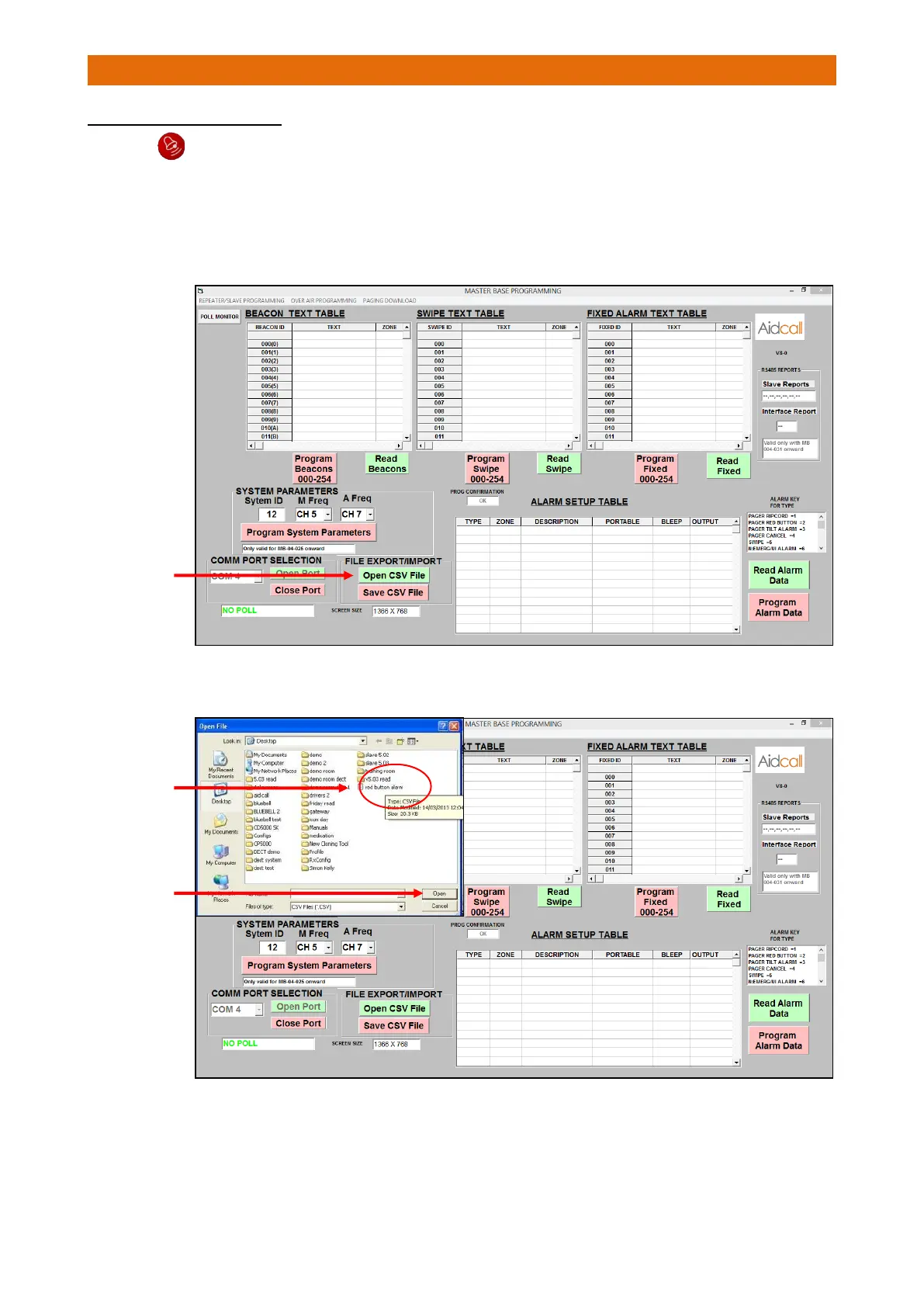
On the Master Base Programming tab; click-on the “Open CSV File” button and select the “red button
alarm” file…



 To Next Page