Doc No. FM5600 issue E Page 22
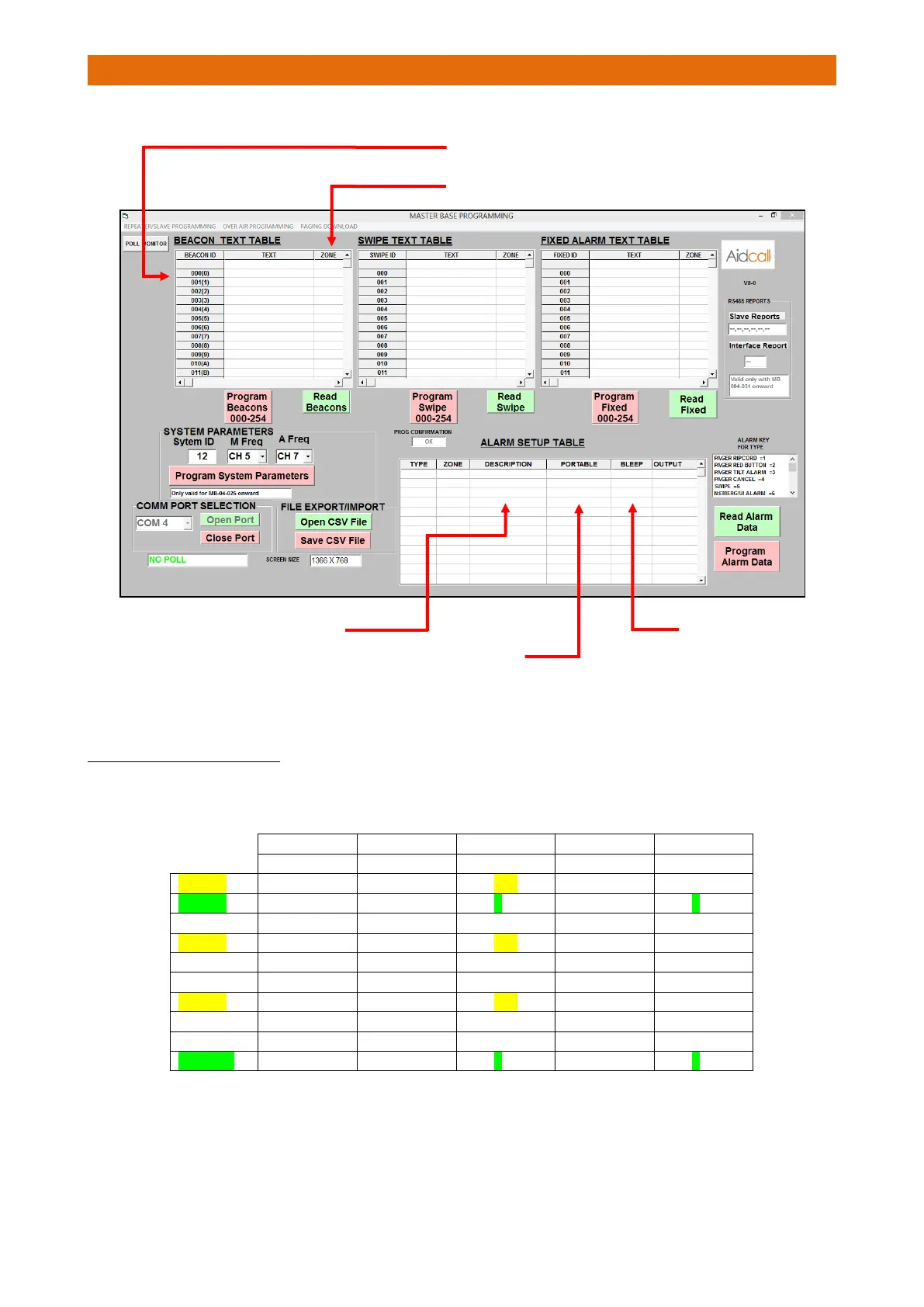
Edit the tables as required…
G5 “WILD CARD” CAP CODE
G5 in the Pager is a "Wild Card" CAP Code - meaning that the first number of the 3 digit CAP Code will page
any Pager with a CAP Code of the first digit. For example, if you have 10 pagers programmed as below;
If the Touchsafe Pro panel pages CAP code 301 then Pagers 1, 2, 4, 7 & 10 would page the call.
Pagers 1, 4 & 7 would page because they have the CAP Code 301 in them.
Pagers 2 & 10 would also page because their G5 CAP Code starts with a “3” and Pagers 2 & 10 have a CAP
Code in G1, G2, G3 or G4 that also starts with a “3”.
With no beacons on the system it is necessary to have
“EMERGENCY” programmed in for locations 0 and 1
After the alarm has been sent the
Portable (Pager) will display “CANCEL?”
Pressing the Tick button will send a
CANCEL call to group 456.
(P CANCEL = Portable Cancel)
The red button
alarm in zone A
calls group 456
4 A P CANCEL 456 4 S01
4 B P CANCEL 222 4 S01



 To Next Page