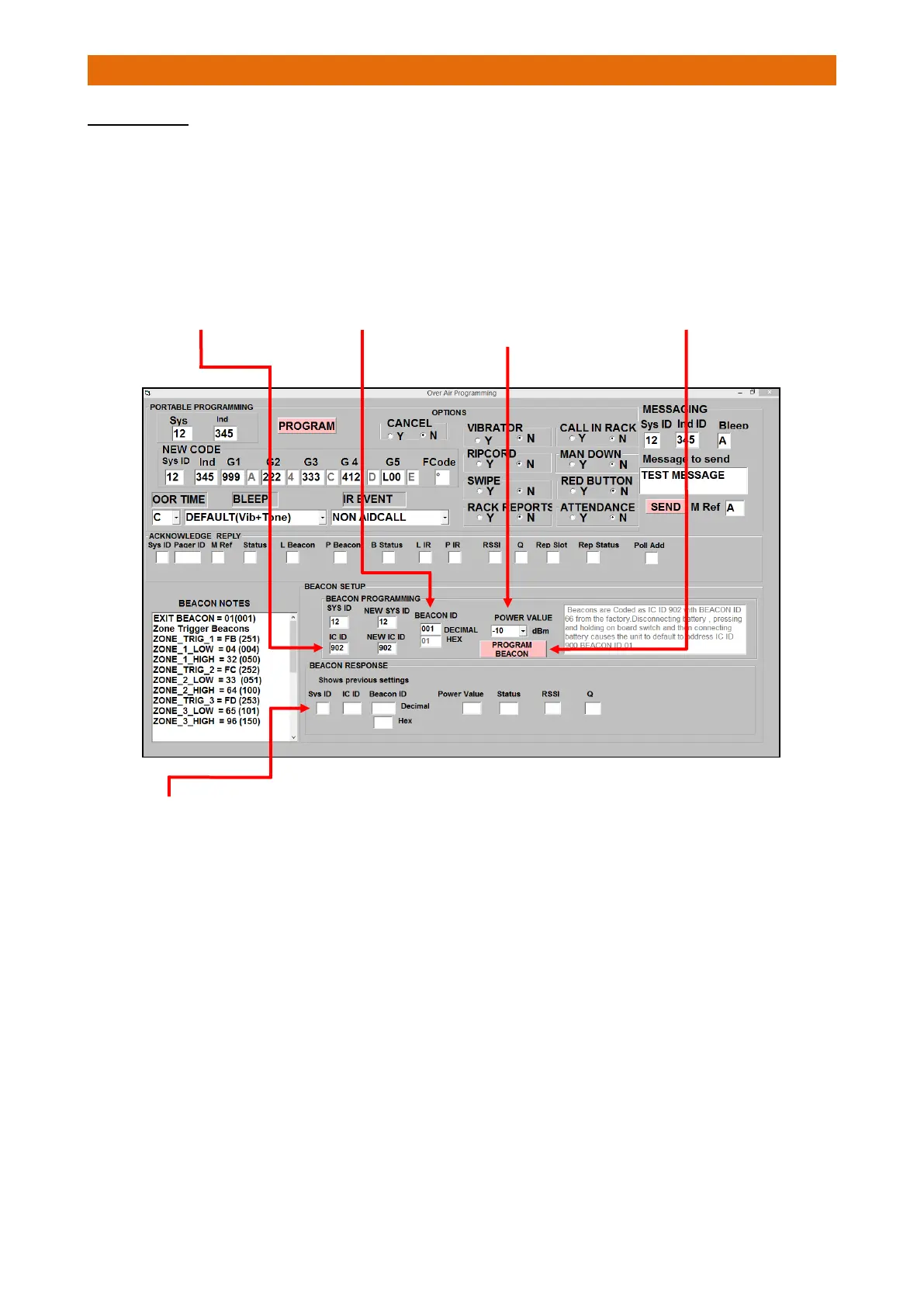
EXIT BEACONS
Exit Beacons must all be programmed with an ID of 001 and in addition each will require a unique Individual
Code (IC). If the IC of a Beacon is not known then a default IC can be set by disconnecting the batteries then
holding the small PCB mounted switch when powering-up.
The Beacon will then be set to ID 900 and can now be reprogrammed from the Over Air Programming Tab.
Enter details in the BEACON SETUP area of the screen…
5. The BEACON RESPONSE area of the screen will first show the previous settings i.e. how the Beacon was
programmed before the last programming call. To check the programming was received correctly set up
another programming call to the new IC and check the received acknowledgement.
3. Select increasing power
levels from the drop-down
list (set -10 as start point
then work up or down)



 To Next Page