44
9.6 – Working on Mac
TM
with virtualized Windows
TM
Race Studio 3 only works on Windows
TM
operative systems; Mac users can use a virtualized Windows
TM
machine.
The main problem is that the host OS (Mac) must share its Wi-Fi interface with the virtualized operative system (Windows) as Ethernet
interface and not as Wi-Fi interface.
Configuring Parallels(™)
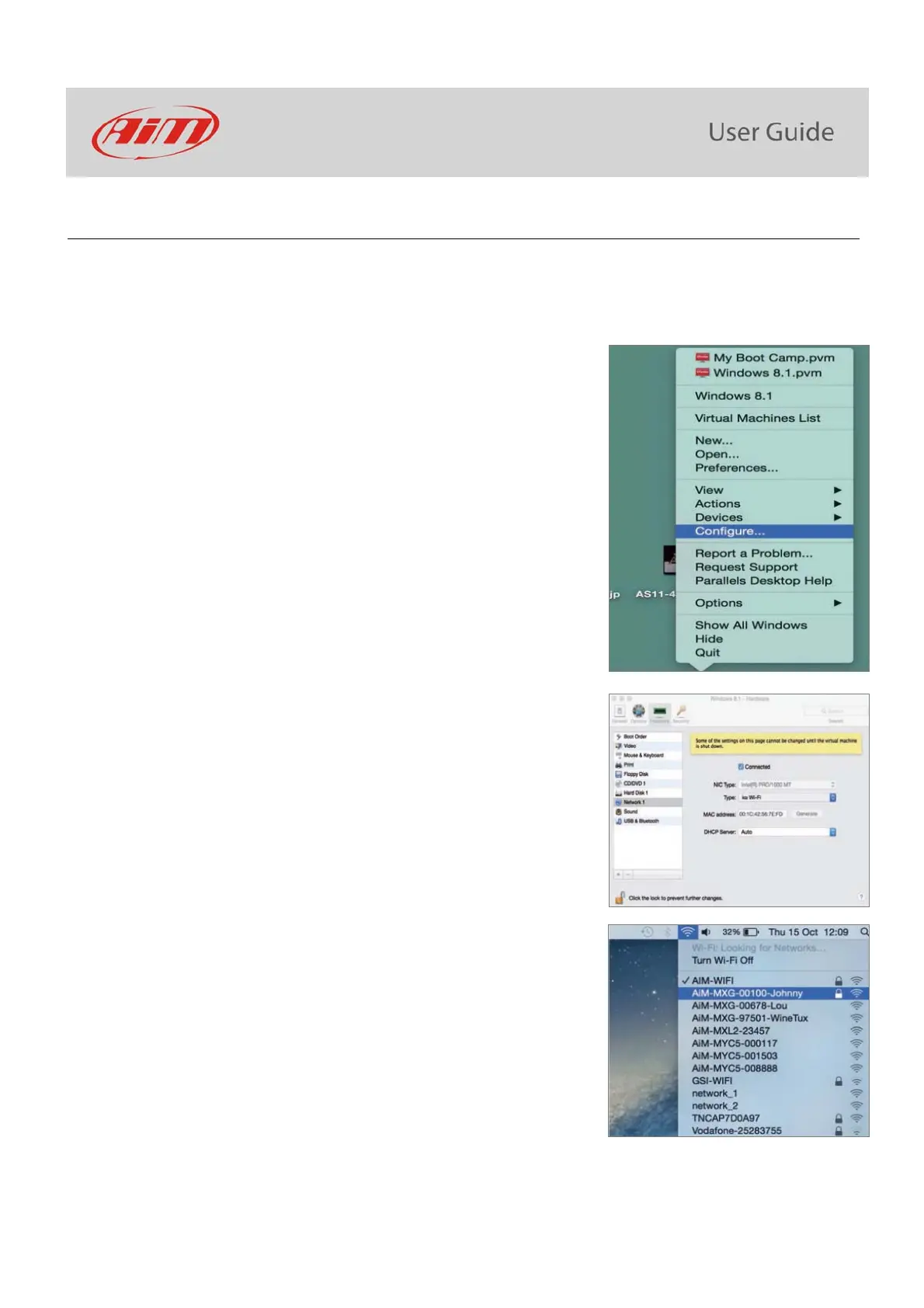
Select “Menu –> Configure…” in Parallels.
Press “Hardware” – top on the page that shows up – and select
“Network” in the drop-down menu on the left.
Right on the configuration panel set "Type" field on “Wi-Fi”.
Then select the device to communicate with.



 To Next Page