CHAPTER 5
14 15
MXm
5.4 Tracks Management
MXm built in GPS receiver is used for:
n
Lap time calculation
n
Speed calculation
n
Predictive lap time calculation
n
Position on the track in analysis
To calculate these data the system needs to know the start/finish line coordinates.
MXm comes with a long list of the world main tracks. The list is constantly updated
by our technicians and it updates on your PC when you run Race Studio 3 software
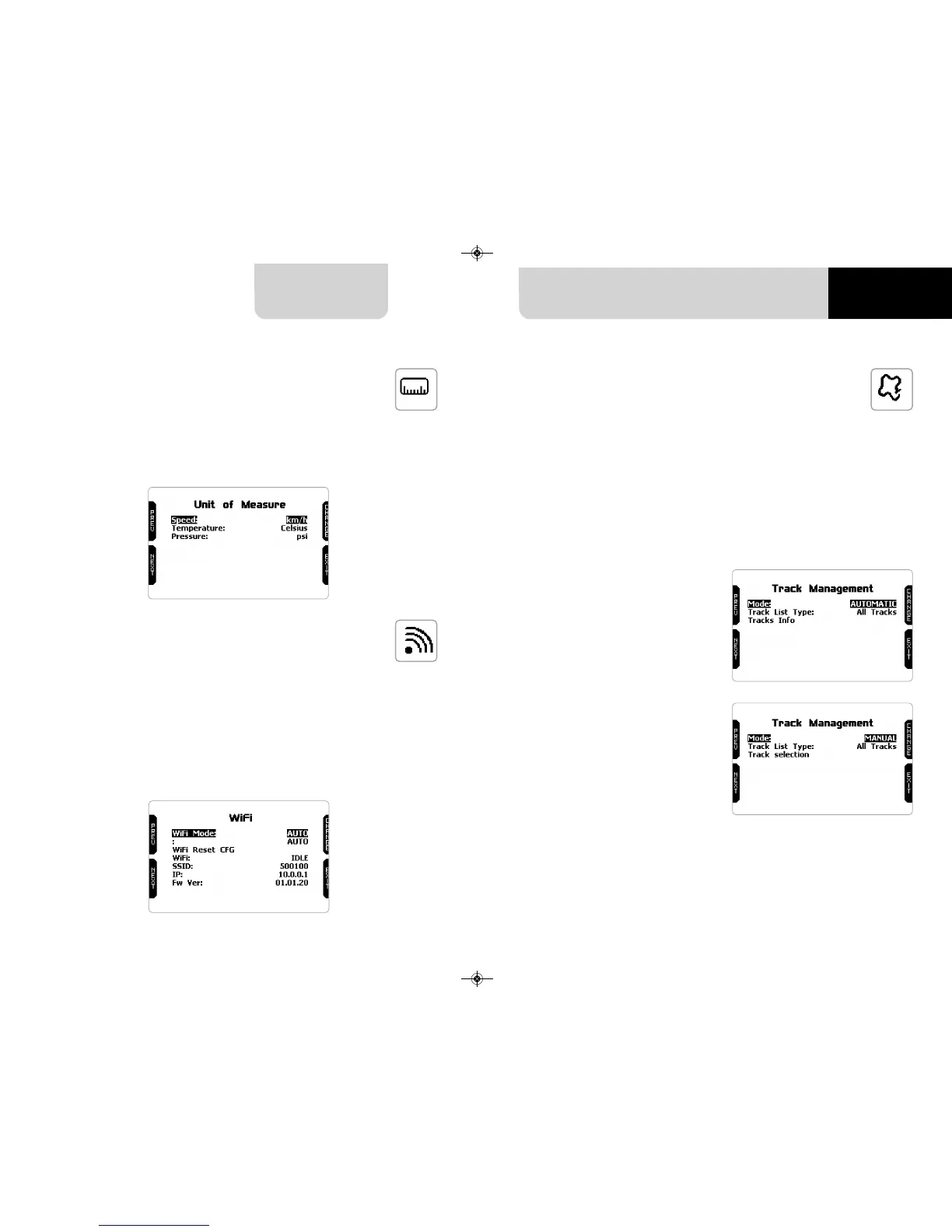
and a connection to the internet is available. Available track selection modes are: au-
tomatic and manual
5.3 Wi-Fi
Here you can manage Wi-Fi as well as reset its configuration. Wi-Fi modes are:
n
ON
n
Auto: switches Wi-Fi on when the vehicle is stopped and automatically switches
it off when MXm starts recording, according to the setting you performed in
“Parameters” page of Race Studio 3 software (see paragraph 6.2.6 for further
information)
n
OFF
“Wi-Fi reset CFG” allows you to reset Wi-Fi configuration and is very useful if you do
not remember Wi-Fi password.
5.2 Unit of measure
Here you can manage speed, temperature and pressure unit of measure. Use:
n
“PREV”/”NEXT” buttons to scroll the measure to set
n
“CHANGE” button to change the measure unit
Both track modes provide three track list type:
n
nearest: shows only tracks in a 10 km distance with max 50 tracks shown
n
all tracks: shows all tracks stored in the system in alphabetical order
n
custom: shows only the tracks you have previously created (learning mode)
Automatic:
the system automatically recognizes
the track you are running on, loads
start/finish line and calculates lap
times.
This is the best mode in most cases.
Manual:
allows you to manually select the track
from the internal database.
This mode is to be preferred when mul-
tiple track configurations are available
nearby. In this case MXm would any-
way recognize the track but would
need at least one complete track lap.
To be ready from the first lap manual
mode would be helpful.



 To Next Page