CHAPTER 6
28 29
MX UTV
6.1.4 Wi-Fi network settings
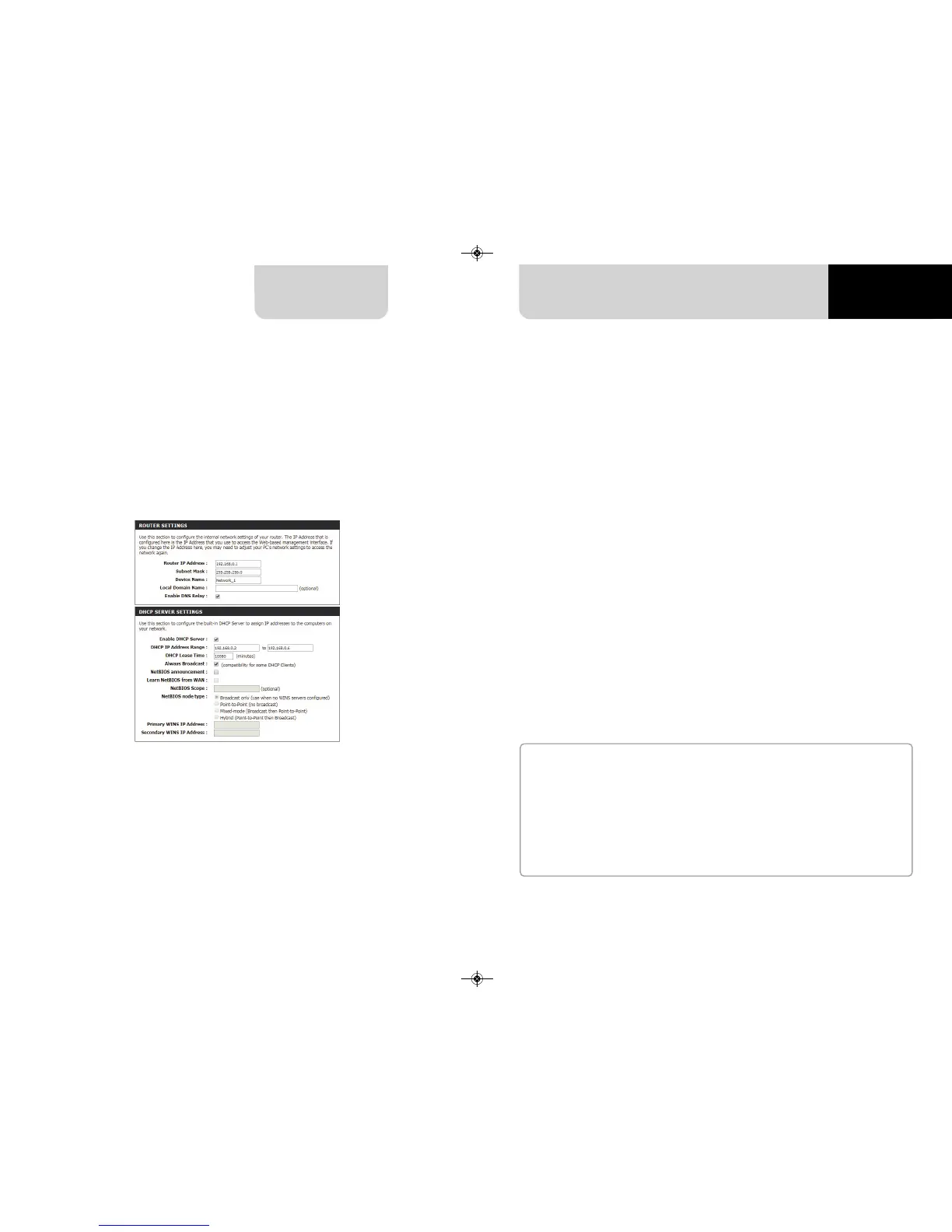
In this chapter, you find a short description of how to configure a WLAN including
AiM devices and a PC.
Here below is an example of configuration.
The parameters for the device network configuration in this example are:
n
Wireless network name: Network_1
It means that the WLAN network name is “Network_1.” A PC has to be
authenticated in this network to interact with any AiM device of this network.
n
Gateway address: 192.168.0.1
primary DNS server: 0.0.0.0
secondary DNS server: 0.0.0.0
(These settings prevent Internet connectivity on this WLAN)
n
Subnet mask: 255.255.255.248
Enable DHCP server: yes
DHCP IP address range: 192.168.0.2 to 192.168.0.6
These settings enable a DHCP server running on this WLAN and provide an IP address
in a 2-6 range. This means that this network allows 5 network hosts.
The number of devices on a WLAN network depends on the subnet mask. Here below
you see typical examples of network masks and IP addresses range.
The configuration in bold is the one we suggest (if a greater number of devices is not
needed), being the one that makes it easier and quicker for Race Studio 3 the identi-
fication of the devices in the network.
For better network performances, we suggest the use of a network device equipped
with a DHCP server and using 3x3 MIMO technology like, for example a Linksys
AS3200.
To maximize the bandwidth, you should not allow the Internet on this WLAN; this
means the DHCP server should be configured without any DNS address nor gateway
by default.
Subnet mask:
255.255.255.0
255.255.255.128
255.255.255.192
255.255.255.224
255.255.255.240
255.255.255.248
IP address range:
192.168.0.1 – 254
192.168.0.1 – 126
192.168.0.1 – 62
192.168.0.1 – 30
192.168.0.1 – 14
192.168.0.1 – 6
Number of devices:
254
126
62
30
14
6



 To Next Page