CHAPTER 13
72 73
MXm
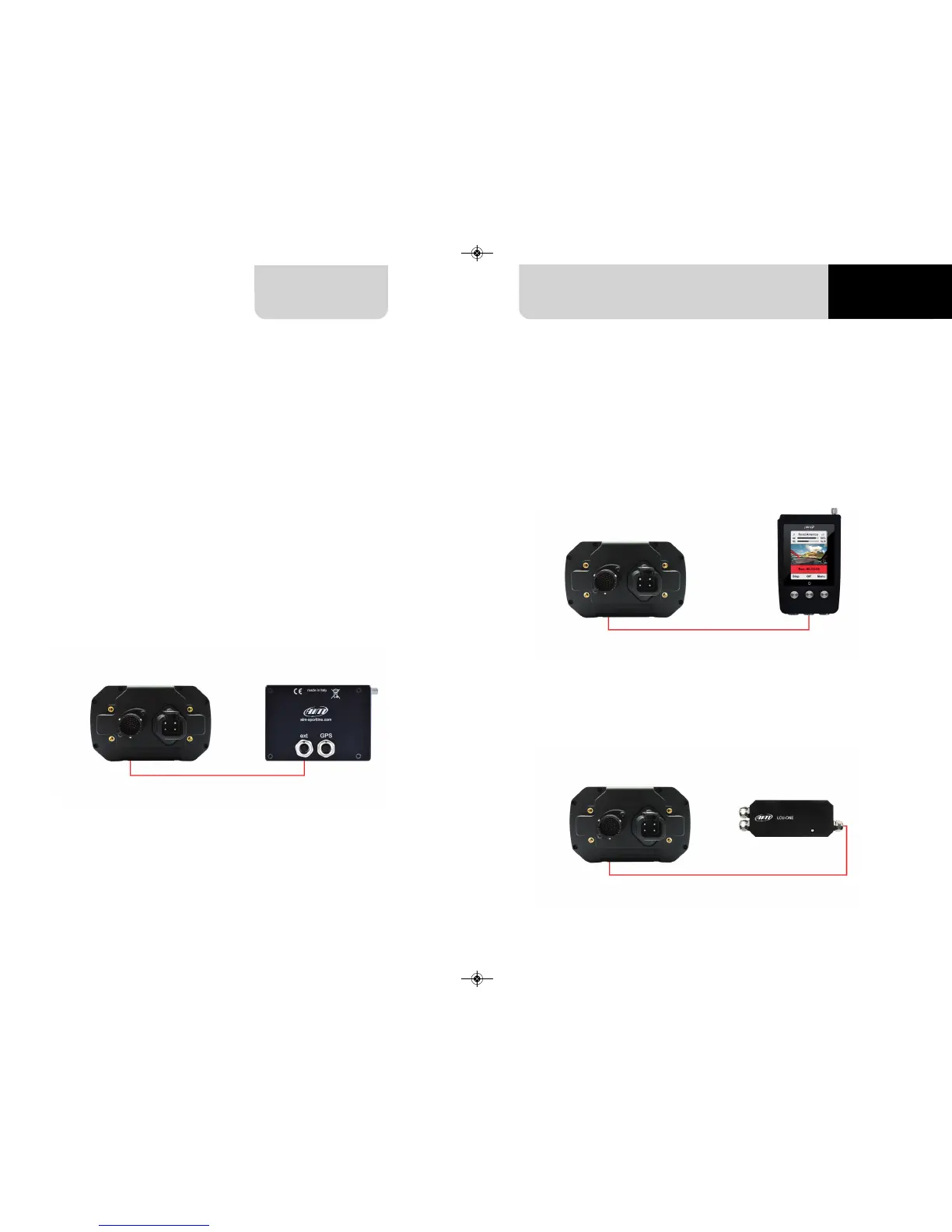
Your MXm can be connected to AiM SmartyCam HD, SmartyCam GP HD and LCU-
One CAN as shown in the images below.
Please remember that all channels transmitted by these AiM expansions have to be
set in Race Studio 3 software as already explained in the related paragraphs (“LCU-
One CAN setting” and “SmartyCam stream setting”).
Moreover for further information concerning SmartCam HD, SmartyCam GP HD and
LCU One refer to the related manuals you can download from “Documentation” area
of AiM website www.aim-sportline.com.
To connect MXm to SmartyCam HD connect SmartyCam CAN cable to the cable la-
belled “EXP” of MXm 37 pins connection harness and 7 pins Binder connector of Smar-
tyCam CAN cable to 7 pins Binder connector placed rear left of SmartyCam HD as
shown here below.
To connect MXm to SmartyCam GP HD connect SmartyCam CAN cable to the cable
labelled “EXP” of MXm 37 pins connector harness and 7 pins Binder connector of
SmartyCam HD CAN cable to the recorder central connector as shown here below.
To connect MXm to LCU-One CAN connect cable labelled “EXP” of MXm 37 pins
connector harness to 5 pins Binder connector of LCU-One as shown here below.
13 Connection with SmartyCam and LCU-One



 To Next Page