Page 17
EPa - EnD POinT aDjUSTMEnT
The End Point Adjustment function is used to adjust the desired amount of servo travel in both directions
independently. This makes it possible to balance servo travel in both directions. The End Point Adjustment
function can be adjusted for the Steering channel (Right and Left), the Throttle channel (Throttle High and
Throttle Brake), and Auxiliary channel 3 (High and Low).
WARNING End Point Adjustment percentage values should not be increased to the point where your linkages and servos
bind when moved all the way to the right or left. Binding will cause the servos to 'buzz', resulting in a quicker loss of battery
power and eventual damage to the servos.
Before making Steering End Point Adjustments, you must make sure that the servo horn is centered. Install the servo horn
onto the steering servo, making sure it's as close to being centered as possible, then us the Servo Sub-Trim function to
center the servo arm exactly. For more information, see page 35.
Your model’s turning radius can differ from left to right because of variations in linkage, suspension balance, tire diameter, or
weight distribution. In such cases, Left Steering servo travel and Right Steering servo travel are adjustable using the End Point
Adjustment function.
[[PROgRaMMing MEnU
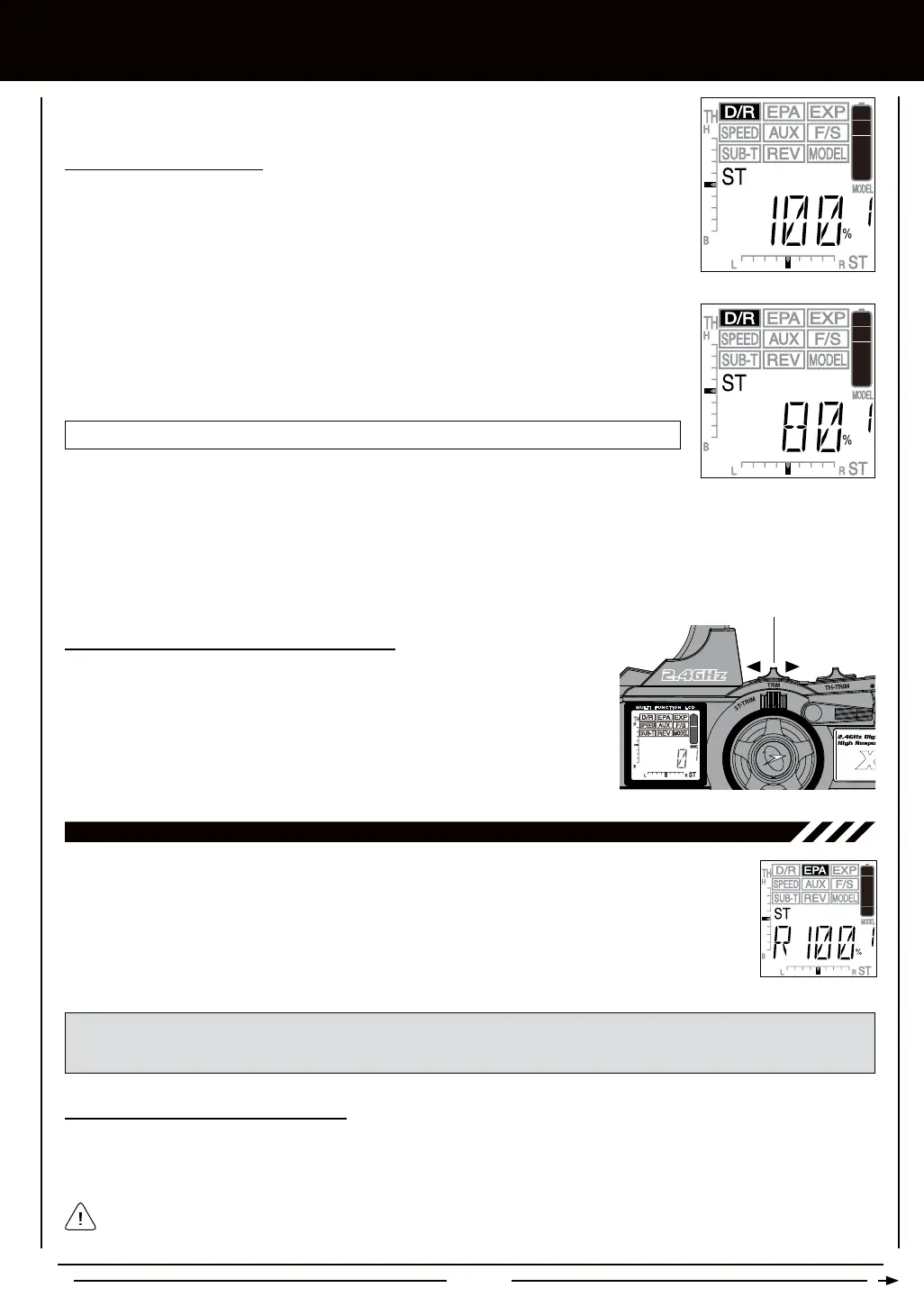
1) Press the Right or Left MENU key to highlight the D/R menu. ST 100% will be displayed in the
Programming Window.
D/R ST setting range is 0% to 100%. The default setting is 100%.
2) Press the +/INC or DEC/- keys to increase or decrease the Steering Dual Rate percentage
value. When the Steering Dual Rate percentage value is decreased, steering servo travel is
decreased. When the Steering Dual Rate percentage value is increased, steering servo travel
is increased.
TRM Switch
3) After the Steering Dual Rate percentage value has been set, adjust the independent left and right End Points using the End
Point Adjustment function. For information, see the next page.
1) In the default conguration, the TRM switch is used to change the Dual Rate
percentage value without accessing the Programming Menu. This allows you to
adjust the Dual Rate percentage value easily during use. Press the TRM switch
forward to decrease the Dual Rate percentage value and press the TRM switch
backward to increase the Dual Rate percentage value. The increment percentage
value that the TRM switch adjusts the Steering Dual Rate can be changed to suit
your preference. For more information, see page 41.



 To Next Page