Page 29
[[PROgRaMMing MEnU
1) The ST-TRIM switch affects only the Right and Left trimming of the Channel
1 Steering servo. If desired, you can independently control the Right and Left
trimming of the Auxiliary Channel 3 Steering servo. To do this, assign the Auxiliary
Channel 3 Sub-Trim function to the TRM switch. With this setup, the ST-TRIM
switch will control the Channel 1 Steering servo Trim and the TRM switch will
control the Auxiliary Channel 3 Steering servo Trim.
TRM Switch
The Motor on Axle Mixing function allows you to use Auxiliary Channel 3 as a second throttle channel, allowing you to use two
separate throttle servos or ESCs. The Motor on Axle Mixing function allows you to control either the Front and Rear throttles
together or independently, giving you Dig and Burn features, in addition to Front or Rear Throttle Hold features. These features
are mostly used in Rock Crawling and allow the utmost in functionality. In addition, you also have the option of mirroring the
Channel 2 Throttle Exponential and Servo Speed settings onto the Auxiliary Channel 3 Throttle channel. This allows for an optimum
setup since Exponential and Servo Speed settings will be the same for both throttles.
Prior to programming the Motor on Axle Mixing function, the Auxiliary Lever should be in the OFF position (pushed DOWN).
Once programming is complete move the Auxiliary Lever UP to turn the function ON or down to turn the function OFF.
When OFF, both throttles will work together.
MOa - MOTOR On axLE Mixing
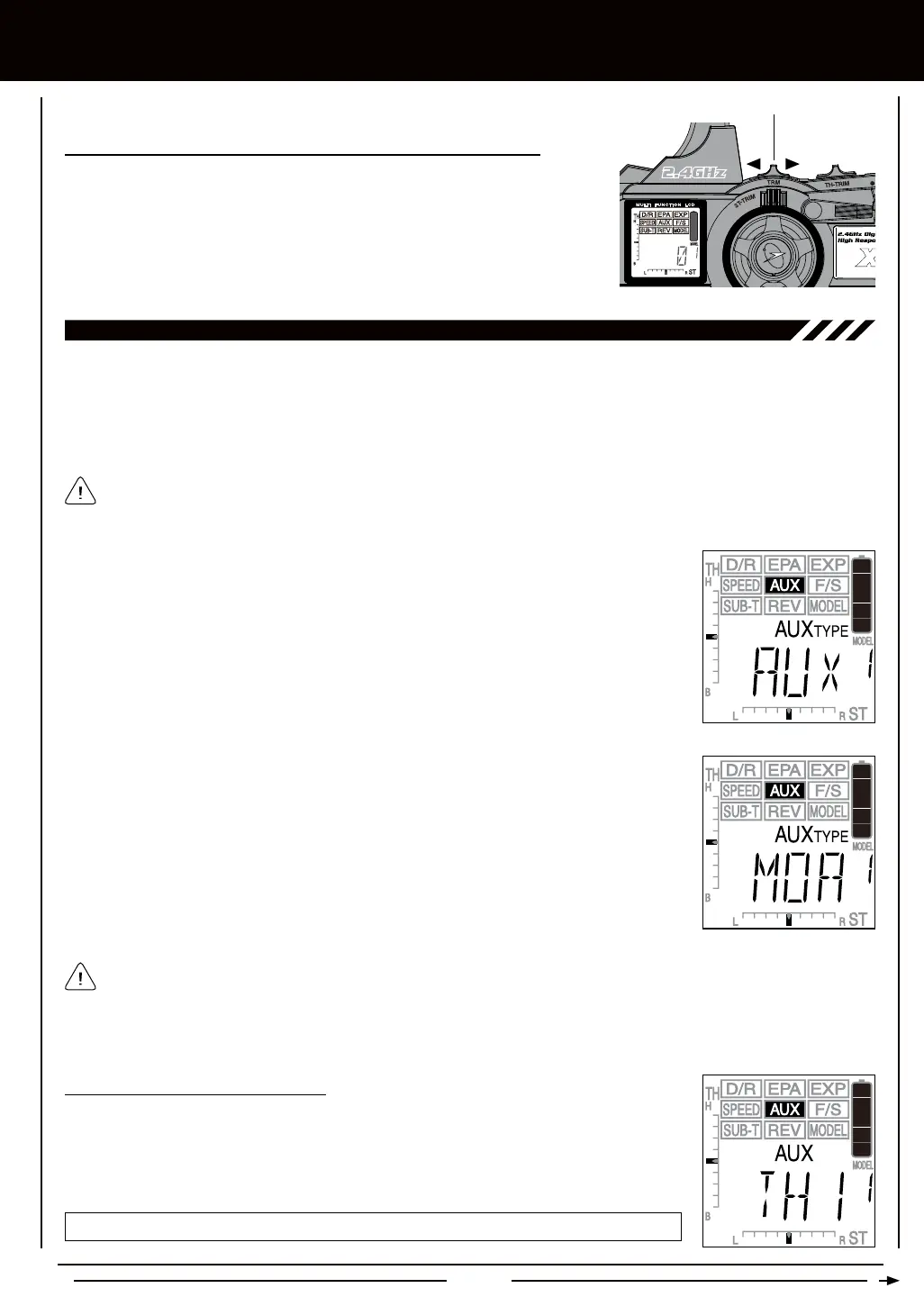
1) Press the Right or Left MENU key to highlight the AUX menu. AUX will be displayed in the
Programming Window.
2) Press the +/INC or DEC/- keys until MOA is displayed in the Programming Window and
ashing.
3) To select the MOA menu, press and HOLD the +/INC and DEC/- keys at the same time.
When selected, MOA will stop ashing.
When using the Motor on Axle Mixing function, it's important that prior to programming to adjust the Sub-Trim values and
the End Point Adjustment percentage values the same for both channels. Auxiliary Channel 3 Sub-Trim and End Point
Adjustments can be made once the MOA menu is selected. Simply ensure that the Auxiliary Lever is in the OFF position (pushed
DOWN), then press the Right or Left MENU keys to scroll to the SUB-T AUX and EPA menus. For more information, see pages
36 and 18, respectively.
1) From within the MOA menu, press the Right MENU key. AUX TH1 will be displayed in the
Programming Window.
2) Press the +/INC or DEC/- keys to choose the desired Throttle Channel option, either TH1
or TH2.
AUX-TH setting range is TH1 and TH2. The default setting is TH1.



 To Next Page