1
91
FS1 Installation and Operation Manual — Remote FS1 Control Via a Web
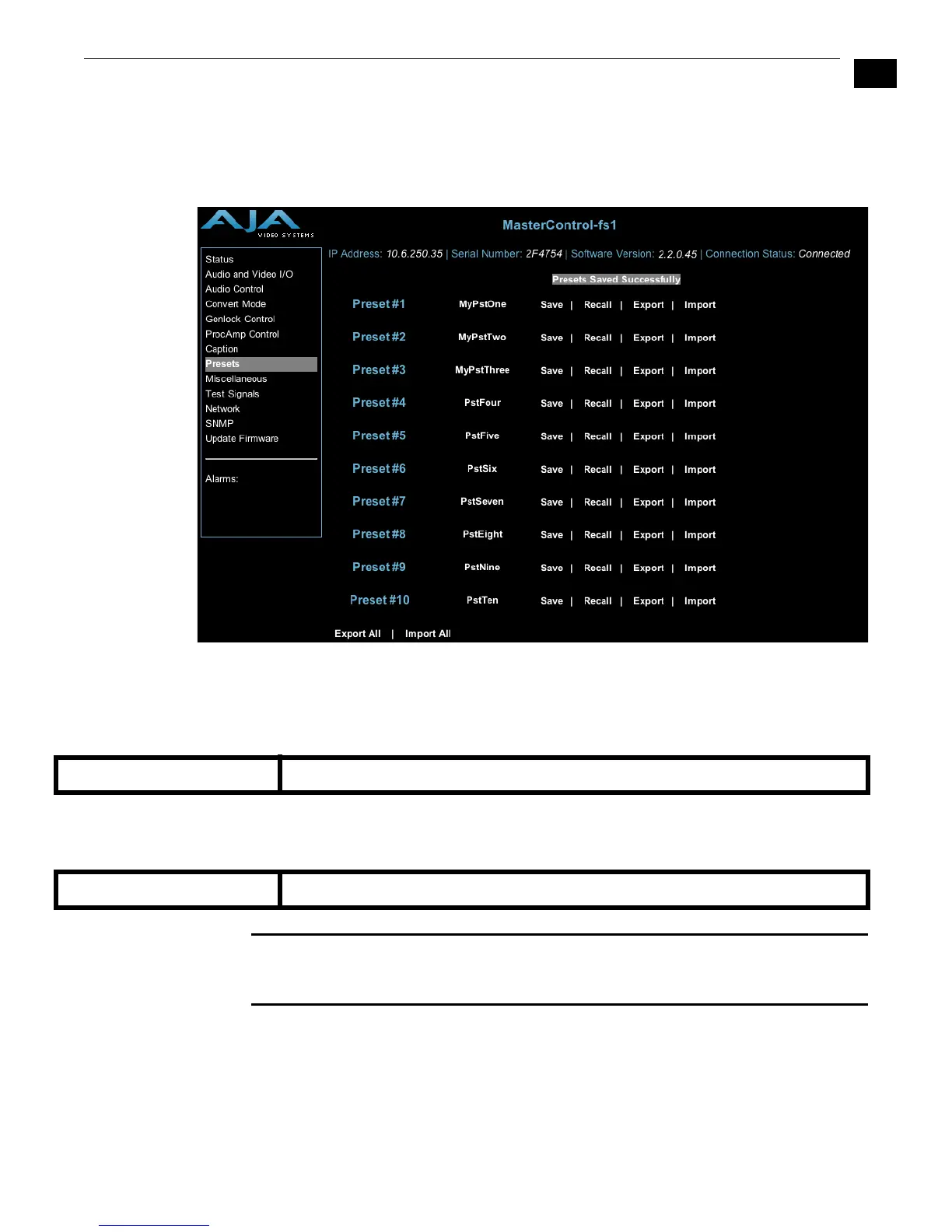
Presets Screen
This screen allows you to save FS1 Preset Configurations into 10 separate memory registers
and recall the presets whenever needed. This screen also includes Export and Import
functions that allow exporting one or all FS1 presets to your computer as an XML file and
importing an exported preset XML file from your computer. A message banner above the
functions indicates successful or failed saves, recalls, exports, and imports.
FS1 Web Interface, Presets Screen
Save (92.1)—Lets you save up to 10 FS1 Preset Configurations, each of which may be
uniquely named. To save the current FS1 Preset Configuration, click the Save button
associated with (to the right of) that preset name. A dialog box asks you to confirm the
save—click OK to save, Cancel to cancel.
Recall (91.1)— Recalls a saved FS1 Preset Configuration. To recall a preset, click the Recall
button associated with (to the right of) the preset name. A dialog box asks you to
confirm the recall—click OK to recall, Cancel to cancel.
Caution:
When you click Yes to recall a Preset Configuration, the recalled preset
immediately replaces the system’s existing configuration. All previous settings are lost
unless you have previously stored them in a Preset Configuration or an exported file.
Pst<number>—Click a Pst<number> field to enter a name for the selected Preset. The text
turns red to indicate it is ready to edit. Type the new name and press Enter. The name
changes to the name you typed.
Only editable parameters are saved in the presets. Example non-editable parameters that
are not saved include 50.6 MAC Address, 80.1 Serial Number, and 80.2 SW Version, as well as
“trigger” parameters, such as 90.0 Reboot, 91.1 Preset Recall, 92.1 Preset Save, and 99.0
Factory Settings.
(Preset) Save Click Save to store the current FS1 as a preset configuration.
(Preset) Recall Click Recall to recall the saved Preset Configuration.



 To Next Page