Page 94 DD8
plus
Version 2.20 - September 1998
The GPIs and GPOs have default assignments as follows:
GPI Default Assignments:
GPI 1 Record Track 1
GPI 2 Record Track 2
GPI 3 Record Track 3
GPI 4 Record Track 4
GPI 5 Record Track 5
GPI 6 Record Track 6
GPI 7 Record Track 7
GPI 8 Record Track 8
GPI 9 Play
GPI 10 Record
GPI 11 Stop
GPI 12 Rehearse
GPI 13 (Unassigned)
GPI 14 All Tracks Play
GPI 15 All Track Record Ready
GPI 16 All Tracks Off (Mute)
GPO Default Assignments:
GPO 1 Record Track 1 Tally
GPO 2 Record Track 2 Tally
GPO 3 Record Track 3 Tally
GPO 4 Record Track 4 Tally
GPO 5 Record Track 5 Tally
GPO 6 Record Track 6 Tally
GPO 7 Record Track 7 Tally
GPO 8 Record Track 8 Tally
GPO 9 Record Tally
GPO 10 Play Tally
GPO 11 Rehearsal Tally
GPO 12 Mag/Multitrack Tally
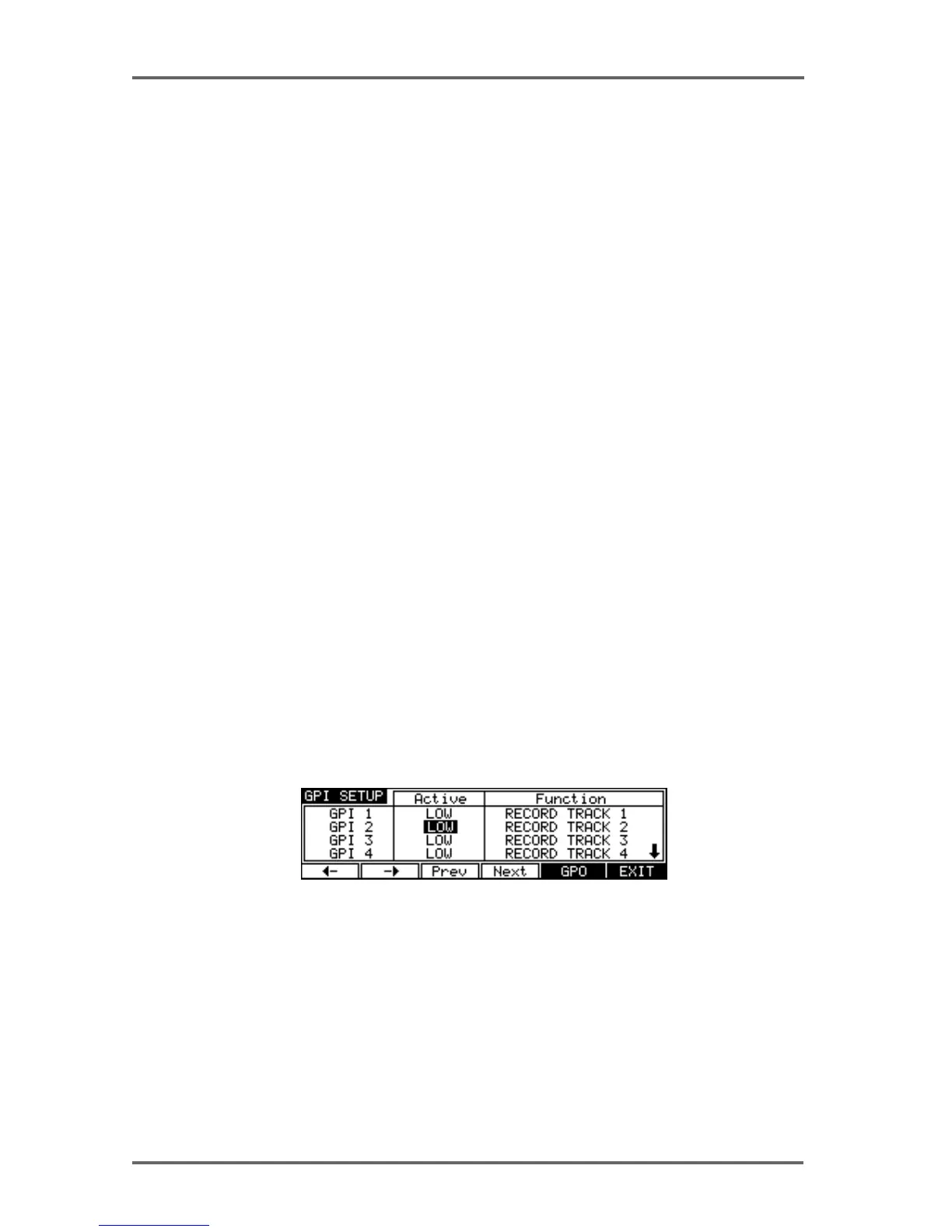
You can change these assignments by pressing the ASSIGN (F5) key which will take you to the
following screen:
This screen allows you to set parameters relating to the GPIs. The parameters are:
ACTIVE You may select OFF, HIGH and LOW. When OFF, the GPI has no func-
tion. When set to HIGH, the selected function (see below) will become
active when a +5V signal is received at the GP input. When set to LOW,
the selected function will become active when a 0V signal is received.
FUNCTION Here you may assign a range of DD8 functions to the GPIs. These in-
clude:
PLAY - When activated, the DD8 will start playback.
STOP - When activated, playback will stop.
SYSTEM - 8


 To Next Page