TEMPUS. User Manual
11
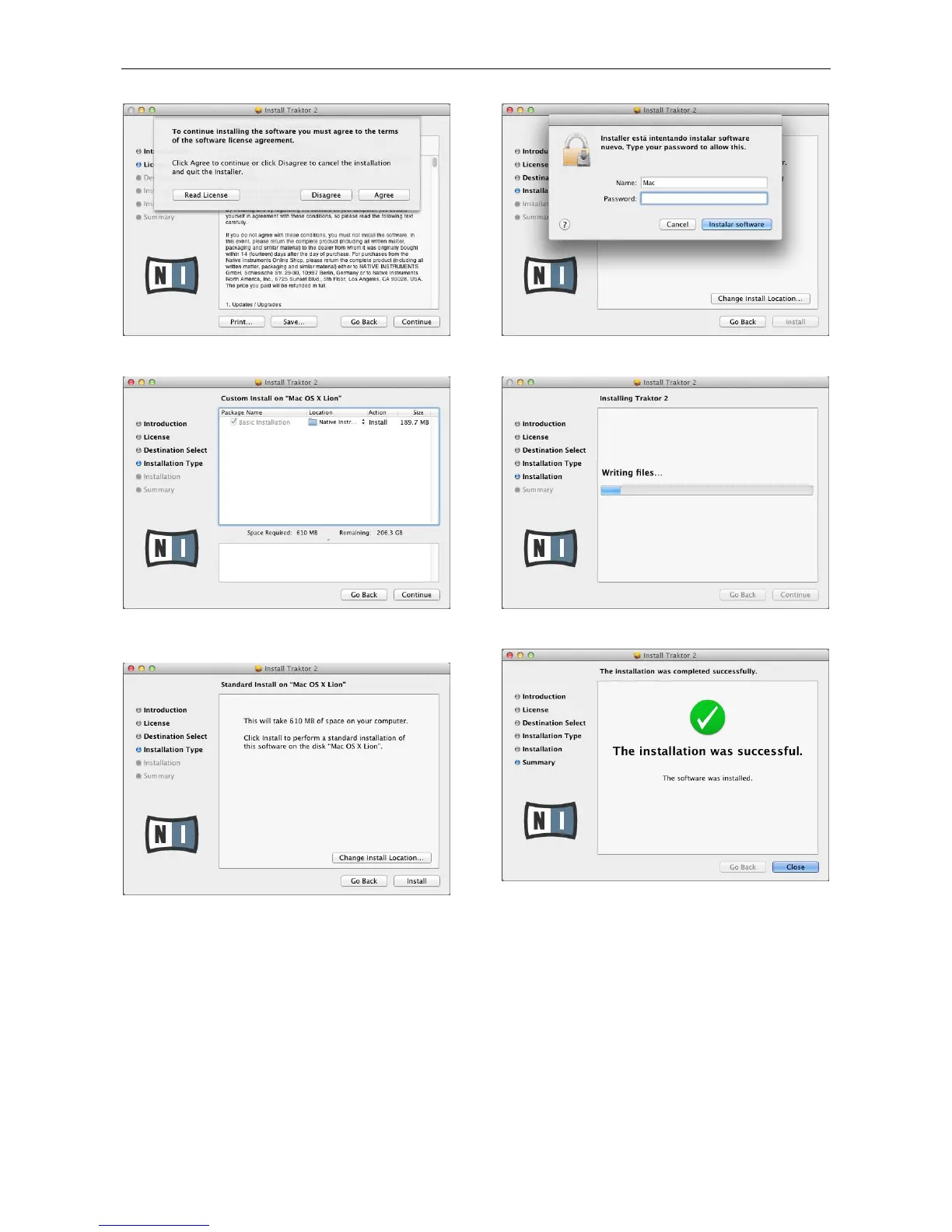
Select “Agree” and continue with installation wizard.
Following will appear a window showing the Installation Type
information. Press “Continue”.
Select the folder where setup will install files and click “Install”.
Type you password and select “Install Software”.
Wait until the following window appears:
Traktor 2 will be successfully installed. Click “Close” to exit
from the Installation Wizard.


 To Next Page