C313X Indoor Monitor Administrator Guide
AKUVOX SMART INTERCOM www.akuvox.com
15. Door Access Control Configuration
15.1.Relay Switch Setting
15.1.1. Local Relay Setting
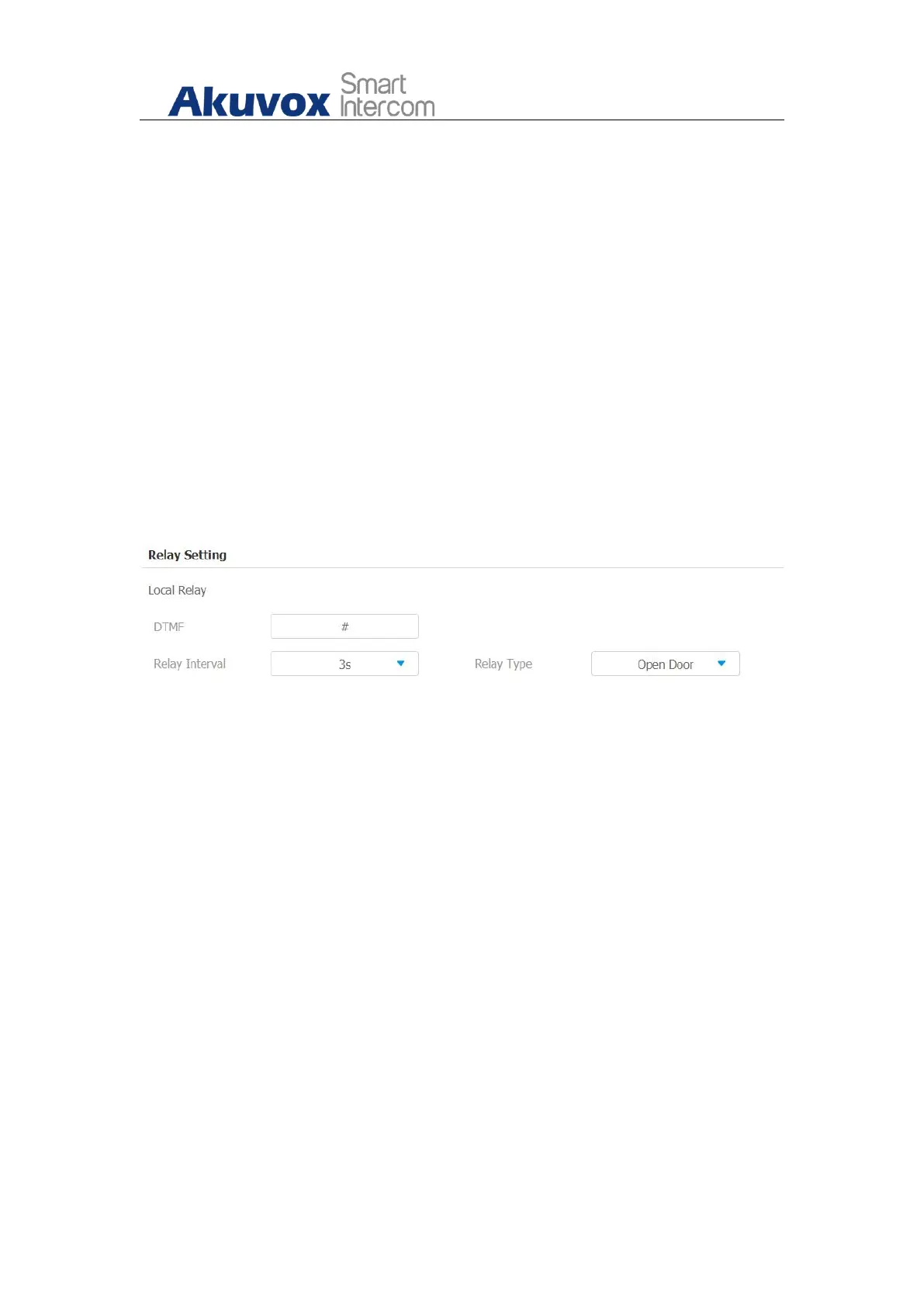
Local relays in Akuvox indoor monitor can be used to trigger the door access
or Chime bell through local relay connector. You can do this configuration on
web interface Phone > Relay > Relay Setting > Local Relay.
Parameter set-up:
DTMF: Set the DTMF code for local relay.
Relay Interval: set the relay delay time after the relay is triggered.
Relay Type: set relay action type. There are two types of relay, chime bell
and open door. Chime Bell, when there is a call, the chime bell will ring.
Open door, when press the unlock icon, the local relay will be opened.
15.1.2. Remote Relay Switch Setting
You can use the unlock tab during the call to open the door on web Phone >
Relay > Relay Setting > Remote Relay interface. You are required to set up the
same DTMF code in the door phone and indoor monitor.



 To Next Page
 Loading...