25
Version 1.01
Backup, Restore, Reading and Writign
After selecting the proper Family:
1. Click Help for the see the connection instructions.
2. Connect to the ECU following the connection instructions provided in the Operating Manual.
3. Once back to the previous window, click OK to display the programming menu.
It is important to keep the Operating Manuals updated: periodically check for updates,
particularly after each release of the K-Suite software (for more details refer to the section
Updating the Operating Manuals – page 33).
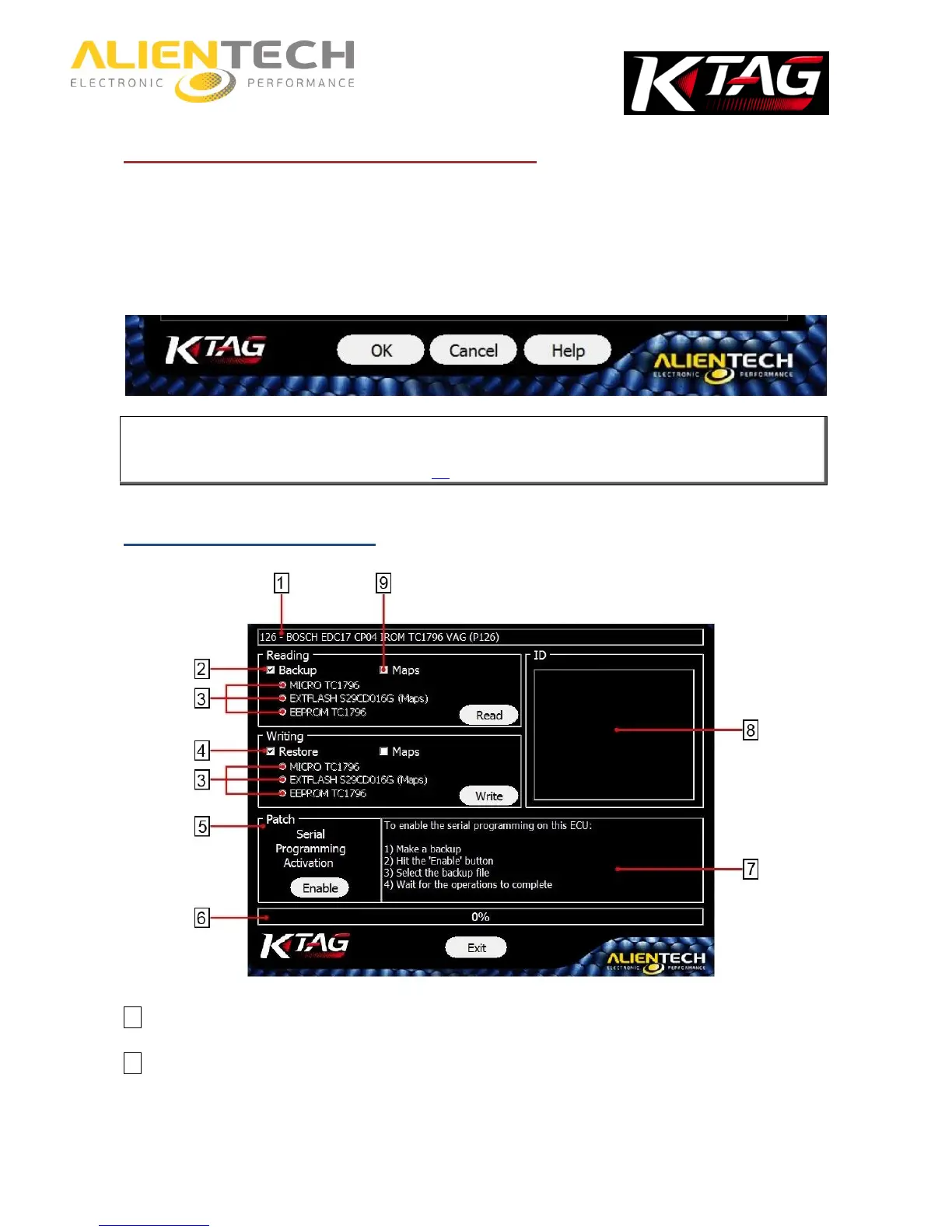
Programming menu items
1 Information about the Family in use
2 Backup – To make a full backup of the ECU data. In addition to the whole file, you can also save a file for each
component on the ECU and/or the file containing the maps for engine managements.



 To Next Page