30
Version 1.01
How to encode a file
1. Login to the Alientech Data Bank https://databank.alientech.to/ with your Customer Code
and password.
You can find your Customer Code clicking on the Info button on the main window of the K-
Suite software, when the tool is connect to your computer. The password for the first login
is provided via e-mail upon completion of product registration.
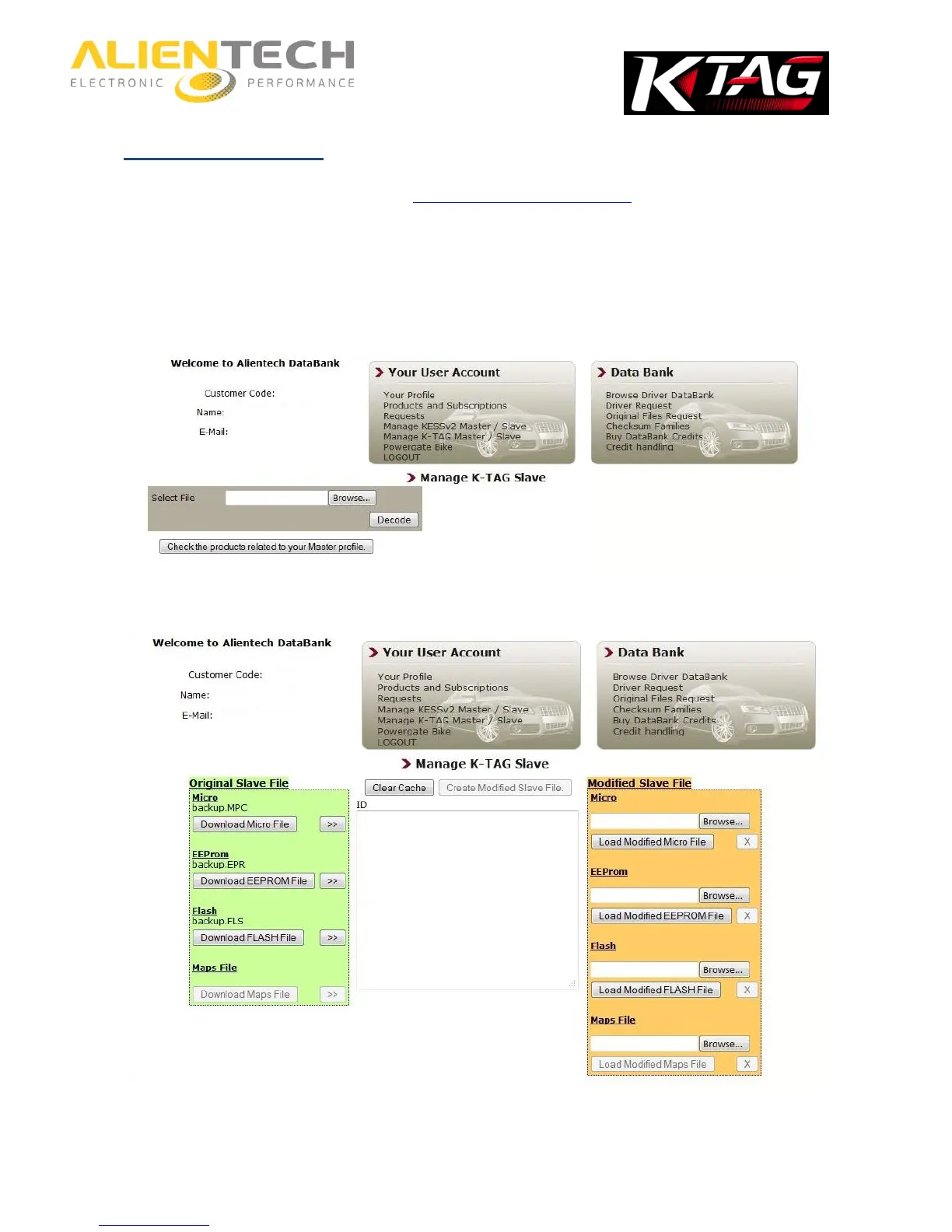
2. Enter the Manage K-TAG Master / Slave section in the Your User Account box.
3. In the Select File panel, click Browse and select the encoded file received from your Slave
4. Select Decode and wait for the loading of the file in the database.
5. In the Modified Slave File box, (on the right, on an orange background), click on Browse
next to the desired component and select the modified file to send to your Slave.



 To Next Page