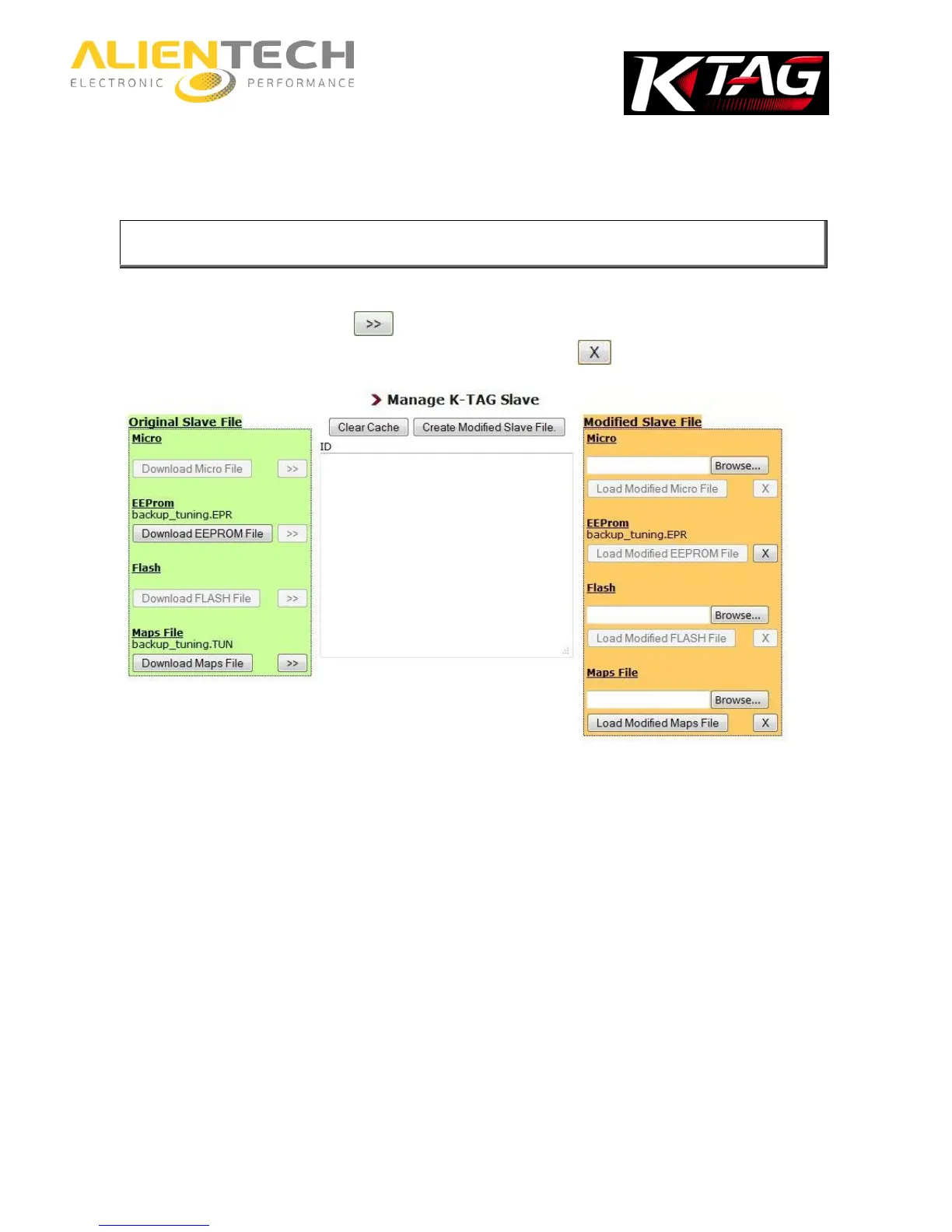
You have to load one file at a time: for each component you have to click on Browse and then
on Load File before moving on to the next component.
8. If in the backup file to send to your Slave you wish to include the original file of the
component, click on the button next to the component to be added to the modified
file. To remove a file from the modified file, click on the button.
Example of an EEPROM original file loaded in the modified Slave file (left)
9. Click on Create Modified Slave File to encode the file to send to your Slave and save it on
your computer.
To encode a new file, select Clear Cache and repeat the above procedure from step n. 3.
Warning: Depending on the type of ECU, this operation may take up to a
maximum of 20 minutes. Do not close the window, or perform any other
operations while the encoding of the file is being processed.



 To Next Page