Steps
1. Remove the two screws (#6-32) that secure the power-supply unit bracket to the power-supply unit cage.
2. Lift the power-supply unit bracket off the power-supply unit cage.
3. Lift the power-supply unit cage and rotate the power-supply unit cage away from the chassis.
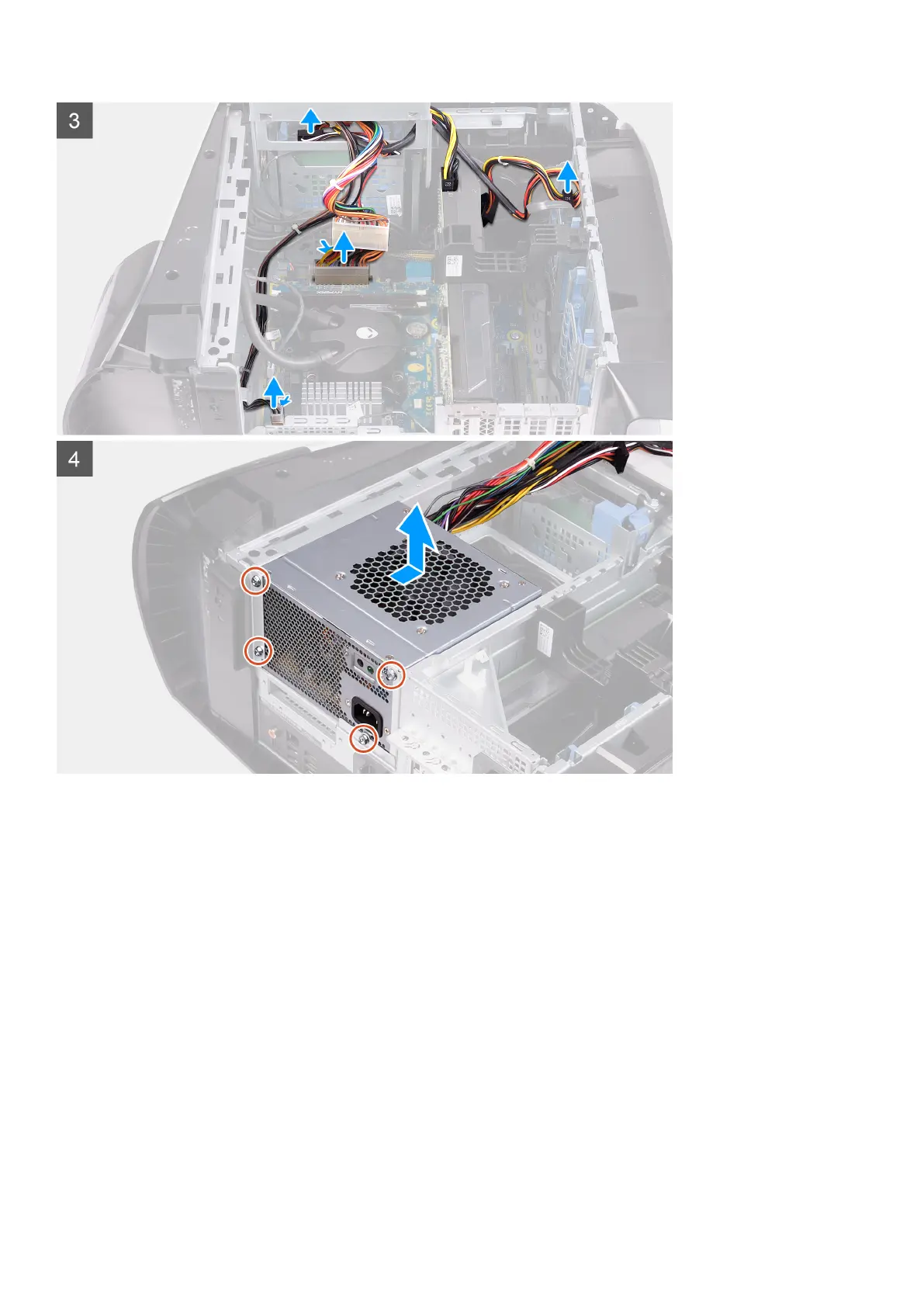
4. Press the releasing clip on the power-cable connectors.
5. Disconnect the power cables from the hard drives.
6. Disconnect the processor-power cable and system-board power cable from the system board.
7. Rotate the power-supply unit cage towards the chassis.
8. Remove the four screws (#6-32) that secure the power-supply unit to the chassis.
9. Slide and lift the power-supply unit, along with the cables, off the chassis.
Installing the 460 W power-supply unit
Prerequisites
If you are replacing a component, remove the existing component before performing the installation procedure.
29















 To Next Page