Antennas
Removing the antennas
Prerequisites
1. Follow the procedure in
Before working inside your computer.
2. Remove the left-side cover.
3. Remove the top-cover.
4. Remove the
right-side cover.
5. Remove the wireless card.
6. Remove the front bezel.
About this task
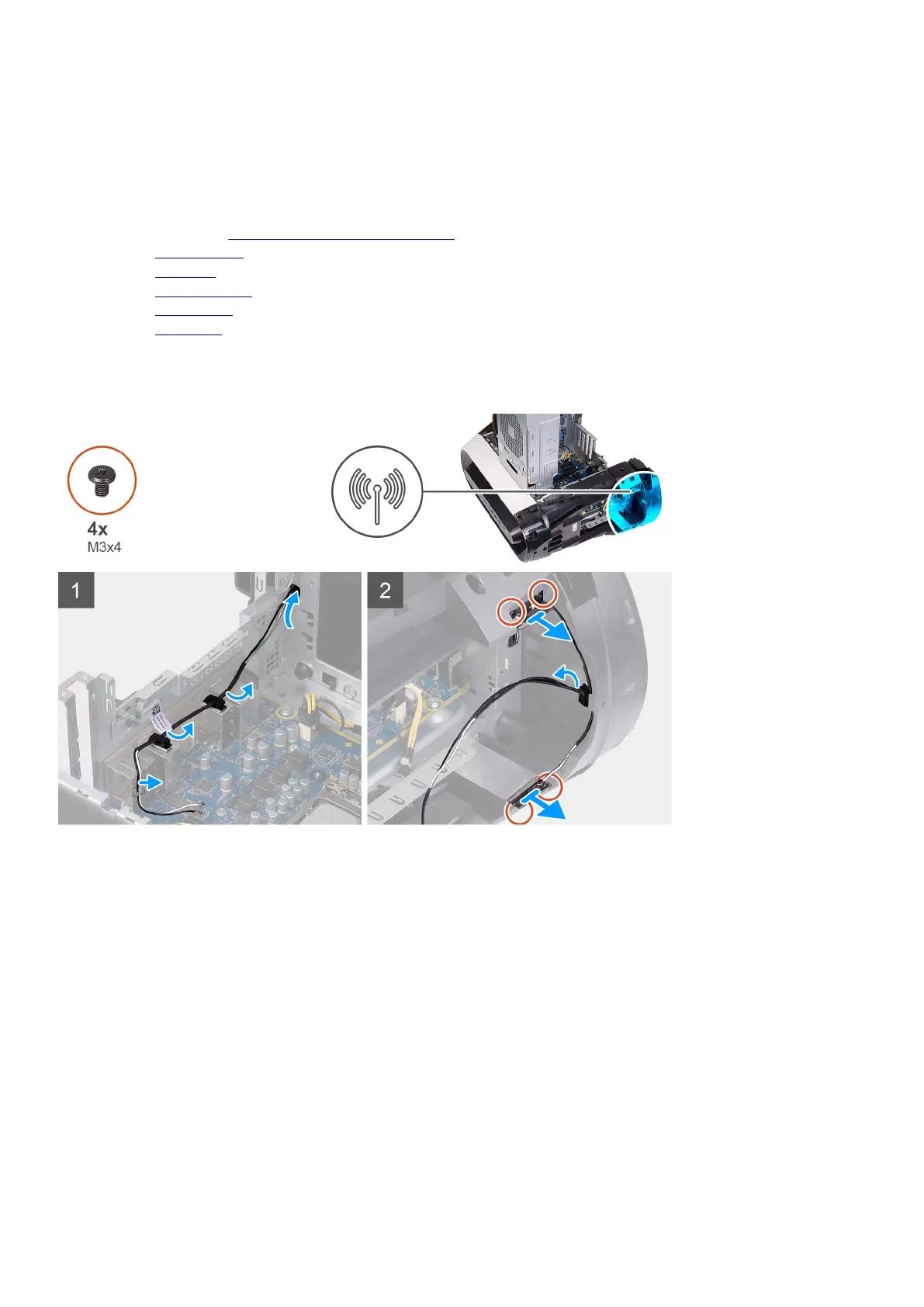
The following images indicate the location of the antennas and provides a visual representation of the removal procedure.
Steps
1. Remove the four screws (M3x4t) that secures the antennas to the top bezel.
2. Remove the antenna cables from the routing guides on the top bezel.
3. Lift the antenna off the top bezel.
Installing the antennas
Prerequisites
If you are replacing a component, remove the existing component before performing the installation procedure.
About this task
The following images indicate the location of the antennas and provides a visual representation of the installation procedure.
77















 To Next Page