About this task
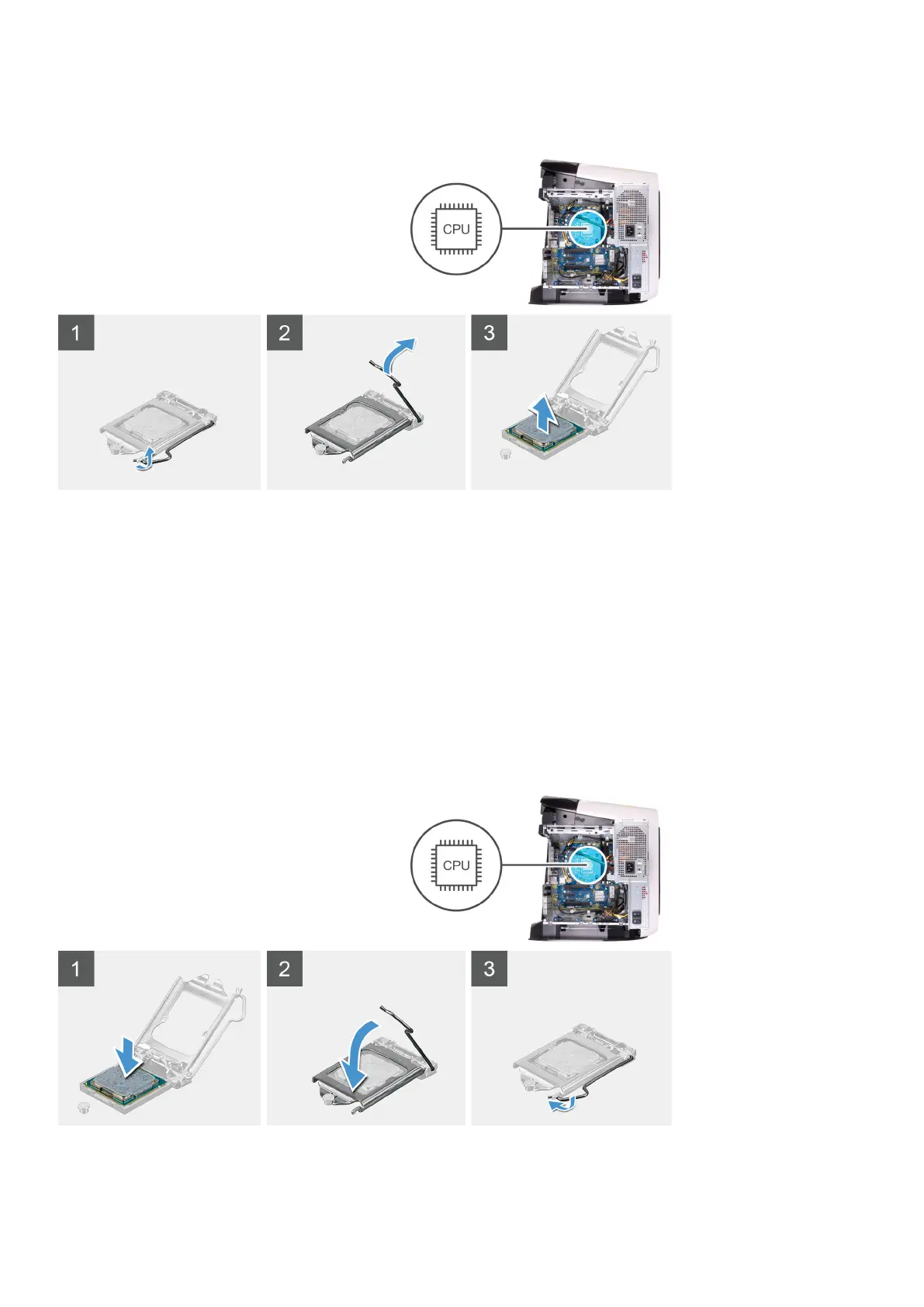
The following images indicate the location of the processor and provides a visual representation of the removal procedure.
Steps
1. Press the release lever down and then push it away from the processor to release it from the tab.
2. Extend the release lever completely and open the processor cover.
3. Lift the processor off the processor socket.
Installing the processor
Prerequisites
If you are replacing a component, remove the existing component before performing the installation procedure.
About this task
The following images indicate the location of the processor and provides a visual representation of the installation procedure.
73















 To Next Page