Steps
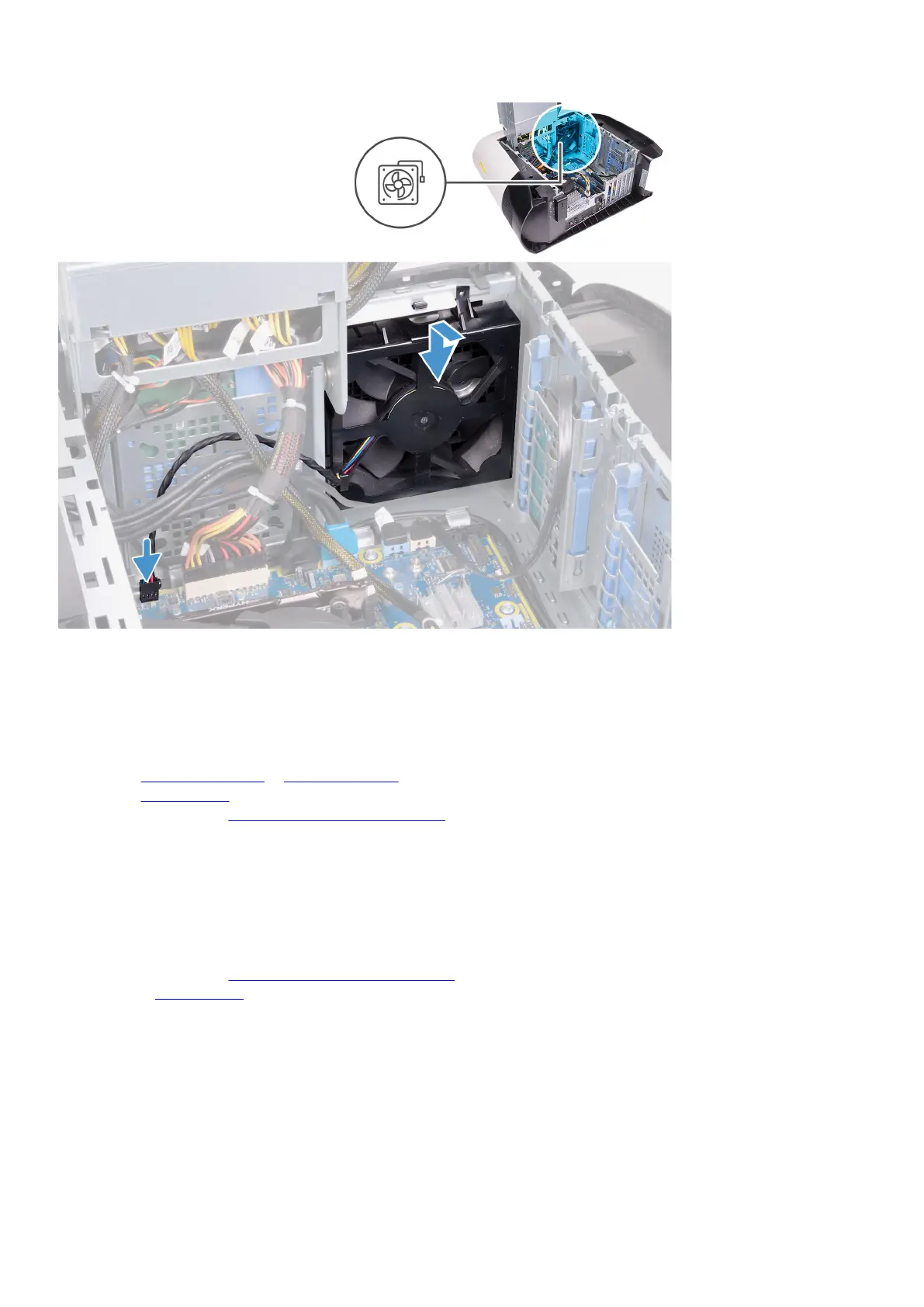
1. Align the tabs on the front-chassis fan with the slots on the chassis and slide the fan until it snaps into position.
2. Connect the front-chassis fan cable to the system board.
Next steps
1. Install the single-graphics card or dual-graphics card, as applicable.
2. Install the
left-side cover.
3. Follow the procedure in After working inside your computer.
Top-chassis fan
Removing the top-chassis fan
Prerequisites
1. Follow the procedure in Before working inside your computer.
2. Remove the left-side cover.
About this task
The following images indicate the location of the top-chassis fan and provides a visual representation of the removal procedure.
82















 To Next Page