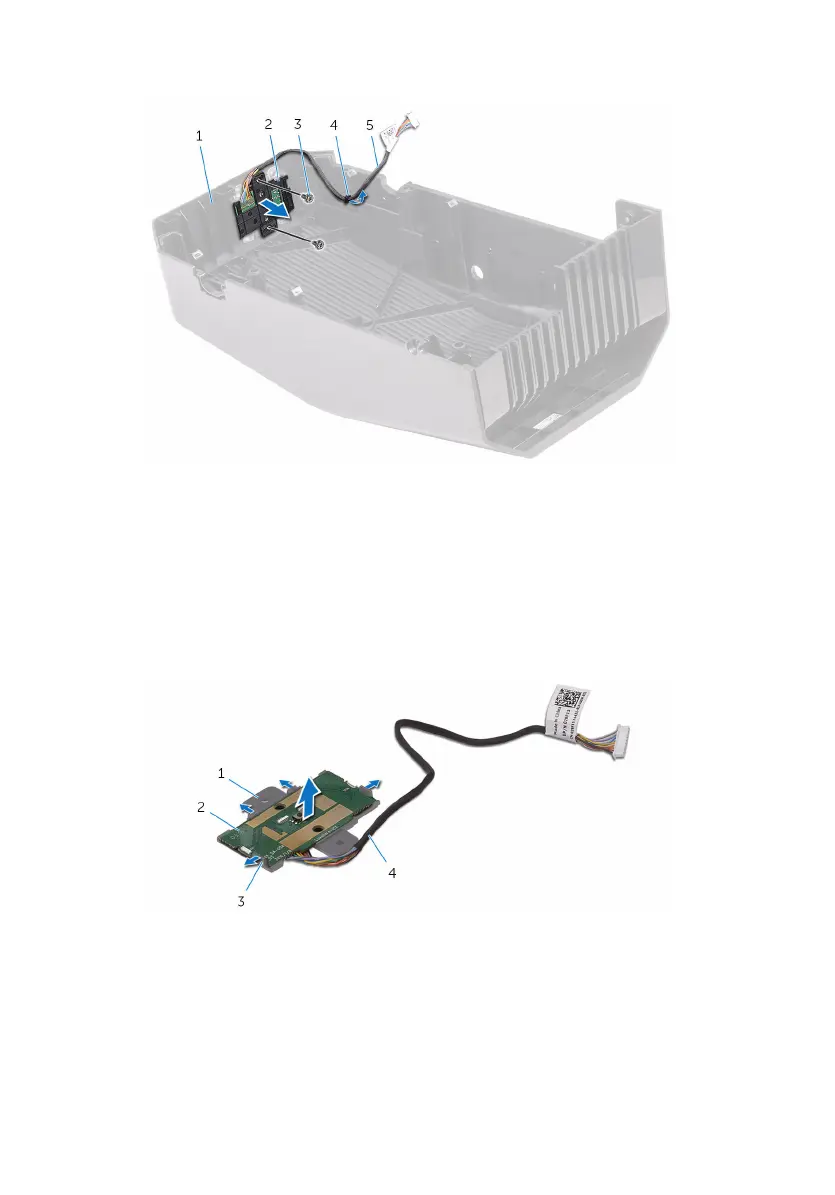
3 Lift the power-button module off the top cover.
1 top cover 2 power-button module
3 screws (2) 4 routing guide
5 power-button module cable
4 Release the power-button board from under the tabs on the power-button
board bracket.
5 Lift the power-button board along with the cable off the power-button
board bracket.
1 power-button board bracket 2 power-button board
3 tabs (4) 4 power-button module
cable
106















 To Next Page