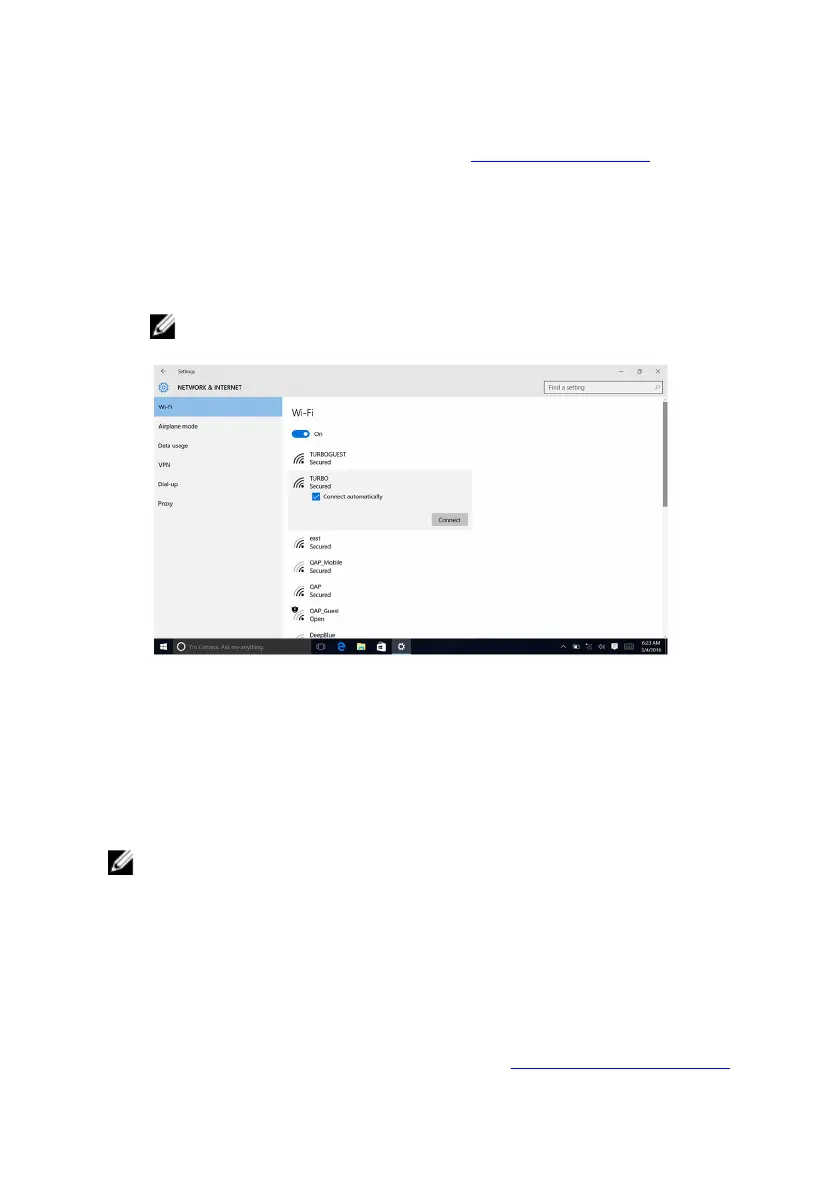
Configuring the Wi-Fi
1 Turn on Wi-Fi. For more information, see Turning Wi-Fi on or off.
2 Swipe-in from the right edge of the display, or click the Action Center icon
on the taskbar to access the Action Center.
3 Click Wi-Fi, and then click Go to settings.
A list of available networks is displayed.
4 Select your network and click Connect.
NOTE: Type the network security key, if prompted.
Bluetooth
Alienware Aurora R5 is shipped with Bluetooth 4.1/Bluetooth 4.2.
Turning on or off Bluetooth
NOTE: There is no physical switch to enable or disable Bluetooth. It has to
be done through the computer settings.
1 Swipe-in from the right edge of the display, or click the Action Center
icon on the taskbar to access the Action Center.
2 Click Bluetooth to turn Bluetooth on or off.
Pairing the Bluetooth-enabled devices
1 Turn on Bluetooth. For more information, see Turning on or off Bluetooth.
136















 To Next Page