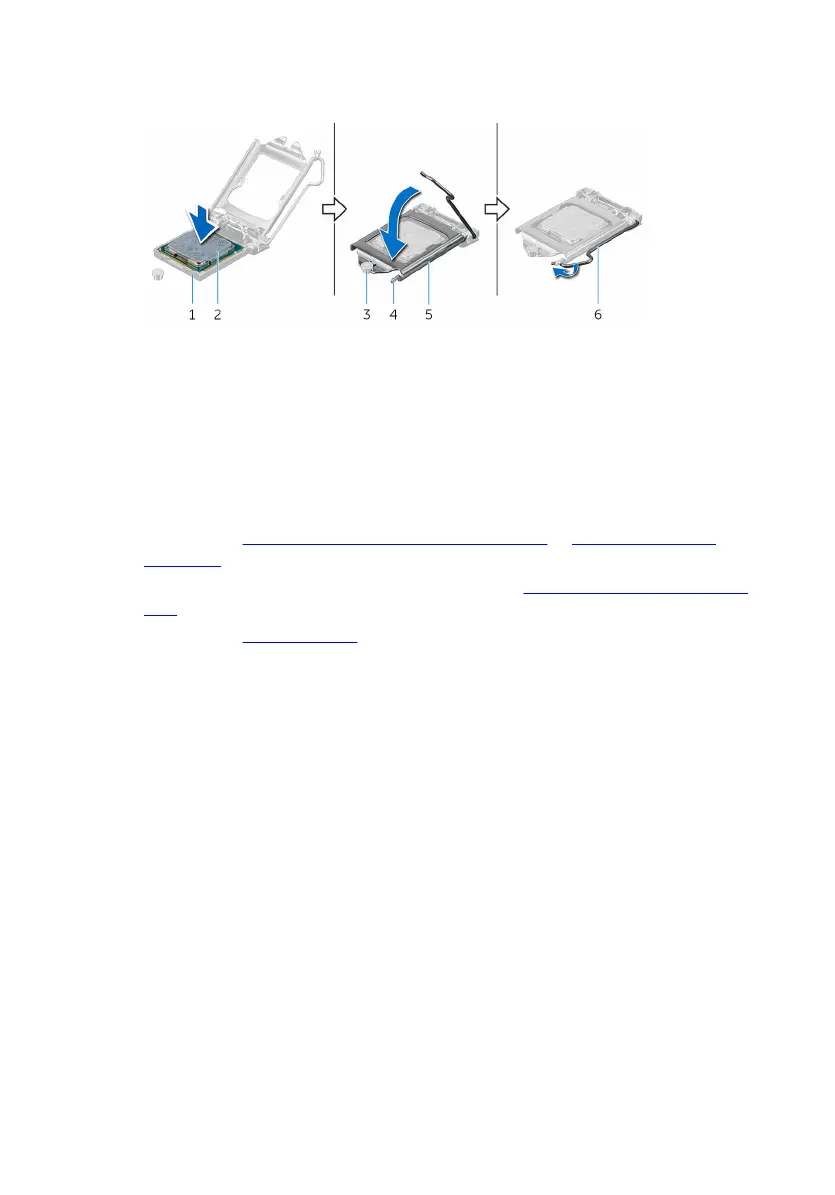
4 Pivot the release lever down and place it under the tab on the processor
cover.
1 processor socket 2 processor
3 alignment post 4 tab
5 processor cover 6 release lever
Post-requisites
1 Replace the processor fan and heat-sink assembly or processor-cooling
assembly (as applicable).
2 Follow the procedure from step 10 to step 11 in "Replacing the power-supply
unit".
3 Replace the left-side cover.
79















 To Next Page