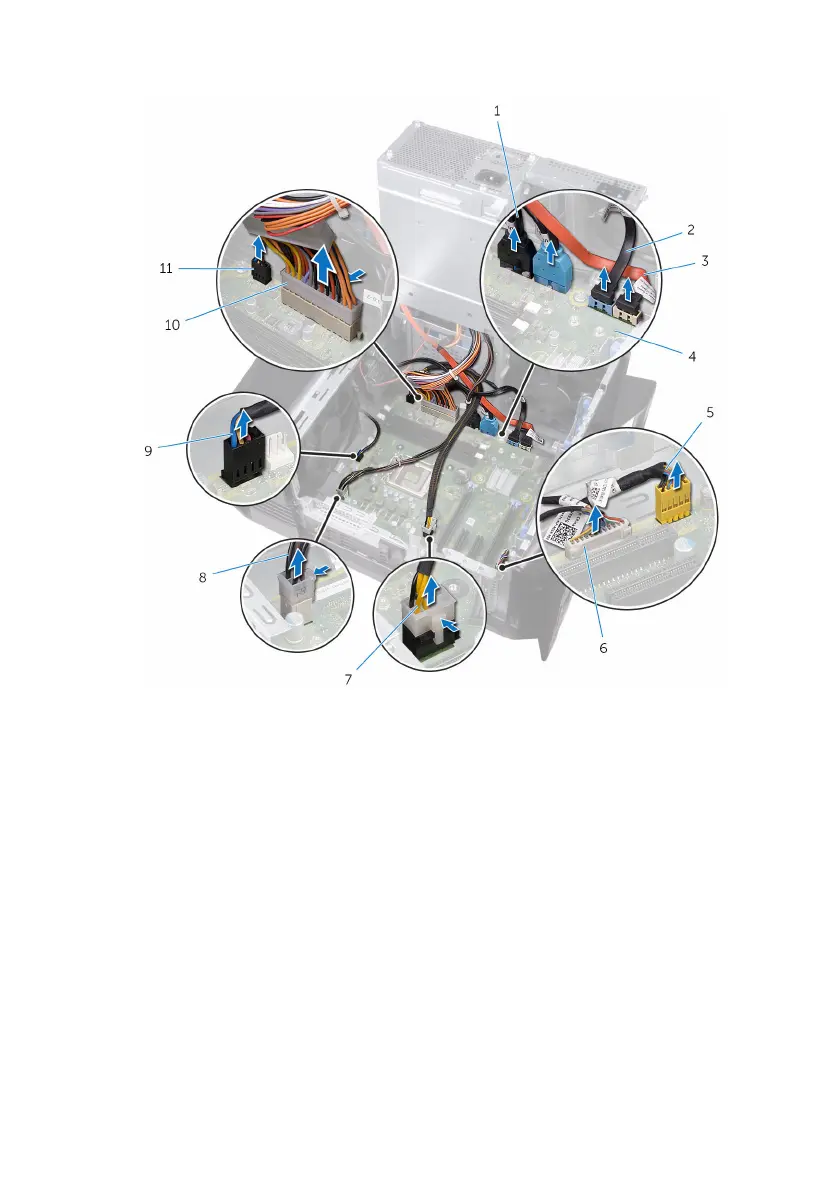
1 Disconnect all the cables connected to the system-board assembly.
1 Top panel USB cables
(SSUSB)
2 SATA 6 Gbps drive cable
(SATA1)
3 SATA 6 Gbps drive cable
(SATA2)
4 system board
5 front-panel audio cable
(F_AUDIO)
6 LED controller cable
(LED_CONTROLLER)
7 graphics-card power cable
(GPU_POWER)
8 processor power cable
(ATX_CPU)
9 top-chassis fan cable
(TOP_FAN)
10 system-board power cable
11 front-chassis fan cable
(FRONT_FAN)
2 Remove the screws that secure the system-board assembly to the chassis.
113















 To Next Page