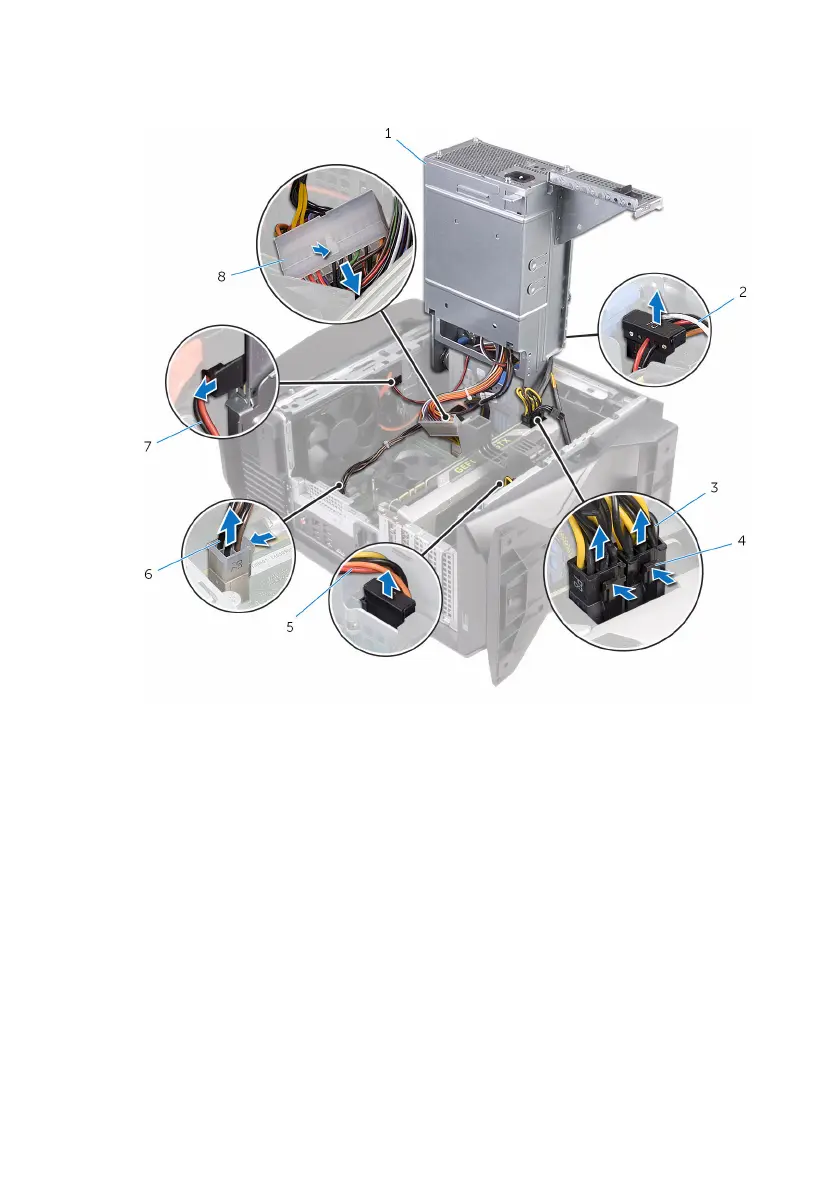
7 Disconnect the processor-power cable and system-board power cable from
the system board.
1 power-supply unit 2 hard-drive power cable
3 graphics-card power cables
(2)
4 releasing clips (2)
5 hard-drive power cable 6 processor-power cable
7 optical-drive power cable 8 system-board power cable
8 Rotate the power-supply unit towards the chassis until the unit snaps into
place.
9 Remove the screws that secure the power-supply unit bracket to the
power-supply unit.
50















 To Next Page