18
7
Busy Channel Lockout
BCLO is to disable transmitting while receiving. Once the channel is busy
and you press PTT, the radio will beep as warning and holds transmitting
until receiving signal is gone.
1.
Press and hold
FUNC
key for over 2
seconds to enter setting menu.
2.
Press
P3
/
P4
key to choose No.10
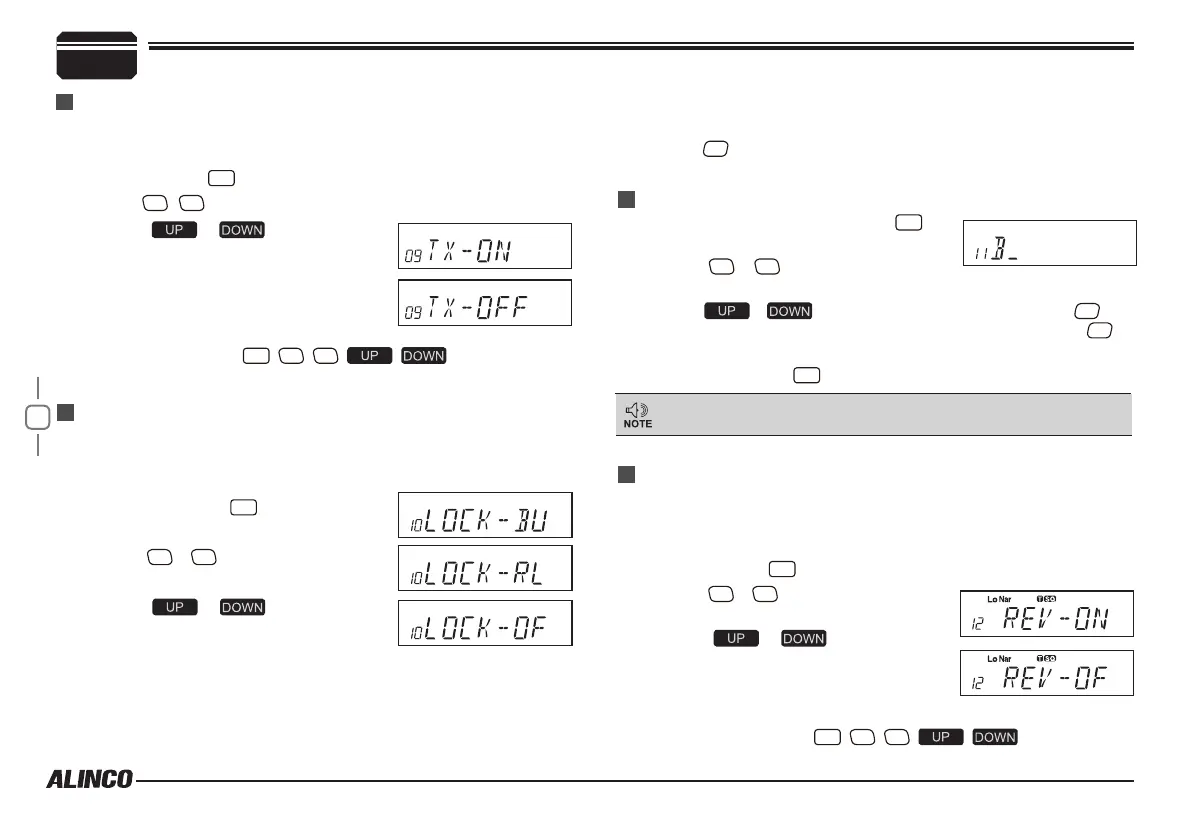
menu, LCD displays "
LOCK--OFF
".
3.
Press / to select the
desired setting.
BU: Enable BCLO, Carrier lockout, transmitting is inhibited when
current channel receives a carrier.
RL: Enable BTLO, transmitting is inhibited when current channel
receives a carrier but dis-matching CTCSS/DCS.
1.
In memory-mode, press and hold
FUNC
key
for over 2 seconds to enter setting menu.
2.
Press
P3
/
P4
key to choose No.11
menu, LCD displays cursor and ashing.
3.
Press / to select the desired letter, press
P2
key
to conrm selected letter and enter into next edition, press
P1
to
return forward edition.
4.
After edition, press
FUNC
key to exit.
Reverse TX/RX
Editing Channel NAME
In Frequnecy display (VFO)mode, this menu is not available.
This function is used to check if you can talk without using a repeater.
TX frequency turns to RX frequency & RX frequency changes to TX
frequency. CTCSS/DCS setting is respected also.
1.
Press and hold
FUNC
key for over 2 seconds to enter setting menu.
2.
Press
P3
/
P4
key to choose No.12
menu, LCD displays "
REV—OF
".
3.
Press / to select the
desired setting.
ON:Enable Frequency Reverse
OFF:Disable Frequency Reverse.
4.
Press any key except
PWR
,
P3
,
P4
, , key to exit.
(Available only in Memory mode)
FUNCTION MENU SETUP
TX OFF SETUP
This function is to prohibit the transmission and to use the radio as a
receiver.
1.
Press and hold
FUNC
key for over 2 seconds to enter setting menu.
2.
Press
P3
/
P4
key to choose No.09 menu, LCD displays "
TX-ON
".
3.
Press / to select the
desired setting.
On:In current channel, press PTT to
transmit
OFF:In current channel, PTT is invalid.
4
. Press any key except
PWR
,
P3
,
P4
, , key to exit.
OFF: Busy channel lockout is disabled. It can transmit in any
receiving status.
4.
Press
P2
key to conrm and exit.



 To Next Page