Publication 1747-UM006B-EN-P - June 2003
2-6 Quick Start for Experienced Users
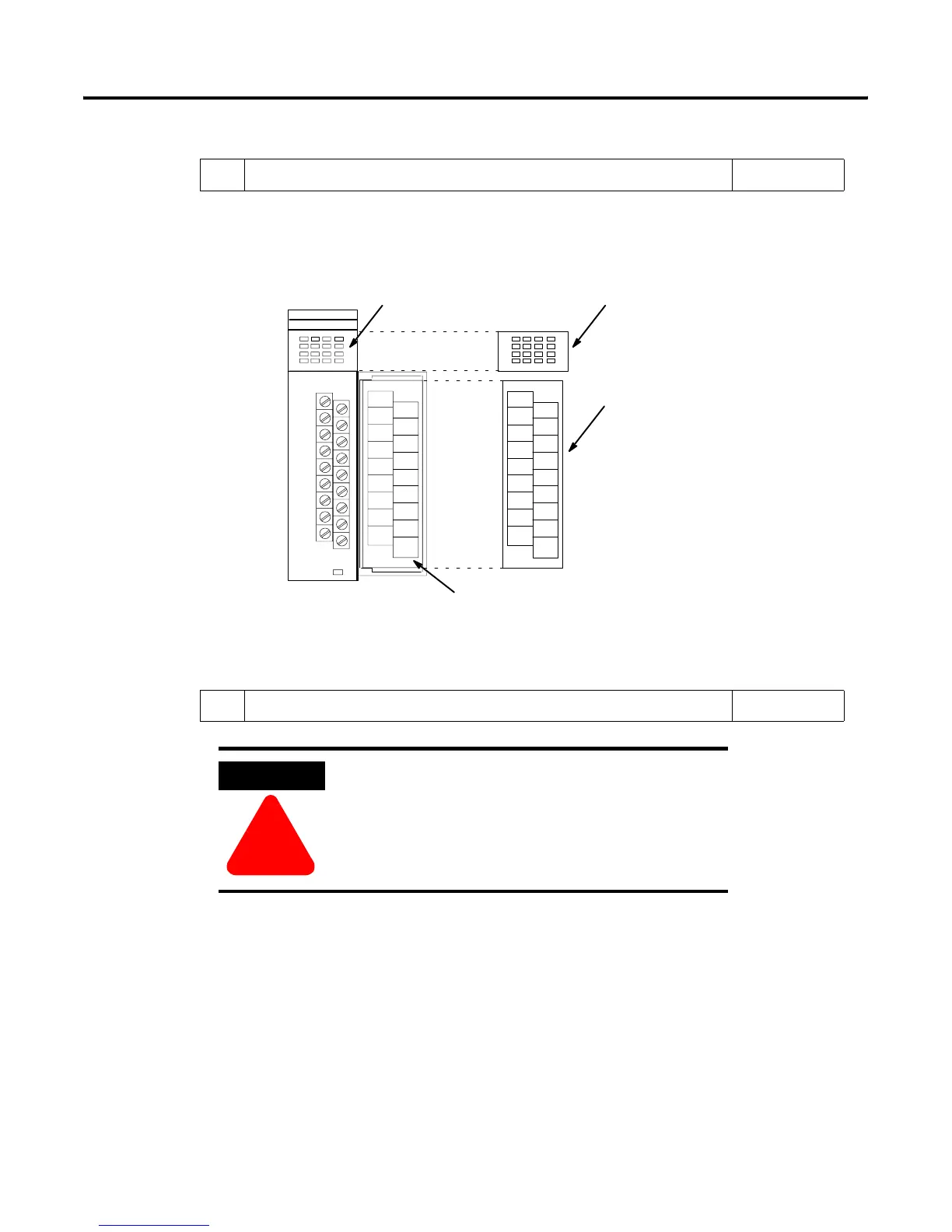
9. If using a PLC processor as a master, attach the octal labels. Reference
The octal filter and door labels must be used when working with a PLC processor as a
master. A list of I/O modules that include an octal label kit can be found on page 5-8.
Adhere the octal labels over the existing decimal labels, as shown below.
Chapter 5
(Installation and
Wiring)
INPUT
1746–XXXX 1746–XXXX (OCT AL)
OCT AL
Octal Door Label
Octal Filter Label
Decimal Door Label
Decimal Filter Label
10. Go through the system start-up procedure. Reference
Follow the steps below:
1. Cycle power one last time in save mode (SW3-8 ON).
2. Remove power from the system.
3. Remove the 1747-ASB module and set SW3-8 to the OFF position (check mode).
4. Replace the 1747-ASB module in slot 0.
5. Apply power to your system.
ATTENTION
!
Never insert, remove or wire modules with power
applied to the chassis or devices wired to the
module.
Artisan Technology Group - Quality Instrumentation ... Guaranteed | (888) 88-SOURCE | www.artisantg.com


 To Next Page
 Loading...