
 Need help?
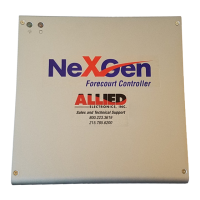
Do you have a question about the ALLIED ELECTRONICS NeXGen and is the answer not in the manual?
Details controller operating environment requirements, including temperature, power, and electrical codes.
Covers field and internal wiring practices, cable types, installation techniques, and testing procedures.
Recommends protection devices for power and data lines against surges, transients, and lightning.
Outlines the one-year parts warranty, registration, and return conditions.
Warns about potential radio frequency interference and FCC compliance.
Lists peripheral devices supported by the NeXGen controller, such as POS, Tank Gauge, and Car Wash.
Details hardware installation steps, including mounting the controller and connecting cables.
Illustrates NeXGen system connections and lists communication port assignments.
Provides pinout details for connecting various peripherals like POS, Gilbarco, and Bennett devices.
Explains Gilbarco CRIND jumper settings and dispenser/CRIND/OPT addressing.
Describes how NeXGen parameters are configured via the POS system.
Illustrates predefined Gilbarco keypad layouts, including Types 1, 2, 3, and 4.
Details keypad configurations for Bennett/Verifone CAT devices, including Type 1 and Type 2.
Details connection and configuration for Tank Gauge, Car Wash, and Fuel Price Signs.
 General
| Brand | ALLIED ELECTRONICS |
|---|---|
| Model | NeXGen |
| Category | Controller |
| Language | English |

 To Next Page
