WTEC II ELECTRONIC CONTROLS TROUBLESHOOTING MANUAL
1–4 Copyright © 1998 General Motors Corp.
GENERAL DESCRIPTION
A strip pushbutton shift selector does not have a
MODE
button,
SERVICE
icon, or diagnostic
display capability. The Pro-Link
®
9000 or a customer-furnished remote display must be used for
diagnostic purposes.
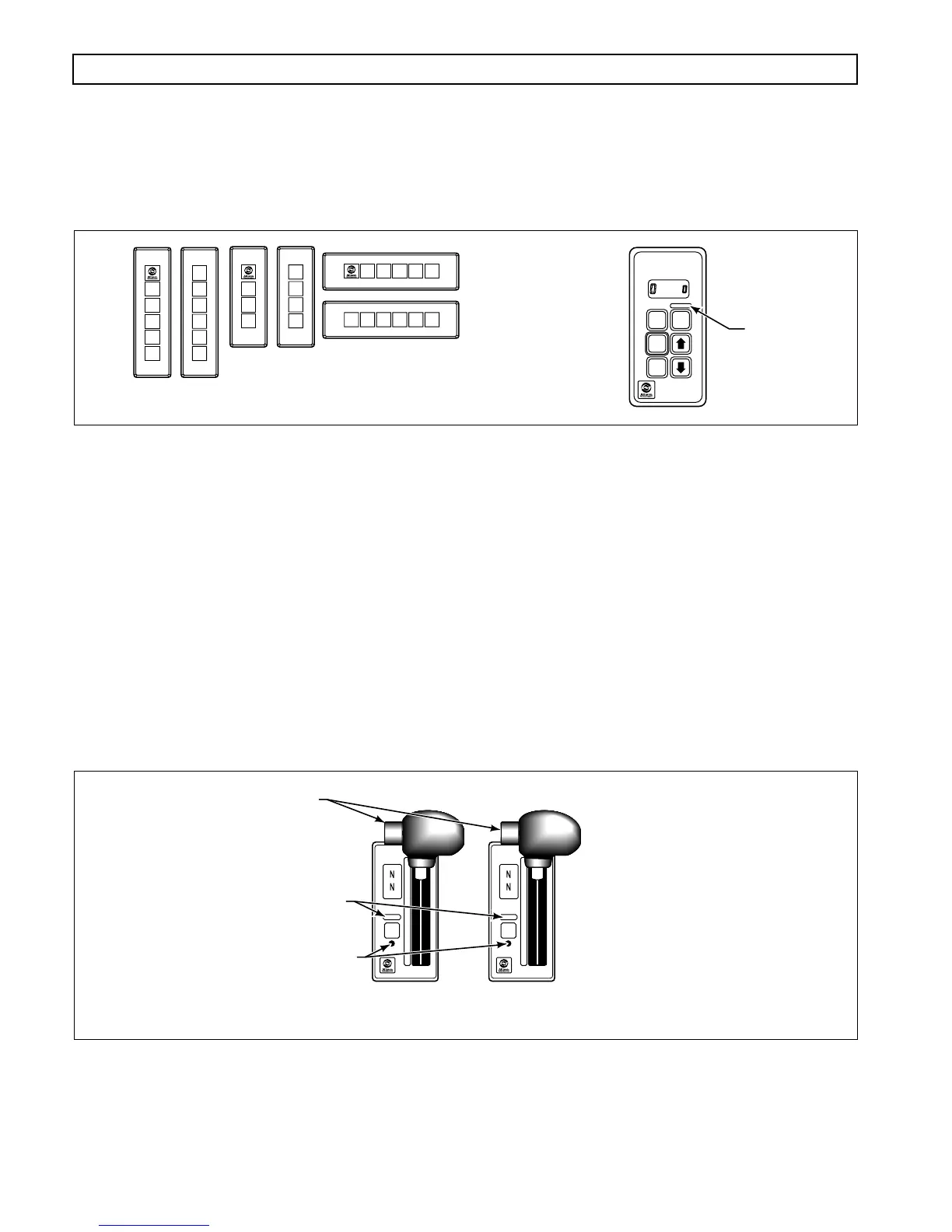
Figure 1–5. Pushbutton Shift Selectors
B. Lever Shift Selector
(Figure 1–6)
The lever shift selector can only be ordered with as many as six forward range positions (seven for
the MD 3070), as well as
R
(Reverse) and
N
(Neutral). The shift hold mechanism is released by
pressing a button on the side of the shift handle. The range selector lever can be moved freely
between numbered forward ranges. Press and hold the shift hold button to move into or out of the
D
(Drive) position or when moving into or out of
N
(Neutral) or
R
(Reverse).
The digital display on the lever selector indicates the selected range at the top and the range
monitored (attained) at the bottom. A
MODE
button and a recessed
DISPLAY MODE
button are
also on the face of the lever shift selector. The
MODE
button is pressed to select a secondary or
special operating condition, such as ECONOMY shift schedule. Diagnostic information is obtained
by pressing the
DISPLAY MODE
button. The vehicle dimmer-control changes display brightness.
Figure 1–6. Six-Speed And Seven-Speed Lever Shift Selectors
R
N
D
MODE
MODE ON
SERVICE
SELECT POSITION
12DNR
1
2
D
N
R
2
1
3
D
N
R
D
N
R
1
D
N
R
213DNR
V01588
MODE ID
PUSHBUTTON
SELECTOR
STRIP PUSHBUTTON
SHIFT SELECTORS
SELECT
MONITOR
MODE ON
MODE
1
2
3
4
5
D
N
R
SELECT
MONITOR
MODE ON
SERVICE SERVICE
MODE
1
2
3
4
5
6
D
N
R
V01589
SIX-SPEED
LEVER SELECTOR
DISPLAY MODE BUTTON
MODE ID
HOLD OVERRIDE BUTTON
SEVEN-SPEED
LEVER SELECTOR



 To Next Page