Allworx Phone Model 9224 User Guide
+1 866 ALLWORX * +1 585 421 3850 Page 25
www.allworx.com
Version: L Revised: October 11, 2018
To manage the incoming call, do one of the following:
To monitor Call Queues with Programmable Function Keys:
With the Queue Alarm Programmable Function Key (PFK), the 9224 IP phone displays the alerts of
queue activity levels. The Queue Alarm PFK monitors threshold values for longest wait time and/or
number of calls in the queues. The Allworx server administrator or the queue supervisor define the
thresholds. Queue alarm threshold levels are set on the My Allworx Manager Queue configuration
page.
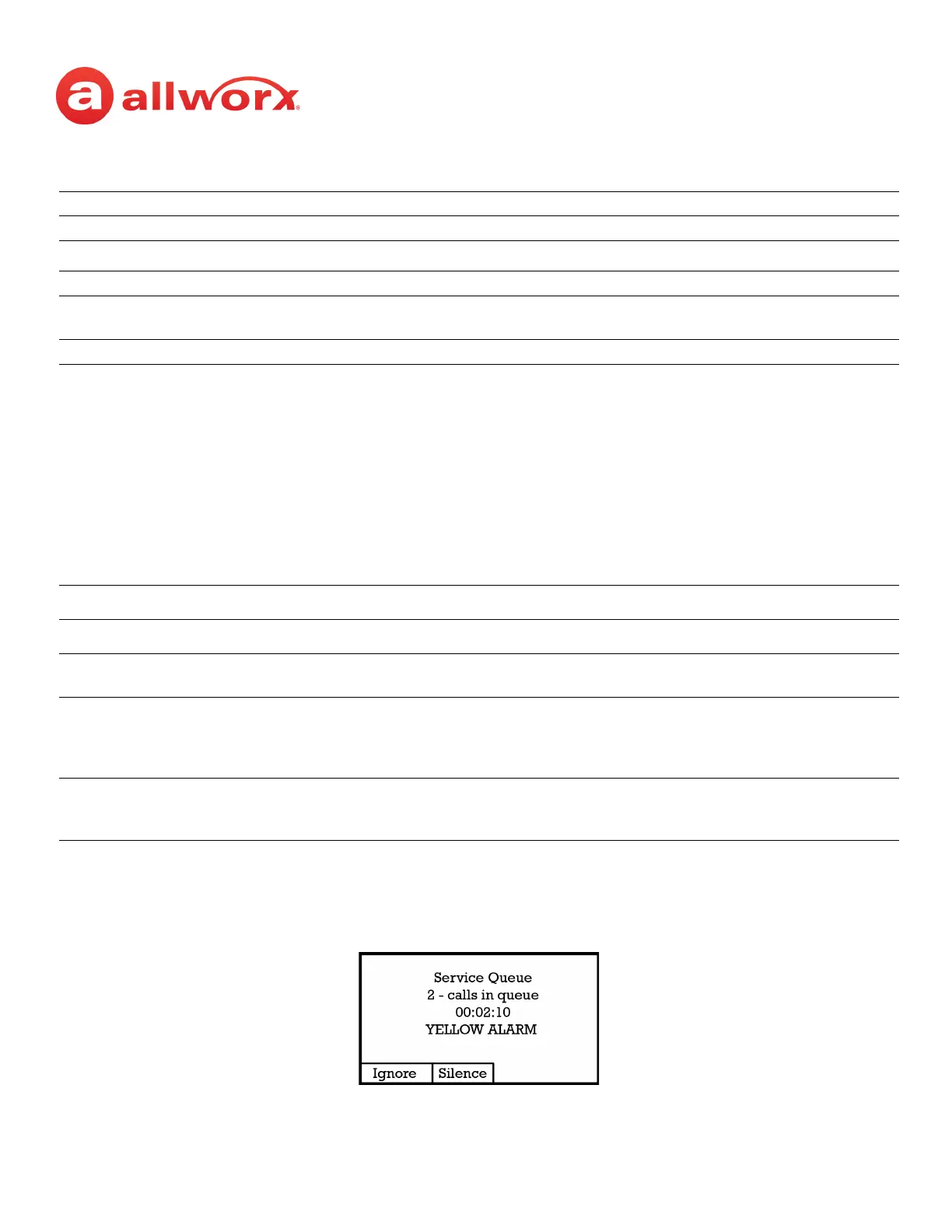
The Queue Alarm PFK has an optional audible alarm. The audible alarm triggers when threshold levels
change from green to yellow or from yellow to red. The audible alarm includes a visual alarm on the
phone LCD screen displaying the queue description, number of calls in the queue, longest wait, and
the alarm level. Ignore (dismiss) or Silence the audio/visual alarms with the phone soft key buttons.
Hands-free mode Press the PFK or SPEAKER function button.
Regular mode Use the handset or headset, and then press the PFK.
441x
a
a. Extensions may vary by system. If using a non-default Internal Dial Plan, consult the Phone Features tab of the
My Allworx Manager page to determine what feature extensions to use.
Dial 441x, where x equals the last digit is the queue number (0-9).
Interact Professional Use the Call Queue tab to answer the call.
Silent soft key The phone stops ringing, but the phone screen continues to display the inbound call
information.
Ignore soft key The phone stops ringing, and the phone screen no longer displays the inbound call information.
Queue Alarm PFK LED Display
Color Description
Green
(low level)
Both number of calls and wait times are less than the yellow threshold values.
Yellow
(mid level)
Either parameter has reached the yellow threshold value, but neither has reached the red threshold value.
OR
There are no logged-in agents in the queue, and the queue is set to force callers to leave the queue when
no agents are logged in.
Red
(high level)
Either parameter has reached the red threshold value.
OR
There are no logged-in agents in the queue, and a call enters the queue.



 To Next Page