17
Subject to change without notice | 83030100dUK | ait-deutschland GmbH
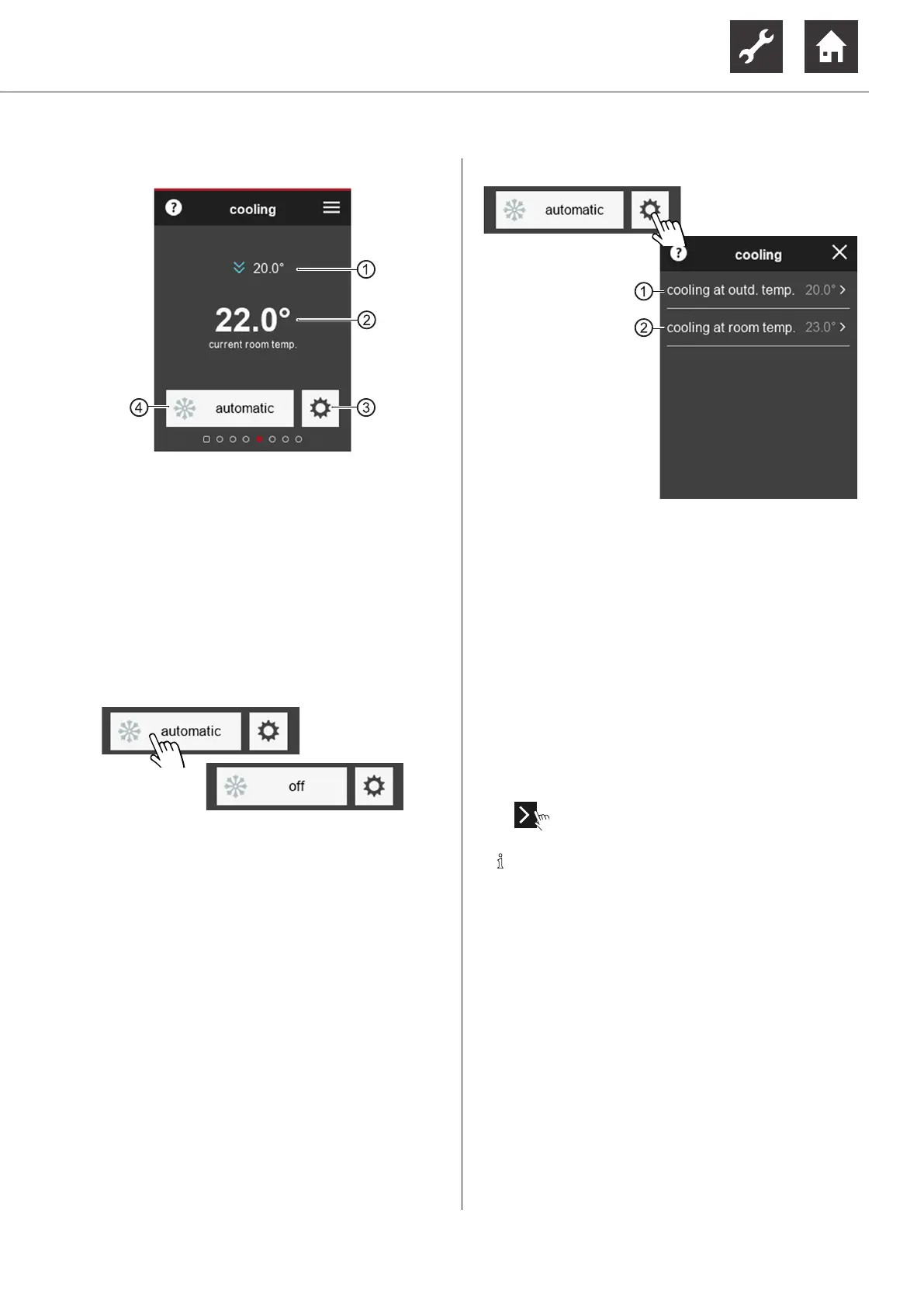
9.2.8 Function page “Cooling”
1 Currently set target room temperature
This menu item only appears if the room tem-
perature is taken into account
“7.1 Influencing factor RT”, page 8
Changing target room temperature
“9.2.1 Start screen”, page 13, ⑦
2 Current room temperature
3 to settings page “Cooling”
4 Symbol of the programme area and mode of
operation that is set
Changing the mode of operation
Settings page “Cooling”
1 If the outdoor temperature that has been set is
exceeded, the heat pump switches to the mode
of operation “Cooling”
The setting of this temperature is primarily
dependent on the building standard and the
demand for cooling in the building
2 This menu item only appears if the option
“OT+RT” is set under “release cooling” on
the control unit of the heating and heat pump
controller
“7.2 Cooling release”, page 9.
If the set room temperature is exceeded there
is a demand for cooling. The cooling is only
started if the outdoor temperature release is
also available.
► ⇒ Scroll and save changes.
NOTE
Cooling is activated if
● the mode of operation “automatic” is set
and
● the corresponding release temperature(s)
for the time period set in the heating and
heat pump controller (factory setting: 12 h)
has(have) been exceeded.
The cooling is deactivated if
● the mode of operation is set to “o”
or
● the corresponding outdoor temperature re-
lease for the time period set in the heating
and heat pump controller (factory setting:
12 h) has been exceeded.
The time period is skipped if the tempera-
ture is already 5 K above or below the release
temperature.


 To Next Page