20
Subject to change without notice | 83030100dUK | ait-deutschland GmbH
10 Software-Update
If the push message ‘Software update. Please wait’
appears in the display of the room control unit, a soft-
ware update is currently being imported onto the heat-
ing or heat pump controller and / or onto the room con-
trol unit.
IMPORTANT
It may take several minutes to import the software up-
date. Whilst the update is being installed, the power
supply of the data connection to the heating and heat
pump controller may not be disconnected.
Once the start screen is shown in the display of the
room control unit, the installation of the update is com-
pleted.
Manual software-update
Available software updates for the room control unit
can be downloaded from www.alpha-innotec.de.
1. Check the software version on the RBE+.
“9.2.4 Settings of the room control unit”, page 14
2. Check the website to see if a software-update is
available.
3. Download the software-update.
4. Save the software update on the micro SD card.
5. Switch off the RBE+ on the operating switch.
“4.1 Unit components”, page 6
6. Insert the micro SD card with the new software in-
to the slot of the RBE+ until it clicks into position.
“4.1 Unit components”, page 6
7. Switch on the RBE+ on the operating switch.
After this, the software update starts automatically.
8. Switch off the RBE+ on the operating switch,
press the micro SD card deep into the slot (this
unlocks the locking mechanism) and remove from
the slot.
9. Switch on the RBE+ on the operating switch.
Software version of the heating and heat pump
controller ≥ V 3.86
Available software updates for the room control unit
are automatically sent and installed by the heating and
heat pump controller to the room control unit.
11 Faults
11.1 Touch display does not show
anything
► Check the operating switch on the room control
unit and switch on if necessary.
“9.1 Basics”, page 10
► Check the cables between the room control unit and
control unit of the heating and heat pump controller,
and repair if necessary. Ensure that qualified elec-
tricians are deployed for electrical connection work.
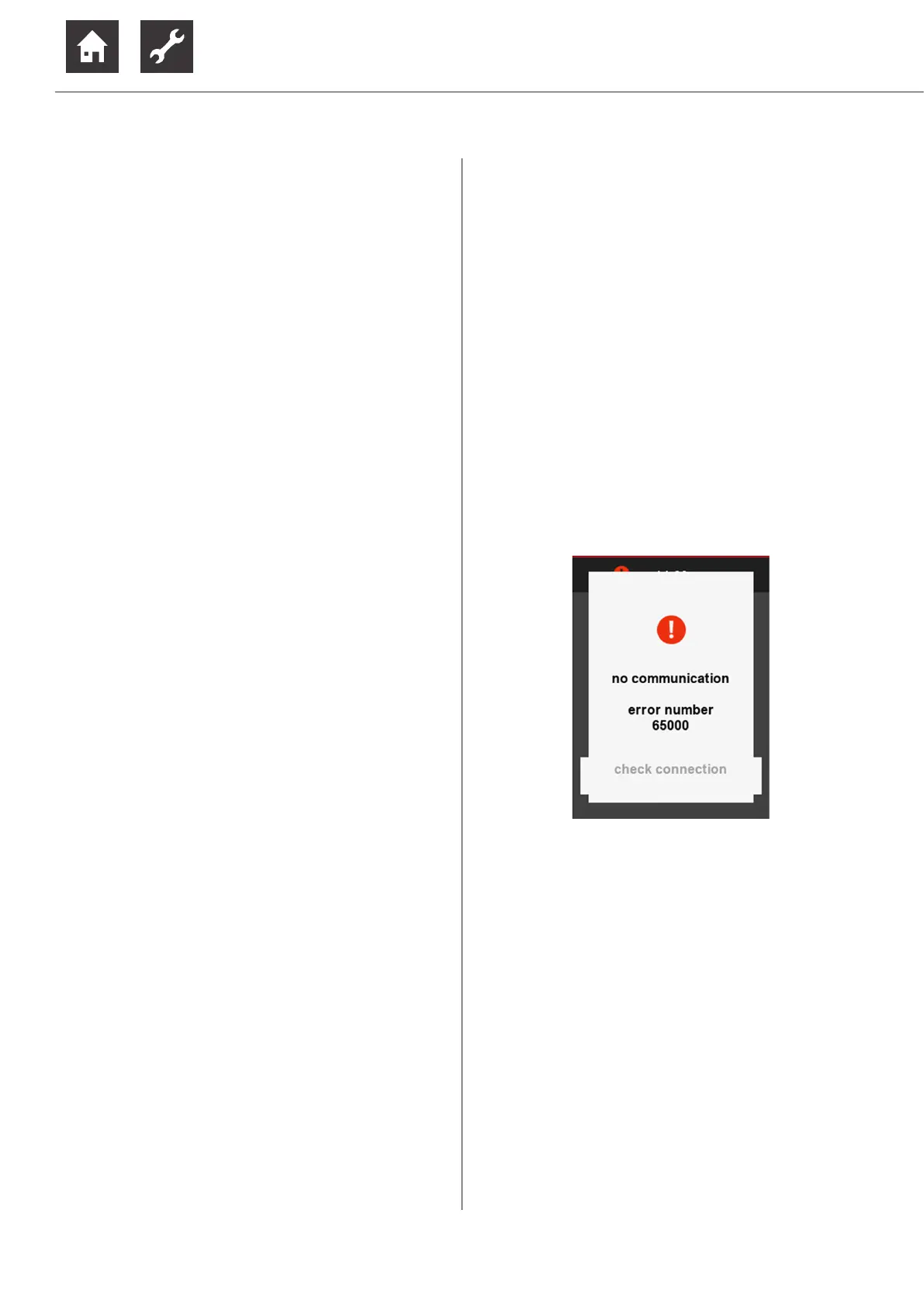
11.2 Communication error
If there is a communication error between the room
control unit and the heating and heat pump controller,
a corresponding push message appears in the touch
display.
► Check the settings on the control unit of the heating
and heat pump controller for “remote control” and
“RBE” and correct them if necessary.
“7 Settings on the heating and heat pump control-
ler”, page 8
► Check the cables between the room control unit and
control unit of the heating and heat pump controller,
and repair if necessary. Ensure that qualified elec-
tricians are deployed for electrical connection work.


 To Next Page