%5HY
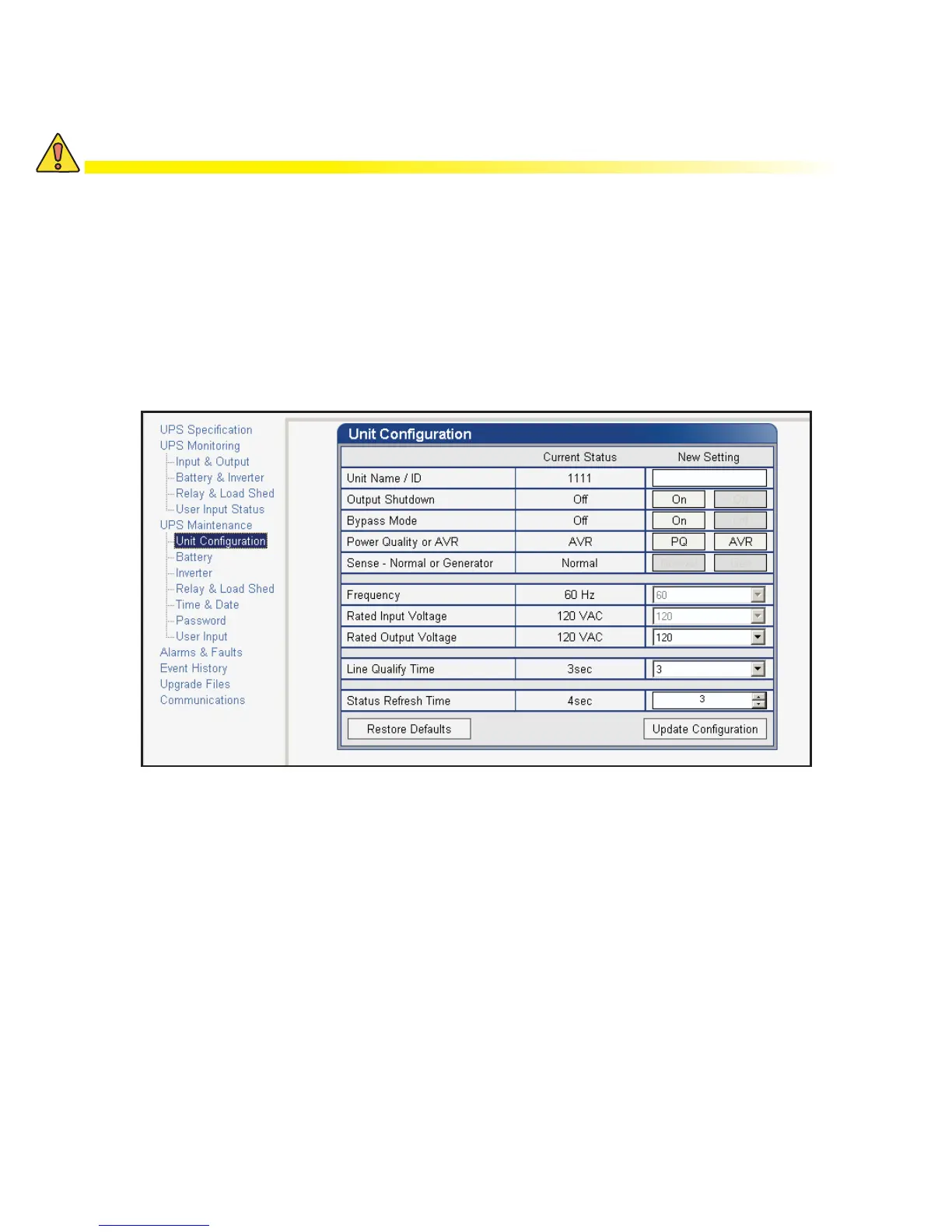
The default command can be issued via the RS-232 HyperTerminal or the RS-232 GUI as follows:
• RS-232 HyperTerminal – type default:all and press Enter. Enter the password and the Alpha FXM returns
*default as confirmation.
• RS-232 GUI – From the UPS Maintenance > Unit Configuration screen, click the Restore Defaults button.
Enter the password to execute the command.
Restoring All Parameters to Default Values
The purpose of this command is to reset the Alpha FXM to the factory default state. See Table P for a list of pa-
rameters that will be restored to their default values.
&$87,21
7KLVFRPPDQGUHVHWVDOOSDUDPHWHUVWKDWDUHXVHUFRQ¿JXUDEOH$OOSUHYLRXVO\SUR
JUDPPHGRSHUDWLRQZLOOEHORVW,PSOHPHQWDEDFNXSSODQIRUPLVVLRQFULWLFDORSHUD
WLRQV7KLVFRPPDQGLVSDVVZRUGSURWHFWHG
)LJXUH ² 5HVWRUHDOOGHIDXOWFRPPDQGV



 To Next Page