%5HY
7\SHIEXON
(UDVHSRSXS
DSSHDUV
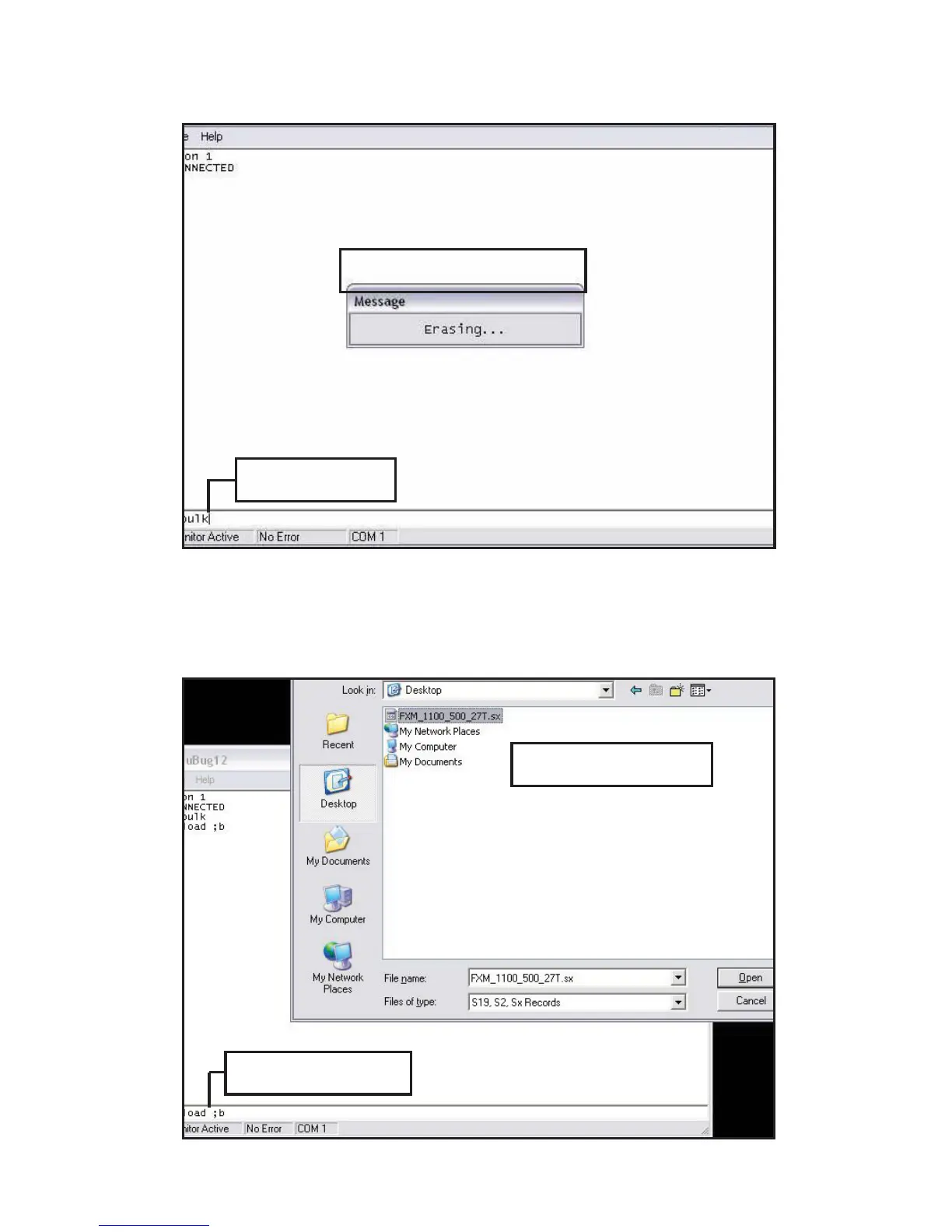
6. In the uBug12 screen, type (all lower case) fbulk and press ENTER. The erase pop-up appears. It
disappears when the Alpha FXM’s memory is erased. If an error message appears, send the fbulk command
again.
7. In the uBug12 screen, type (all lower case) fload(1 space);b and press ENTER. A pop-up appears asking
you to locate the new firmware. Look for a “sx record” (*.sx). Select this new firmware. The fload pop-up
appears.
7\SHÀRDGE
/RRNIRUDV[
¿OH



 To Next Page