AlphaVision ML User manual Rev. 2.60 – 01-01-2015 10
The various dialer LED’s (IP, GSM/GPRS or PSTN) are only on when the corresponding dialer is busy sending
a message from the buffer. When the dialer failed to deliver the message to the monitoring station or
private telephone, the dialer will automatically stop (after the programmed number of dial-attempts has
passed) and the dialer LED will start flashing. The next time the dialer has a message to send, the LED will
turn on again. When the message can be delivered this time, the LED will turn off.
When the system is disarmed with a DURESS code, the dialer LED’s will be disabled automatically for 15
minutes. Also the “Information Present” message will not be shown on the display and the trouble buzzer
will be disabled. DURESS codes are only used for disarming under threat and transmit a silent alarm to the
monitoring station/ telephone. For more information on Duress codes, see chapter ‘Duress codes’.
Arming/Disarming with user codes
By default, the AlphaVision ML is armed and disarmed from the keypad with 6-digit user codes (PIN-codes).
From software V2.0 and above it is possible to program all PIN codes as 4-digit, a fundamental choice must
be made to between all PIN-codes as 4-digit or 6-digit, your installer will discuss this with you during
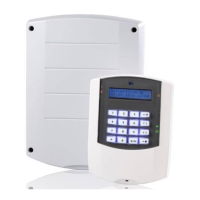
installation.There are two types of keypads available for the AlphaVision ML, the LCD keypad and the
LCD/Proximity keypad. The LCD/Proximity keypad has an integrated proximity reader for arming/disarming
with a coded tag, known as a proximity tag. The integrated proximity is located right above the microphone
hole, at the bottom center of the keypad. Both keypads allow arming and disarming with user codes. For
obvious reasons is it very important that this code remains SECRET.
Up to 90 user codes can be programmed in the AlphaVision ML (100.000 possible combinations). User
number 90 is dedicated for the supervisor and can be used for both arming/disarming, entering and
executing functions from the user menu and view available system information.
The proximity TAG is a different type of user code. The proximity tag contains a chip with a fixed code.
When enrolling the TAG it is automatically translated into a PIN-code, thus presenting the tag to the internal
reader is considered similar to entering a PIN-code.
To separate different types of authorization each user code is programmed to a specific LEVEL. Level 1 is the
level with lowest authorization and level 7 with the highest. Level 6 does not exist in the AlphaVision ML.
For more information about the user codes and the levels, please refer to the User menu / Change Codes
chapter.
User code number 90 is the supervisor code and is set to default code: 445566. After entering six invalid
codes an alarm message is sent to the monitoring station (if programmed) and the keypad is locked for 90
seconds.
The AlphaVision ML can be armed and disarmed with a duress code. The duress code is used when the user
is forced under threat to disarm the system and can only be used with PIN-codes (not with proximity keys).
Duress codes can only used when reporting alarm messages to a monitoring station are not displayed on
the display of the keypad. When the duress code is used, the dialer LED, Information message and trouble
buzzer are not shown or heard on the keypad for 15 minutes.
Access control using a level 1 proximity tag
The Alpha Vision ML panel can be expanded with an external proximity reader for outdoor access control.
Users with a level 1 proximity tag can gain access to the house or building by presenting the proximity tag to
the external proximity reader. A level 1 user code cannot be used to arm the system and therefore does not
make sense to associate it to a PIN-code. Once the user's presents his/her proximity tag (level 1) to the
external proximity reader the system will first check if the section (s) assigned to this proximity tag are
disarmed. If the Section (s) are disarmed the external proximity reader will activate its internal o.c. output
for 3 seconds to unlock the door. If the Section (s) are armed, the door will remain locked.


 To Next Page