AlphaVision ML User manual Rev. 2.60 – 01-01-2015 11
Arming with a level 2 user code
When the control panel is in idle state and a level 2 code is entered, the display changes to:
Section: 12..
<#>=ARM
When the <#> key is pressed, sections 1 and 2 are armed. If section 1 was already armed, section 2 will now
also be armed. Level 2 user codes can only be used for arming. The supervisor code (level 7) can program
which section(s) can be armed.
Arming and disarming with a level 3 user code
When the control panel is in idle state and a level 3 code is entered, the display changes to:
Section: 12..
<*>=DIS. <#>=ARM
Level 3 users can use <*> to disarm or <#> to arm both sections simultaneously. The supervisor (level 7) can
program which section(s) can be armed and disarmed.
Arming and disarming with a level 4 user code
Level 4 codes are only used for arming/disarming with a proximity tag. Level 4 user codes are equal to level
3 codes but do not require entering <*> or <#>. If section 1 was already armed then it will now be disarmed.
When presenting the proximity tag again both section 1 and 2 will be armed. The supervisor (level 7) can
program which section(s) can be armed and disarmed.
Arming and disarming with a level 5 or 7 user code
When the control panel is in idle state and a level 5 or 7 code is entered, the display changes to:
ARM: 1...
DIS: .2..
The display is divided in two lines. The top sections are sections which are/will be armed; the bottom
sections are sections that are/will be disarmed. When key <1> is pressed, digit 1 will switch position. The
same applies for the other sections shown. The sections are only armed/disarmed when the <#/OK> key is
pressed to confirm.
Both level 5 and 7 user codes can separately decide which sections are armed and disarmed. The supervisor
(level 7) can program which section(s) can be armed and disarmed. Aborting arming or disarming can be
done by pressing the <*> key.
Incorrect or incomplete code
Conforms European standards the AlphaVision ML (from V2.xx) contains a security mechanism for entering
an incorrect or incomplete user code. If an incorrect user code is entered ten (10) times the keypad will be
locked for 90 seconds. Also entering an incomplete code, for example 3-digit and then nothing counts as
incorrect user code.
After the next (2
nd
) cycle of ten (10) incorrect or incomplete user codes the keyboard will be locked again
for 90 seconds but will also send a message (SIA code ‘JA’) to the central station (if applicable).
If in the meantime one (1) correct code is entered, the "wrong code" counter mechanism will be reset.
Arming and disarming with a proximity tag
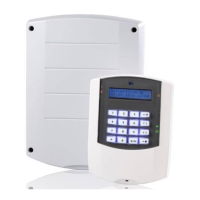
When the AlphaVision ML control panel is installed with an LCD/Proximity keypad, the system can be armed
and disarmed with a proximity tag. The proximity reader is integrated in the keypad and is located right
above the microphone hole, at the bottom of the keypad. Present the proximity tag approximately 2-5 cm
in front of the keypad to arm or disarm the system. When the proximity tag is programmed with level 4
authorization, the system will arm or disarm immediately.


 To Next Page