AlphaVision ML User manual Rev. 2.60 – 01-01-2015 5
European norm and security Grade
The Alpha Vision ML, the I/O module and associated components comply with the following European
standards:
EMC emission: EN301489-3 2002
EMC Immunity: EN50130-4 2003
Radio: EN300220-3
Telephony: TBR21 1998
Safety class: European standard EN60950
Security grade: European standard EN50131-3 (2009), EN50131-1 (2006) and A1
(2009) as "grade 2 - low to medium risk" and "environmental class II
- Indoor general"
Zones and sections of the AlphaVision ML control panel
The AlphaVision ML control panel has 12 wired inputs and can be expanded to up to a maximum of 100
wired zones. Also 32 wireless zones can be used, these replace hardware zones. Each zone is programmed
into the control panel and provides information about a certain event in a certain area of the house or
building.
The AlphaVision ML control can control up to 4 sections. Sections are also known as ‘Groups’ or ‘Areas’. A
section contains one or more zones and is used to arm and disarm a specific part of the house or building.
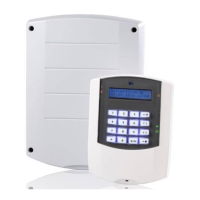
The sections are displayed as digits 1 to 4 on the left hand side of the keypad. The section LED’s 1 to 4 are
only visible once the section is armed.
The 8 sections (areas) of the AlphaVision ML can be armed and disarmed independently from each other or
simultaneously depending on the arming method and user level. Arming and disarming is done using a PIN-
code, a proximity tag or a keyfob transmitter. Which and how sections are armed/disarmed depends on the
way the system is armed/disarmed and the user level that is programmed to the PIN code or proximity tag.
The keypad has 4 navigator keys (the 4 keys on the right). The navigator keys can be used for two direct
arming methods: a Total arming and a Partial arming. When the user is at home, part of the system can be
armed (Partial, for example sections 1 and 2). In this way the premises can be secured, while the users can
walk freely inside the premises. When the user leaves the home or building, the system can be armed
totally (for example sections 1, 2, 3 and 4) by simply pressing the Total key. An extra ‘quick arming’ option
can be programmed by your installer to be able to arm the system Partial or Total without having to enter a
PIN-code. For disarming, a PIN-code or presenting a proximity tag is always required. The installer will
program which sections and thus corresponding zones are active during Partial and Total arming.
User Codes: you can program up to 90 users codes (more than one code can be programmed as supervisior
code), the use of a duress code is optional. In addition there is one installer code. Users have the choice of a
PIN-code or a proximity tag (optional). The total of both is 90. Assuming six-digit PIN codes are 999999 valid
codes. PIN 000000 is invalid. If the duress code option is used, there are 499999 valid codes. The code of a
proximity pass is automatically translated into a 6-digit PIN-code. From software V2.0 and above it is
possible to program all PIN codes as 4-digit, a fundamental choice must be made to between all PIN-codes
as 4-digit or 6-digit.


 To Next Page