AlphaVision ML User manual Rev. 2.60 – 01-01-2015 14
will activate a panic alarm. Panic alarm will result in a panic alarm message being sent to the monitoring
station or to private telephone(s) and the siren being activated. To stop the siren, disarm the system.
►! From firmware V2.0 and higer the system can only be armed after a panic alarm if the ‘Information
Present’ menu is opened and the information is read and erased.
Trigger output
For specific purposes or applications your installer can be program a so-called ‘trigger output’ (from
software v2.04 and higher) that can be activated by typing in a level 1 user code (PIN-code). Once the level
PIN-code is entered on the keypad the message "Trigger out is activated" will appear in the LCD display. The
output will now be activated for approximately 3 seconds.
Internal buzzer
All keypads have an integrated buzzer for audible assistance. The buzzer can be activated or deactivated
during both the entry and exit delays, only during the exit delay or only during the entry delay. The entry
and exit delays are only used when there are zones programmed as delayed zones. The installer can
program which keypads sound the buzzer. The buzzer is also used to alert the user to trouble messages.
Trouble buzzer
The trouble buzzer is the same internal buzzer in the keypads which indicate the entry and exit delays. The
trouble buzzer sounds when a trouble or malfunction is detected. The trouble buzzer can be programmed
as ON, DAYTIME and OFF by the installer, where the Daytime option disables the trouble buzzer between
19.00 and 08.00 hours (nighttime).
The trouble buzzer is used to alert the user that a trouble or malfunction has been detected in the system.
When a trouble occurs, the buzzer will sound every 3 seconds, for one minute. Also the message
“Information Present” will be shown on the display and the ‘i’ LED will flash. Please read the following menu
about viewing and confirming the available information with the key.
Information Present
When the red (i) LED flashes and the message “Information Present” appears on the display, an alarm or
trouble has occurred. The user has to view and confirm the information by pressing the key, followed
by a level 3, 4(tag), 5 or 7 user code. When the user code is entered, the display will show the first message.
When the control panel is expanded with a speech module and a speaker, the system will also provide vocal
assistance. Use the to show any other messages. When the last message has been shown, the display
will show “Del. information. <OK>. Press <#/OK> to erase the message.
When a trouble has occurred, e.g. power failure, the trouble has to be solved before the message can be
erased. When the trouble has not been solved, a new “Information Present” message will appear. When the
trouble cannot be solved, contact your installer immediately.
►! If the screensaver option is enabled the Information (i) LED will not shown immediately when the
system is armed. Only after entering a valid user code it will be visible and via the Information menu
the information can be read and erased.
LCD/Proximity keypad
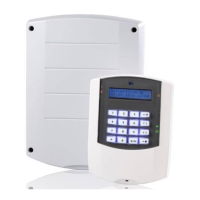
When the AlphaVision ML control panelis equipped with a LCD/Proximity keypad, the system can be armed
and disarmed with a coded key, known as a proximity tag. By using proximity tags, users do not have to
remember their user codes. Up to 90 proximity tags can be programmed. For more information about
enrolling proximity tags, please read the chapter about creating new user codes.
Arming and disarming with a tag on an LCD/Proximity keypad
The system can be armed or disarmed with a proximity tag. Depending on the authorization level the
system will arm or disarm directly (level 4) or requires an additional action.


 To Next Page