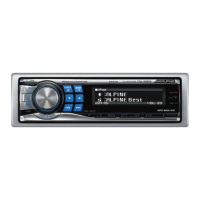
Display is selected on the setup main menu
in
step
2.
Demonstration
Demo
ON
/ Demo
OFF
(Initial setting)
This unit includes a special
message
feature
with
various patterns,
which when enabled displays opening
messages
for
certain occasions.
For example, when you
tum
this unit on December 25th (according to
the unit's date setting), a Christmas greeting is displayed
if
the Opening
Message is
set
to ON.
You
can
select your favorite animation display
for
background from 4
types.
HD
Radio
is
selected on the setup main menu
in
step 2.
Opening Message ON/OFF Setting
Opening
MSG
ON
/ Opening MSG
OFF
(Initial settIng)
Switching the Animation Display Type (BGV select)
BGV
5eIfIct
OFF
(Initial
SlItting)
/
BGV
5eIfIct
TYPE
1/
TYPE
2/
TYPE
3/
TYPE
4
Switching the Character Font
Font Select TYPE 1 (Initial setting)/ Font Select TYPE 2
Two types
of
font can
be
selected.
You can select the font type you like.
Normal Font
European Font
Language 1 :
Language
2:
Dimmer Control
Dimmer Auto (Initial setting) /
Dimmer
Manual
Set
the
Dimmer
control to Auto to decrease the illumination brightness
of
the unit
with
the
head
lights
of
the vehicle ON. This mode
is
useful
if
you feel the unit's backlighting
is
too bright at night.
This unit
has
a demonstration feature
for
the display.
•
To
quit Demo mode, set to Demo
OFF.
Setting the Language Font
Language 1 (Initial Setting) / Language 2
Two types
of
font can
be
selected.
Dimmer Level setting
Lev1~nlt~/settlng)/Lev2/Lev3
In
the
Dimmer
Level setting, three levels
are
available, the highest level
(Lev3) being the dimmest when the car headlights
are
on.
HD Radio Station Call setting
Station Call Short (InItial setting)/ Station
Call
Long
In the
HD
Radio mode, the number
of
display characters
for
the
HD
Radio station name can
be
selected.
Choose from
two
scrolling methods.
Select the type you prefer.
Scroll Type setting
TYPE1 / TYPE2 (Initial setting)
TYPE1 :
TYPE2 :
The characters scroll from right to left, one
character at a time, until the entire title has
scrolled.
Words are built
up
from left to right, a single
character
at
a time. When the display is full, it is
cleared and the subsequent words are displayed
the same way until all words of the title have been
shown.
Short:
7 characters (FM)
4 characters (AM)
Long:
56
characters
Digital Seek ON/OFF setting
DIgital Seek
ON
/ Digital seek
OFF
(InitIal Setting)
ON :
SEEK
UP/oOWN is used only
for
Digital Radio Station.
OFF:
SEEK
UP/oOWN
is
used for
all
Radio Stations.
Scroll setting (Text Scroll)
Text Scroll Auto/ Text Scroll Manual (Initial setting)
This
CD
player
can
scroll the disc
and
track names recorded on
CD-
TEXT
discs,
as
well
as
text information
of
MP3IWMAlAAC
files,
folder names, tags,
HD
Radio and SAT Radio.
Text Scroll
Auto:
CD text information, folder and file names,
HD and
SAT
Radio text are scrolled
continuously. In addition, all tag information
is automatically rotated in the display
continuously, without pressing the VIEW
button.
Text Scroll
Manual:
The above information is scrolled only when
a disc
is
loaded, a channel or track is
changed, etc.
•
In
pans
of
the display, scrolling may
not
occur,
or
scroll content may
differ.
21-EN
Display is selected on the setup main menu
in
step
2.
Demonstration
Demo
ON
/ Demo
OFF
(Initial setting)
This unit includes a special
message
feature
with
various patterns,
which when enabled displays opening
messages
for
certain occasions.
For example, when you
tum
this unit on December 25th (according to
the unit's date setting), a Christmas greeting is displayed
if
the Opening
Message is
set
to ON.
You
can
select your favorite animation display
for
background from 4
types.
HD
Radio
is
selected on the setup main menu
in
step 2.
Opening Message ON/OFF Setting
Opening
MSG
ON
/ Opening MSG
OFF
(Initial settIng)
Switching the Animation Display Type (BGV select)
BGV
5eIfIct
OFF
(Initial
SlItting)
/
BGV
5eIfIct
TYPE
1/
TYPE
2/
TYPE
3/
TYPE
4
Switching the Character Font
Font Select TYPE 1 (Initial setting)/ Font Select TYPE 2
Two types
of
font can
be
selected.
You can select the font type you like.
Normal Font
European Font
Language 1 :
Language
2:
Dimmer Control
Dimmer Auto (Initial setting) /
Dimmer
Manual
Set
the
Dimmer
control to Auto to decrease the illumination brightness
of
the unit
with
the
head
lights
of
the vehicle ON. This mode
is
useful
if
you feel the unit's backlighting
is
too bright at night.
This unit
has
a demonstration feature
for
the display.
•
To
quit Demo mode, set to Demo
OFF.
Setting the Language Font
Language 1 (Initial Setting) / Language 2
Two types
of
font can
be
selected.
Dimmer Level setting
Lev1~nlt~/settlng)/Lev2/Lev3
In
the
Dimmer
Level setting, three levels
are
available, the highest level
(Lev3) being the dimmest when the car headlights
are
on.
HD Radio Station Call setting
Station Call Short (InItial setting)/ Station
Call
Long
In the
HD
Radio mode, the number
of
display characters
for
the
HD
Radio station name can
be
selected.
Choose from
two
scrolling methods.
Select the type you prefer.
Scroll Type setting
TYPE1 / TYPE2 (Initial setting)
TYPE1 :
TYPE2 :
The characters scroll from right to left, one
character at a time, until the entire title has
scrolled.
Words are built
up
from left to right, a single
character
at
a time. When the display is full, it is
cleared and the subsequent words are displayed
the same way until all words of the title have been
shown.
Short:
7 characters (FM)
4 characters (AM)
Long:
56
characters
Digital Seek ON/OFF setting
DIgital Seek
ON
/ Digital seek
OFF
(InitIal Setting)
ON :
SEEK
UP/oOWN is used only
for
Digital Radio Station.
OFF:
SEEK
UP/oOWN
is
used for
all
Radio Stations.
Scroll setting (Text Scroll)
Text Scroll Auto/ Text Scroll Manual (Initial setting)
This
CD
player
can
scroll the disc
and
track names recorded on
CD-
TEXT
discs,
as
well
as
text information
of
MP3IWMAlAAC
files,
folder names, tags,
HD
Radio and SAT Radio.
Text Scroll
Auto:
CD text information, folder and file names,
HD and
SAT
Radio text are scrolled
continuously. In addition, all tag information
is automatically rotated in the display
continuously, without pressing the VIEW
button.
Text Scroll
Manual:
The above information is scrolled only when
a disc
is
loaded, a channel or track is
changed, etc.
•
In
pans
of
the display, scrolling may
not
occur,
or
scroll content may
differ.
21-EN



 To Next Page