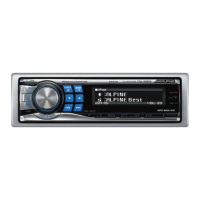
IMPRINT
Operation
(Optional)
Alpine introduces IMPRINT - the world's first technology that
thoroughly eliminates in-car acoustic problems that normally degrade
sound quality, which enables
us
to experience music the way the artist
intended, refer to "About IMPRINT" (page 36).
When the IMPRINT-BOX (PXA-HIOO) (sold separately) is connected to
this unit, MultEQ and the following sound adjustment can
be
performed.
SOURCEl<!>
Rotary encoder
BAND
C\lENT
Preset buttons IMPRINT
(1
through 6)
':::='lESC
• When the Text Scroll
is
set to Manual. press
and
hold
VIEW
for
at
least 2 seconds. the current text will be scrolled one time.
Press
VIEW.
Each press changes the display.
You
can display the tag information
of
a song in the iPod.
Displaying
the
Text
2
To
cancel repeat play, select (off) with the above
procedure.
• During repeat playback. no other songs are selectable
by
pressing
~or~.
Repeat One:
A single song is repeatedly played back.
1 Press
~4.
The song is played
back
repeatedly.
RPT
-+
(off)
-+
RPT
(Repeat One)
Only Repeat One is available for the iPod.
Repeat
Play
iPodmode:
Changing
MultEO
mode
(Blank)
(Blank)
Track No.lAIl
Songs
No.·2
Elapsed
Time
MultEQ, developed by Audyssey Labs, automatically corrects the audio
for the listening environment. The system
is
optimized for selected
positions in the vehicle.
To
accomplish this, MultEQ must take
measurements
of
the vehicles response characteristics. For details on the
set up procedure, consult your authorized Alpine dealer.
Press and hold IMPRINT for at least 2 seconds to
change MultEQ mode.
MultEQ Off (Manual Mode)
-+
Curve 1 (MultEQ-1)
-+
Curve 2 (MultEQ-2)
-+
MultEQ Off (Manual Mode)
.J
TAG
information
If
the "Text Scroll" (page
2/)
is set to "Auto." the tag information
will scroll automatically.
If
there is no text information. nothing will be displayed.
.,}
The numbers
of
all songs displayed vary depending on the songs
selected
by the search.
.J
When the -"Text Scroll" (page 2
J)
is set to "Auto." the display cannot
be switched bypressing
VIEW. The display contents switch
alternately.
• Only alphanumeric characters (ASClJ) can be displayed.
•
If
the anist. album
or
song name. created in iTunes. has too many
characters. songs may not be played back when connected to the
adaprer. Therefore. a maximum
of
250 characters is recommended.
The maximum number
of
characters
for
the head unit is J28
(/28
byte).
• Some characters may not be correctly displayed.
• The display is blank when text information
is
not compatible with this
unit.
• The Curve mode can be selected only when curve I
and
curve 2 are
stored.
• When using MultEQ,
MX,
X-OVER. T.Correction, Factory's
EQ,
SUBW. Phase, SUBW. Channel, TW Setup.
EQ
Mode. Filter Type,
Parametric
EQ
and Graphic
EQ
are set automatically. They are no
longer user adjustable.
• When an external audio processor is connected, the MultEQfunction
cannot be used.
29-EN
IMPRINT
Operation
(Optional)
Alpine introduces IMPRINT - the world's first technology that
thoroughly eliminates in-car acoustic problems that normally degrade
sound quality, which enables
us
to experience music the way the artist
intended, refer to "About IMPRINT" (page 36).
When the IMPRINT-BOX (PXA-HIOO) (sold separately) is connected to
this unit, MultEQ and the following sound adjustment can
be
performed.
SOURCEl<!>
Rotary encoder
BAND
C\lENT
Preset buttons IMPRINT
(1
through 6)
':::='lESC
• When the Text Scroll
is
set to Manual. press
and
hold
VIEW
for
at
least 2 seconds. the current text will be scrolled one time.
Press
VIEW.
Each press changes the display.
You
can display the tag information
of
a song in the iPod.
Displaying
the
Text
2
To
cancel repeat play, select (off) with the above
procedure.
• During repeat playback. no other songs are selectable
by
pressing
~or~.
Repeat One:
A single song is repeatedly played back.
1 Press
~4.
The song is played
back
repeatedly.
RPT
-+
(off)
-+
RPT
(Repeat One)
Only Repeat One is available for the iPod.
Repeat
Play
iPodmode:
Changing
MultEO
mode
(Blank)
(Blank)
Track No.lAIl
Songs
No.·2
Elapsed
Time
MultEQ, developed by Audyssey Labs, automatically corrects the audio
for the listening environment. The system
is
optimized for selected
positions in the vehicle.
To
accomplish this, MultEQ must take
measurements
of
the vehicles response characteristics. For details on the
set up procedure, consult your authorized Alpine dealer.
Press and hold IMPRINT for at least 2 seconds to
change MultEQ mode.
MultEQ Off (Manual Mode)
-+
Curve 1 (MultEQ-1)
-+
Curve 2 (MultEQ-2)
-+
MultEQ Off (Manual Mode)
.J
TAG
information
If
the "Text Scroll" (page
2/)
is set to "Auto." the tag information
will scroll automatically.
If
there is no text information. nothing will be displayed.
.,}
The numbers
of
all songs displayed vary depending on the songs
selected
by the search.
.J
When the -"Text Scroll" (page 2
J)
is set to "Auto." the display cannot
be switched bypressing
VIEW. The display contents switch
alternately.
• Only alphanumeric characters (ASClJ) can be displayed.
•
If
the anist. album
or
song name. created in iTunes. has too many
characters. songs may not be played back when connected to the
adaprer. Therefore. a maximum
of
250 characters is recommended.
The maximum number
of
characters
for
the head unit is J28
(/28
byte).
• Some characters may not be correctly displayed.
• The display is blank when text information
is
not compatible with this
unit.
• The Curve mode can be selected only when curve I
and
curve 2 are
stored.
• When using MultEQ,
MX,
X-OVER. T.Correction, Factory's
EQ,
SUBW. Phase, SUBW. Channel, TW Setup.
EQ
Mode. Filter Type,
Parametric
EQ
and Graphic
EQ
are set automatically. They are no
longer user adjustable.
• When an external audio processor is connected, the MultEQfunction
cannot be used.
29-EN



 To Next Page