37-EN
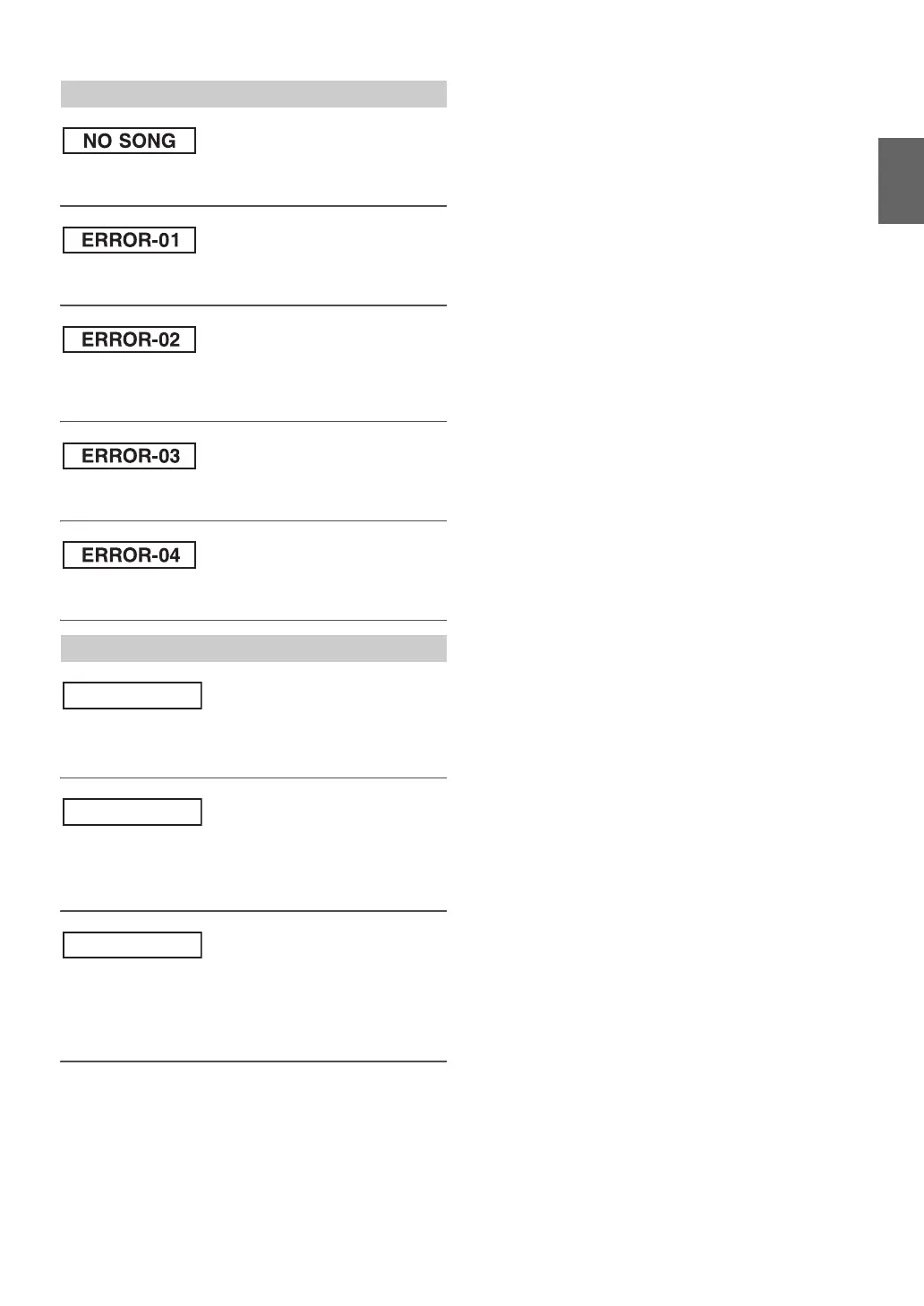
• There are no songs in the iPod/iPhone.
– Download songs to the iPod/iPhone.
• Database error or decoder error.
– Replace the iPod.
• Communication error or boot error, etc.
– You can solve the problem by reconnecting the iPod/iPhone or
using a different iPod/iPhone.
• The iPod/iPhone is not verified.
– You can solve the problem by reconnecting the iPod/iPhone.
• Abnormal current is run to the USB connector device.
– You can solve the problem by switching the source.
• You have not created any personalized Pandora
®
Stations.
– When you are not driving, use the Pandora
®
Compatible
Application for iPhone to create your Pandora
®
station(s).
• The music cannot be played because the Pandora
®
Compatible
Application for iPhone requires the user’s attention.
– When you are not driving, please see the Pandora
®
Compatible
Application for iPhone.
• You switched CDE-136BT to Pandora
®
mode by pressing
SOURCE with an iPhone or iPod touch connected, without
launching or installing the Pandora
®
Application.
– Launch the Pandora
®
Application on the iPhone or iPod touch.
– Select a source other than Pandora
®
by pressing SOURCE.
Indication for iPod Mode
Indication for Pandora
®
Mode


 To Next Page