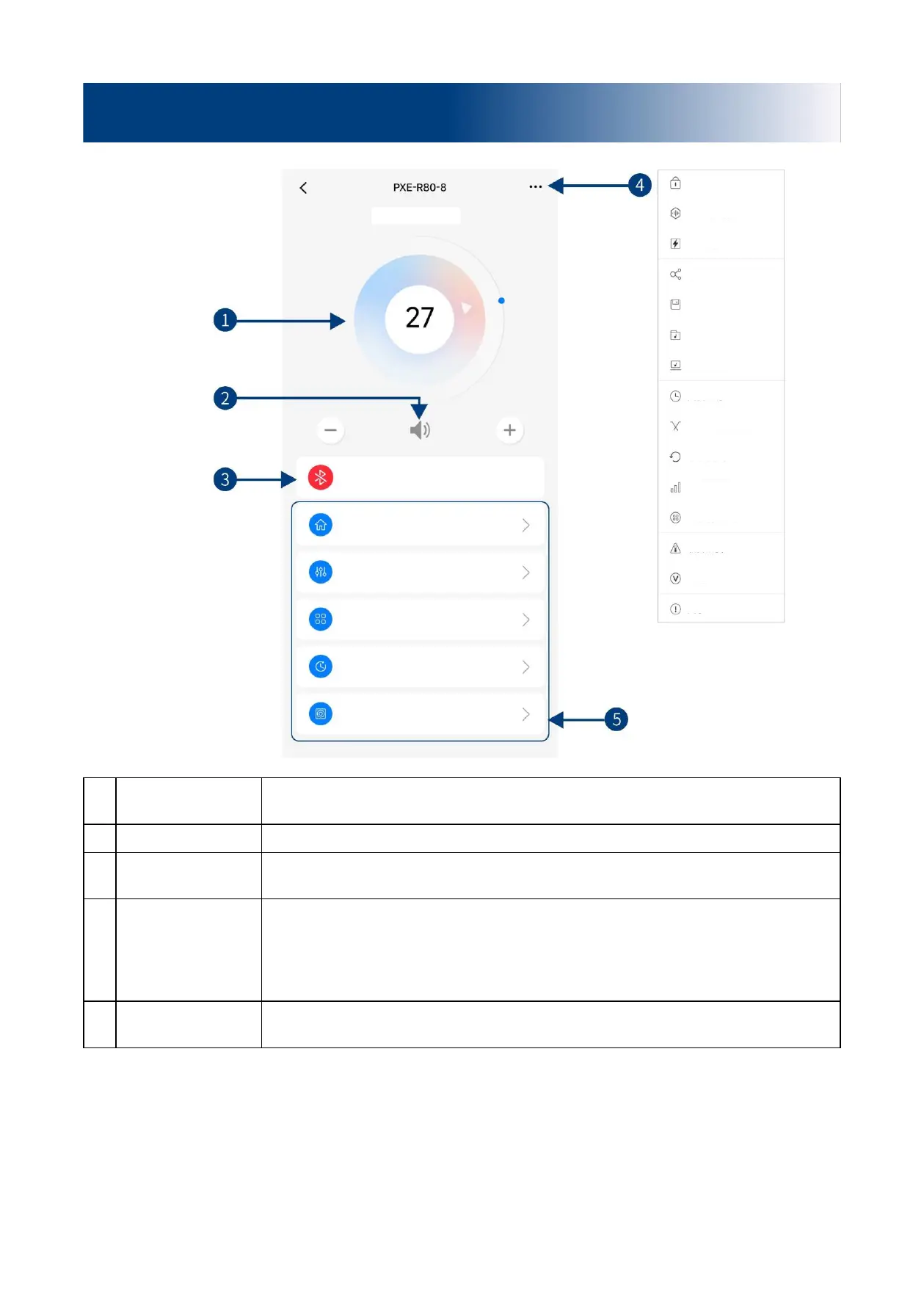
Drag and rotate the volume adjustment fader or click "+" and "-" to adjust the master
volume. The volume adjusting range is 0 ~ 35.
When the Bluetooth icon is red, the mobile phone Bluetooth is not connected; when it is
green, the mobile phone Bluetooth is connected.
You can encrypt data, protect DSP treble, set built-in power amplifier, share sound effect,
save sound effect, select online effect, select local effect, set shutdown delay, check X-
Over divider data (with channel setting data available), reset device parameters, set EQ
gain step size, set channel gain step size, check device temperature, check device voltage
and check version number.
Five pages of different functions of tuning, namely Homepage, EQ, Channel, Delay and
Frequency combination.


 To Next Page